Chapter 1
Chapter 2 Chapter 3 Chapter 4 Chapter 5
31
CHAPTER 2 - DETAILED INFORMATION
31
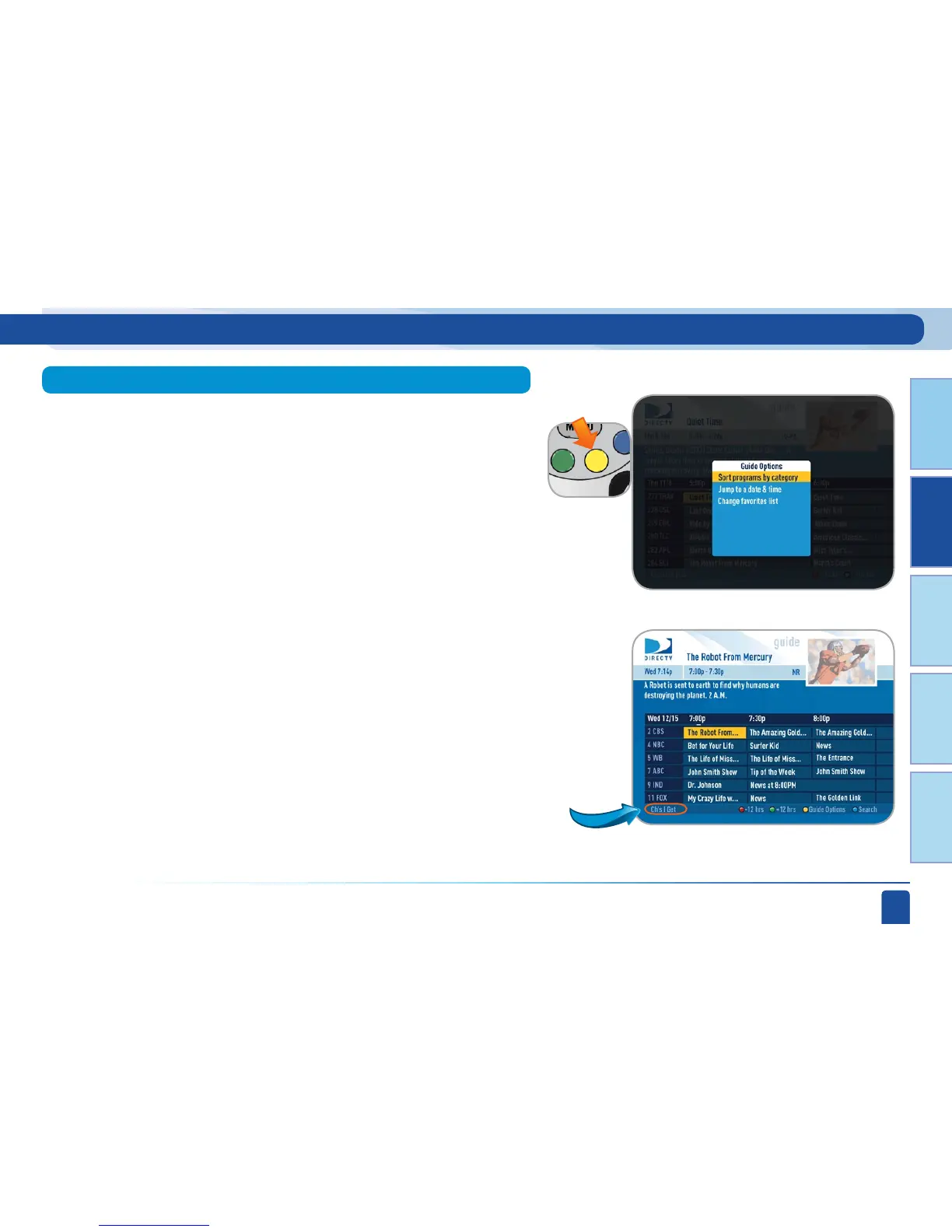
Customize the guide to show only the channels you want (or channels you
get, for example). In that case, press GUIDE, use the color button hint at
the bottom of the screen and press the YELLOW button to bring up the
guide options menu, select “Change Favorites List” and “Channels I Get”
and now the program guide will only show the channels to which you
subscribe. The bottom left corner of the program guide screen says “Ch’s I
Get” to tell you how the Guide is customized.
From the program guide screen, press the YELLOW button to bring up
“Guide Options”.
Select “Sort Programs by Category”, then select a category to see a list of
shows in chronological order that match your sort criterion.
Select “Jump to a Date & Time” to quickly go to a future date and time in
the Guide.
To remove the “Channels I Get” customization, press GUIDE then the YELLOW
button to bring up “Guide Options”, select “Change Favorites List” and select
All Channels. You can also use “Change Favorites List” to create a completely
custom list of channels selecting each individual channel that you want to see
in your program guide. Simply follow step by step screen instructions to create
and name your custom channel list.
Program Guide Features and Options
Change Favorites List (Customizing the Guide)
Guide Options
Sort Programs by Category
Jump to a Date & Time



 To Next Page