72
DIRECTV PLUS
®
DVR USER GUIDE
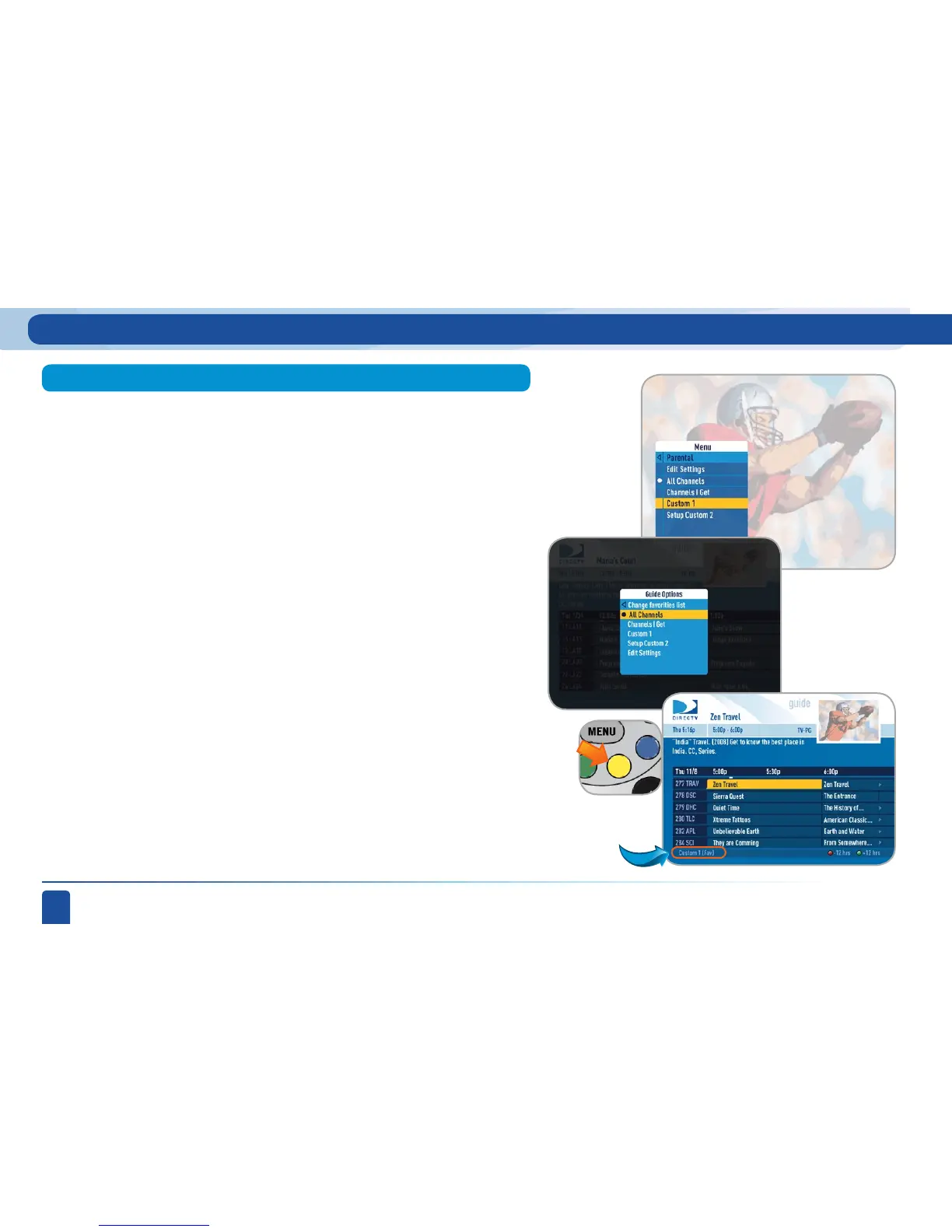
Select Favorites from the Menu /Parental, Fav’s & Settings. If you have not
already created a Favorites list, the Setup Custom 1 and Setup Custom 2
options will be displayed.
Favorite Channels
Selecting a Favorites list makes it active and hides the display of all other
channels in the guide. See the label in the bottom left of the program guide
screen that reminds you which channel list you are currently using. To return
to displaying all channels, press the YELLOW button while in the guide, select
Favorites, and select the All Channels option.
Select the one you want, and follow the on-screen instructions to create and
name your list. Once your list is created, if you press the YELLOW button
while in the guide, the guide options menu will appear.
Select Change Favorites List to pick the list you want to use in the guide.
Main Menu - Parental, Fav’s & Settings



 To Next Page