Chapter 1
Chapter 2 Chapter 3 Chapter 4 Chapter 5
33
CHAPTER 2 - DETAILED INFORMATION
33
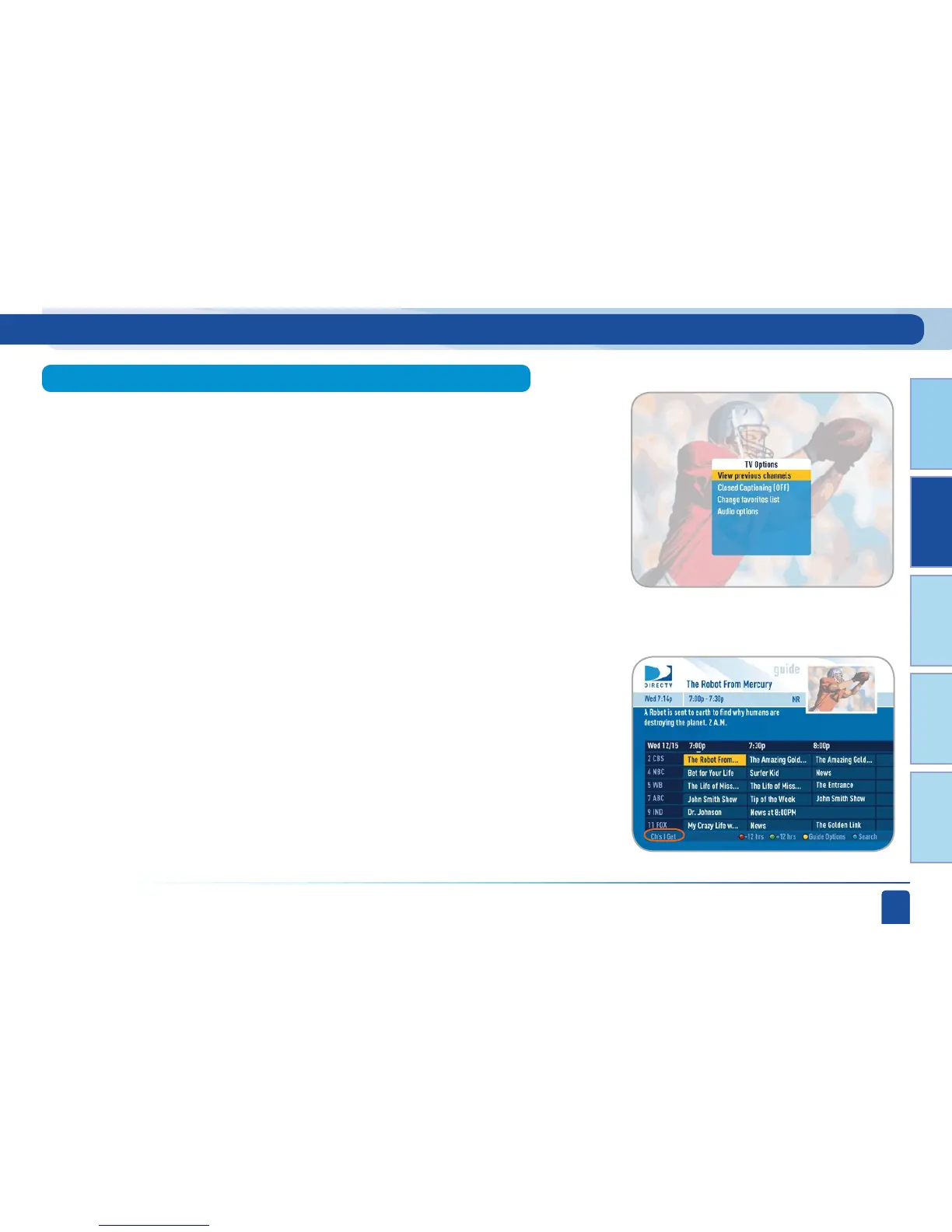
Press SELECT on Change Favorites List to pick which list of channels shows
up in your program guide. You can choose All Channels (some may not be
in your programming package, so although you may see them in the guide
you will not be able to tune to them), Channels I Get (only the channels in
your programming package), or any of your self-created lists. You can also
choose Edit Settings if you want to create a new list. See the Parental, Fav’s &
Settings section near the end of this chapter for details.
While watching Live TV you can press the YELLOW button to bring up a list of
options: View Previous Channels, Closed Captioning, Change Favorites List,
Audio Options.
Press SELECT on Closed Captioning to toggle it ON or OFF.
Press SELECT on “View previous channels” to see a short list of the
channels you have watched previously. If you select a channel from this list
the receiver will tune to that channel. This is an easy way to toggle between
the channels you watch most often.
Change Favorites List
Live TV Options
Closed Captioning
View Previous Channels
Live TV Features and Options



 To Next Page