36
DIRECTV PLUS
®
DVR USER GUIDE
Record to Receiver
R
Have you ever forgotten to set a recording and wish you could do it remotely
from work or while on the go? Now you can with with DIRECTV’s DVR
Scheduler. A brief description of the process is provided below, but go to
directv.com/dvrscheduler for all the details.
Remote Recording
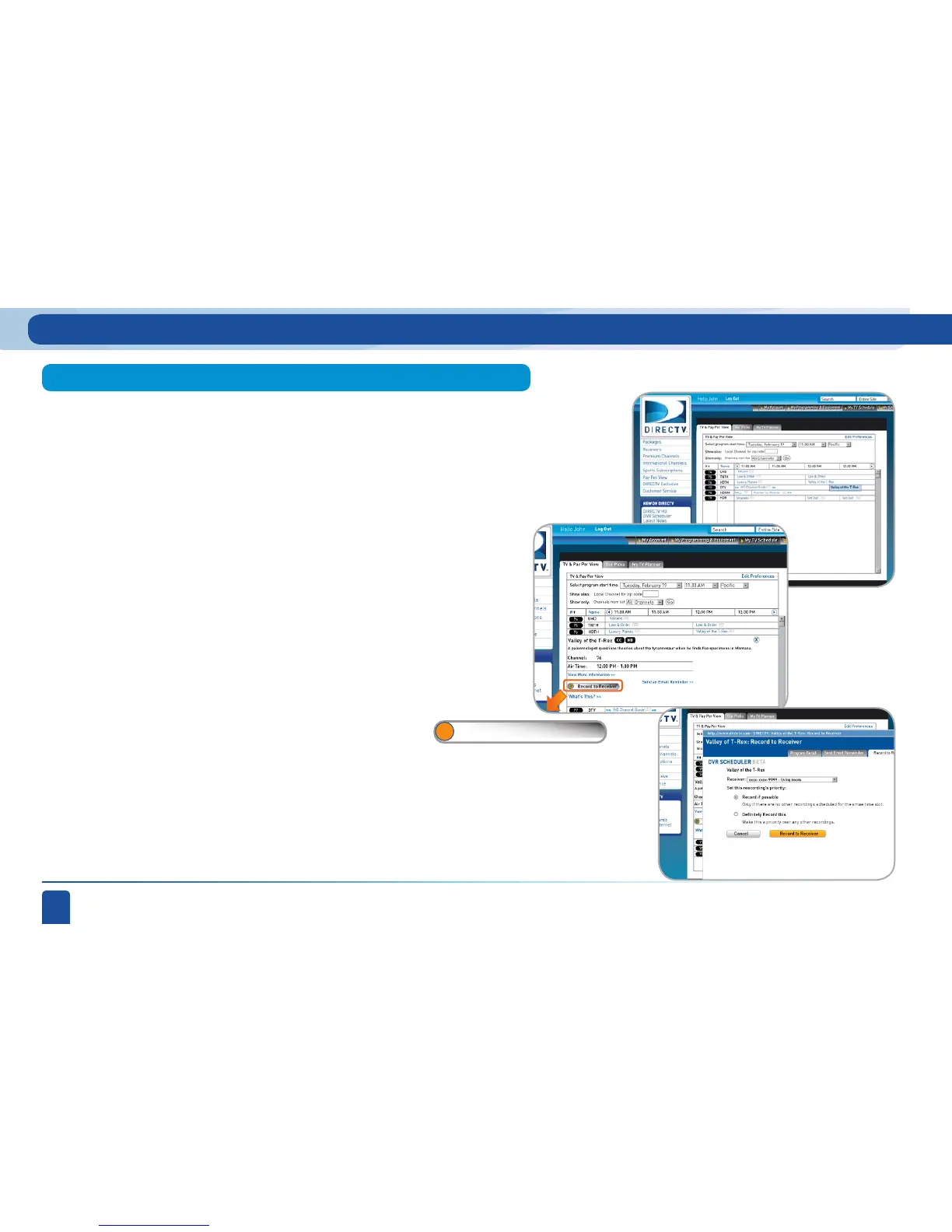
To schedule a recording from a PC go to directv.com/tvlistings to see an
on-line version of your program guide. Simply navigate through the guide
to find the show you want to record. After choosing the DVR receiver you
want the recording to go to, select RECORD while indicating the priority
of the recording you want to make. This will assist in resolving conflicts
with recordings you already set on your DVR.
If you have a mix of HD and SD DVRs in your home, make sure not to pick
an HD movie for your SD DVR. It will not record.
Step 1 is to register as a user on directv.com. Then do the following:
From a PC
Recorded TV Special Features



 To Next Page