18
Dirtywave M8 Operation Manual
Instrument Envelope View
INST. 00
TYPE SAMPLE LOAD SAVE
NAME ------------
TRANSP. ON
ENV1 TO 01VOLUME
AMOUNT 00
ATTACK 00
HOLD FF
DECAY 00
ENV2 TO 02CUTOFF
AMOUNT 00
ATTACK 00
HOLD FF
DECAY 00
T>120
1 E-3
2 ---
3 ---
4 ---
5 ---
6 ---
7 ---
8 ---
E
SCPI T
M
LFO 00OFF
AMT 00
OSC 00TRI
TRG 00FREE
FRQ 00
LFO 00OFF
AMT 00
OSC 00TRI
TRG 00FREE
FRQ 00
TABLE TIC 01
This view is accessible above the instrument view ([SHIFT]+[UP]). The envelopes and
LFOs alter instrument parameters over time. The view is divided up so that the two en-
velopes are on the left, and two LFOs on the right.
Envelopes
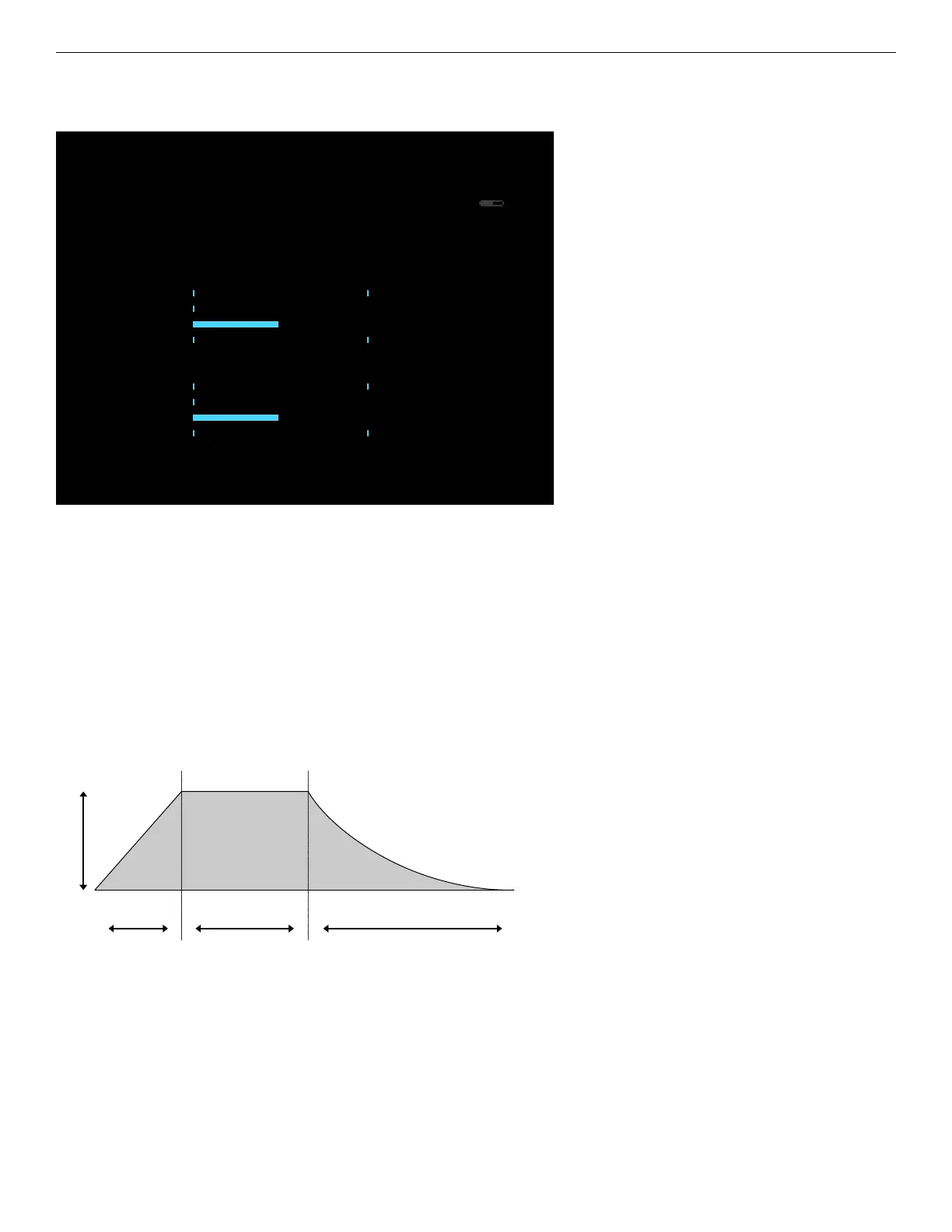
Each envelope has a destination, amount, and 3 “stages” - Attack, Hold, and Decay
(AHD)
Attack Hold Decay
“ENV TO” assigns an instrument parameter to the envelope, with “AMOUNT” setting
the maximum amount the envelope controls. “ATTACK” is the time it takes for the en-
velope to reach the specied amount, “HOLD” is the time to wait after the attack is
completed before proceeding to decay, and “DECAY” is the time it takes to decrease
the envelope back to zero. All time-based values are in ticks and thus relative to the
current song tempo. Refer to the help text at the bottom of the screen while editing a
parameter for assistance.



 To Next Page