6. Operating panel
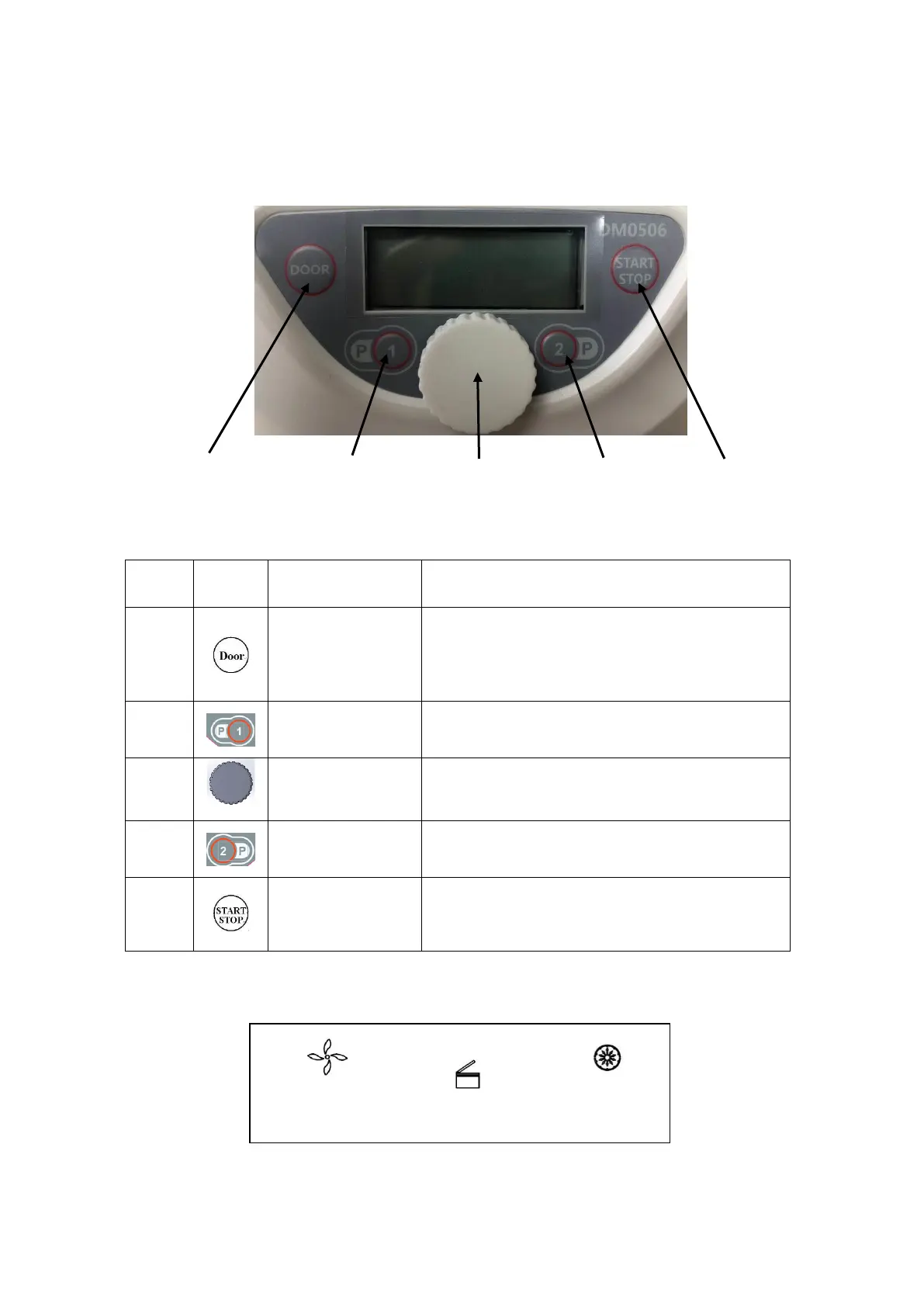
Figure 6.1 Control panel layout
When the rotor is fully stopped, press this key to
release the door lock. When the rotor is still running,
the door will remain locked.
Press this key load/edit the predefined program #1.
Rotate this knob to adjust the parameter setting of
speed, RCF, timer or deceleration.
Press this key load/edit the predefined program #2.
When the centrifuge is ready to run, press this key to
start running; While the centrifuge is running, press
this key to stop.
Figure 6.2 Main display schematics
①
Speed Section Lid Lock Status Timer Section



 To Next Page