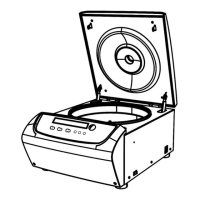
◼ Press the key to release the lock if the lid is still locked.
◼ The current settings will be stored. It will be loaded automatically as soon as the centrifuge is
switched ON next time.
(3) Retrieve the rotor and samples.
8.2. RCF operation
Turn power switch ON and set the centrifuge to RCF (relative centrifugal force) mode.
Caution
⚫ The relative centrifugal force set should not exceed the maximum relative centrifugal
force allowed by the centrifuge tube and its adaptor.
⚫ The relative centrifugal acceleration is calculated based on the maximum centrifugal
radius and operating speed of the rotor. (See 12 RCF calculation).
◼ Press the parameter knob to choose the rotation speed unit as xg. If the RCF value
flashes it indicates that the RCF value can be set as it is in adjustment mode.
◼ Turn the knob to adjust the relative centrifugal acceleration, in increments of 10xg.
◼ Wait for 7 seconds to update the settings.
See Section 8.1 for operation instructions.
8.3. Set deceleration level
Press and hold the knob for 5 seconds, after a beep sound, you can adjust the deceleration between
2 levels by rotating the knob. Level 1 is the default, and it is suitable for most applications. Set it
to Level 2 for slower deceleration.
9. Maintenance and servicing
9.1. Cleaning



 To Next Page