Light Indicates
Blue Light Normal Working
Red Light Flash The battery is low, please charge it
Red Light ON
Machine failure, please power it off and check
Purple Light ON Work Completion
5. OPERATION STEPS
5.1 Installation
Please don't expose the machine in the rain or wet environment!
For the sake of safety, the battery is not charged full when delivered.
Please charge the battery before use. Please refer to the attached battery charger manual.
Installation/Disassembly/Charging of battery:
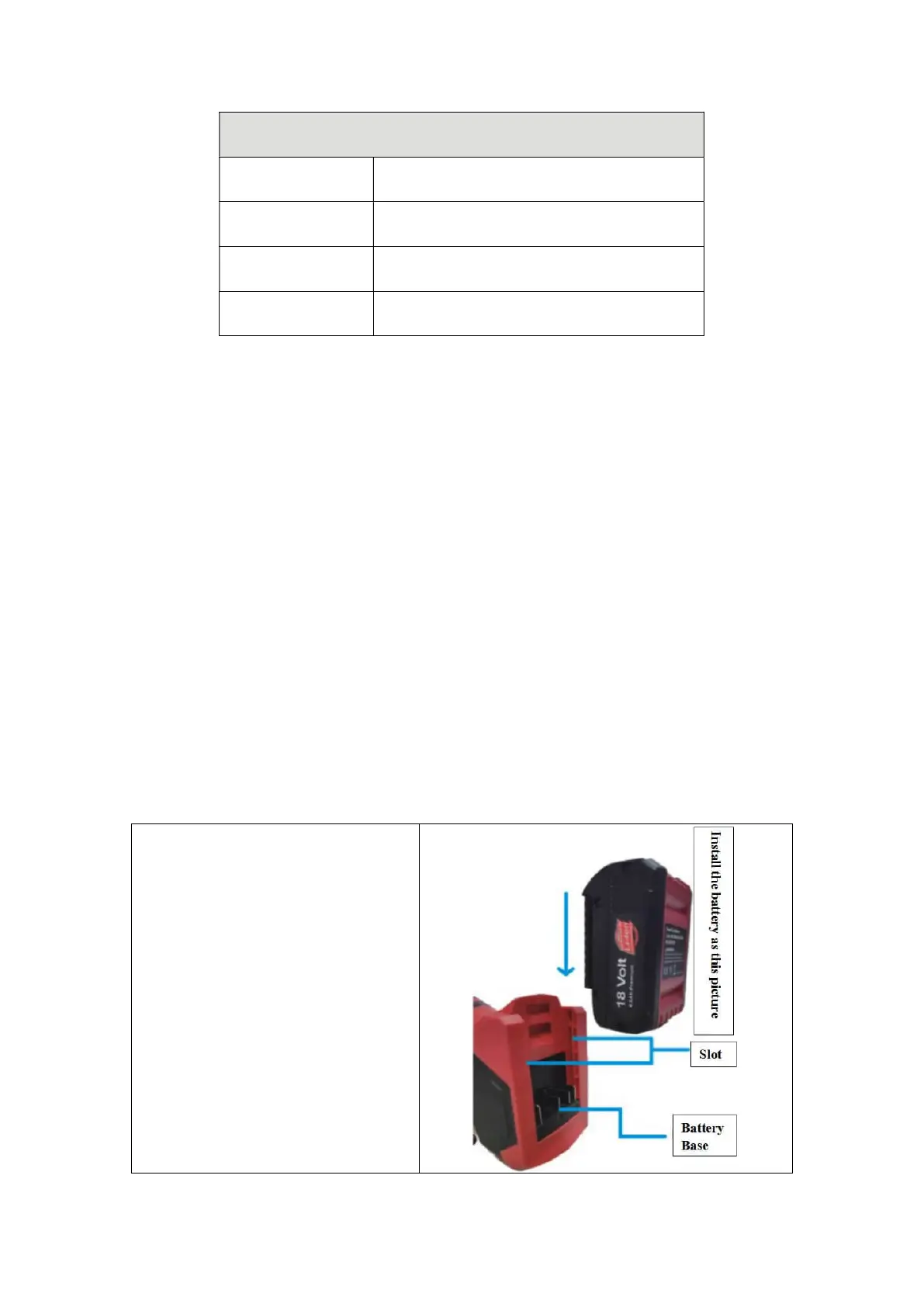
The battery should be disassembled and assembled following the direction shown in the
figure. When removing the battery, press the red button and move it out.
When the battery is inserted, the battery status will be displayed for a short time.
The battery power status is displayed by the indicator lights:
Flashing green light: it means the battery is being charged
Green light on: it means the battery on the charger is fully charged
Battery Installation:
Take out the lithium battery in the
packing box and install it as shown in the
figure on the right. When the battery is
inserted, the power status light will be
displayed for a short time.



 To Next Page