5.2.3 Strapping Operation Steps
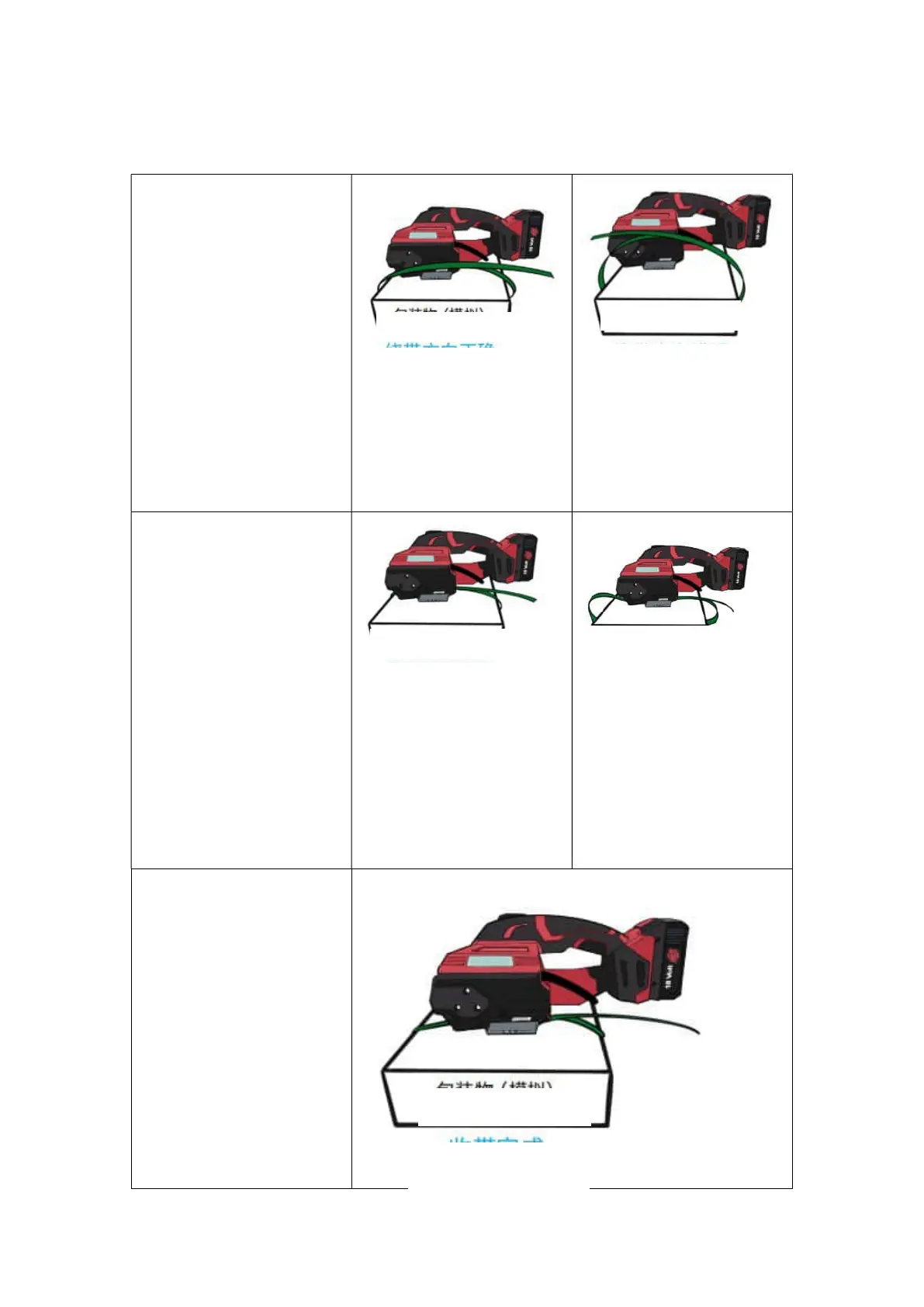
a. wrap the pp/pet straps
around the object to be
packed:
The operator faces the tool,
holding the machine in his
right hand, and the machine is
on the right side of the
operator. Place the strap
around the object to be
strapped in the order of upper
side->front side->lower side-
>back side, as shown in the
figure.
! Warning: Please keep the
PP/PET strap away from oil,
grease and other dirt when
welding it, as a dirty strap
cannot be welded well.
b. Put the straps into the
machine:
After wrapping the strap
around the object to be
strapped properly, lift the
rocker lever of the machine
with your right hand, and
insert the parallel overlaid
straps into the tool smoothly
with your left hand, and then
release the rocker level.
Note: Please tension the
strap around the object as
much as possible and then
insert it into the tool, which
can reduce the strap
tensioning time of the tool,
avoiding wasting electric
energy.
c. Tension the strap:
Tension the strap to finish
the strapping operation by
referring to the Method for
Basic Settings.
Note:
Manual(MAN) and Semi-
Automatic(SEM) Mode:
Press the tension button until
the indicator light shows
purple, and the tension
protection does not affect the
next-step operation.
Automatic(AUT) Mode:
Press the tension button in a
short time and release.
!Warning: Keep the
Correct Wrapping Direction
Proper Length of
Strap Left
Excessive Length
of Strap Left
Object (simulation)
Tension Completed


 To Next Page