button SET on the
operation panel,
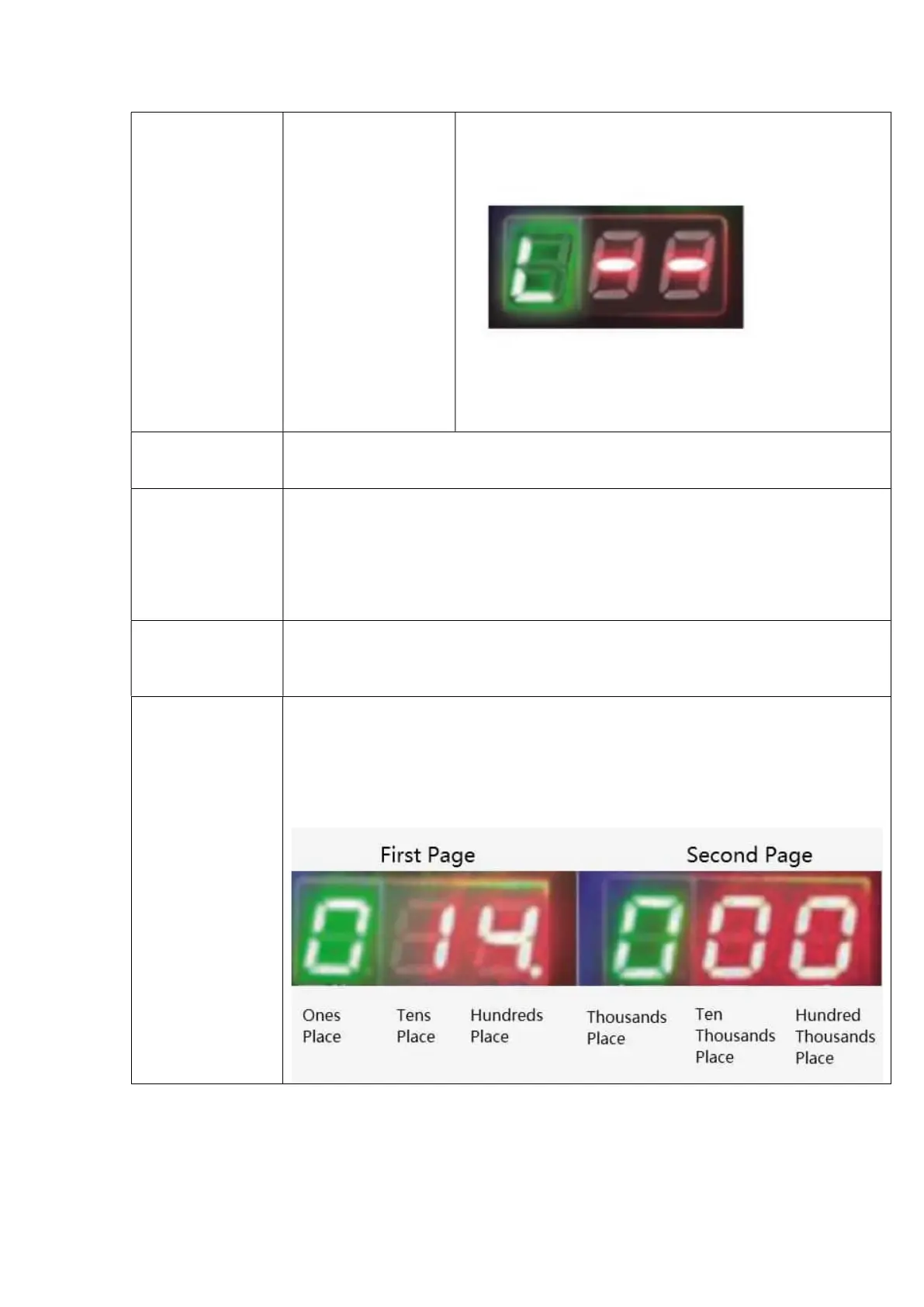
and “H - -" on the
digital display will
flash for 3 times,
which means the
tool enters the
Normal Mode.
Then long press
the button SET on
the panel, and “L -
-" on the digital
display will flash
for 3 times, which
means the tool
enters the Soft
Grade: 1-9
Note: This mode is used when objects to be strapped are
required to be strapped relatively loosely (or when a PP
strap is used).
Welding time
setting(INC&DEC)
When setting the welding time, short press the button INC to increase the welding time,
and short press the button DEC to decrease the welding time (One press means an increase
or decrease of 0.1 seconds, and
the value display interval is 0.5
Operation panel
locking(not in the
sleep state)
The machine will automatically lock its operation panel if no-operation status has lasted
for 30 seconds. Pressing any button on the operation panel will not work at this time, that
is, settings cannot be changed, but the machine can work normally. It is unnecessary to
unlock it unless it is necessary to change the settings.
An unlocking operation is required before parameter settings are changed each time.
Unlocking method: Long press the button DEC (for about 2s), and then press the button
ter hearing a sound of Beep.
Waking up of the
machine from the
sleep state
The machine will enter the sleep state if no-operation status has lasted for 120 seconds,
and all the indicator lights go out. All buttons will be invalid, except the button Tensioning
A1. To wake up the tool, short press the button Tensioning A1 to restore it to the standby
Query of number
of beats
(accumulative
strap beats): six
digits displayed on
the screen
You can check six digits:
After unlocking the operation panel, long press the button MODE for about 5 seconds,
and the display screen will display three digits, ones place, tens place, and hundreds place
(a decimal point at the side of the ones place) in the first page, and thousands place, ten
thousands place and hundred thousands place in the second page.
You can switch the pages in a circular manner by short pressing the button MODE.
Exit and return to the main display screen by pressing the button INC or any other button.


 To Next Page