The machine will enter the sleep state if no operation is carried out within 120s after the
machine is unlocked, and all the indicator lights go out. All buttons will be invalid, except the
button Tensioning A1. To wake up the tool, short press the button Tensioning A1 to restore it to the
standby mode.
At this time, the machine can work normally. If it is necessary to modify the previously set
parameters, please refer to the "Operation panel unlocking", unlocking the operation panel and
then modifying the parameters.
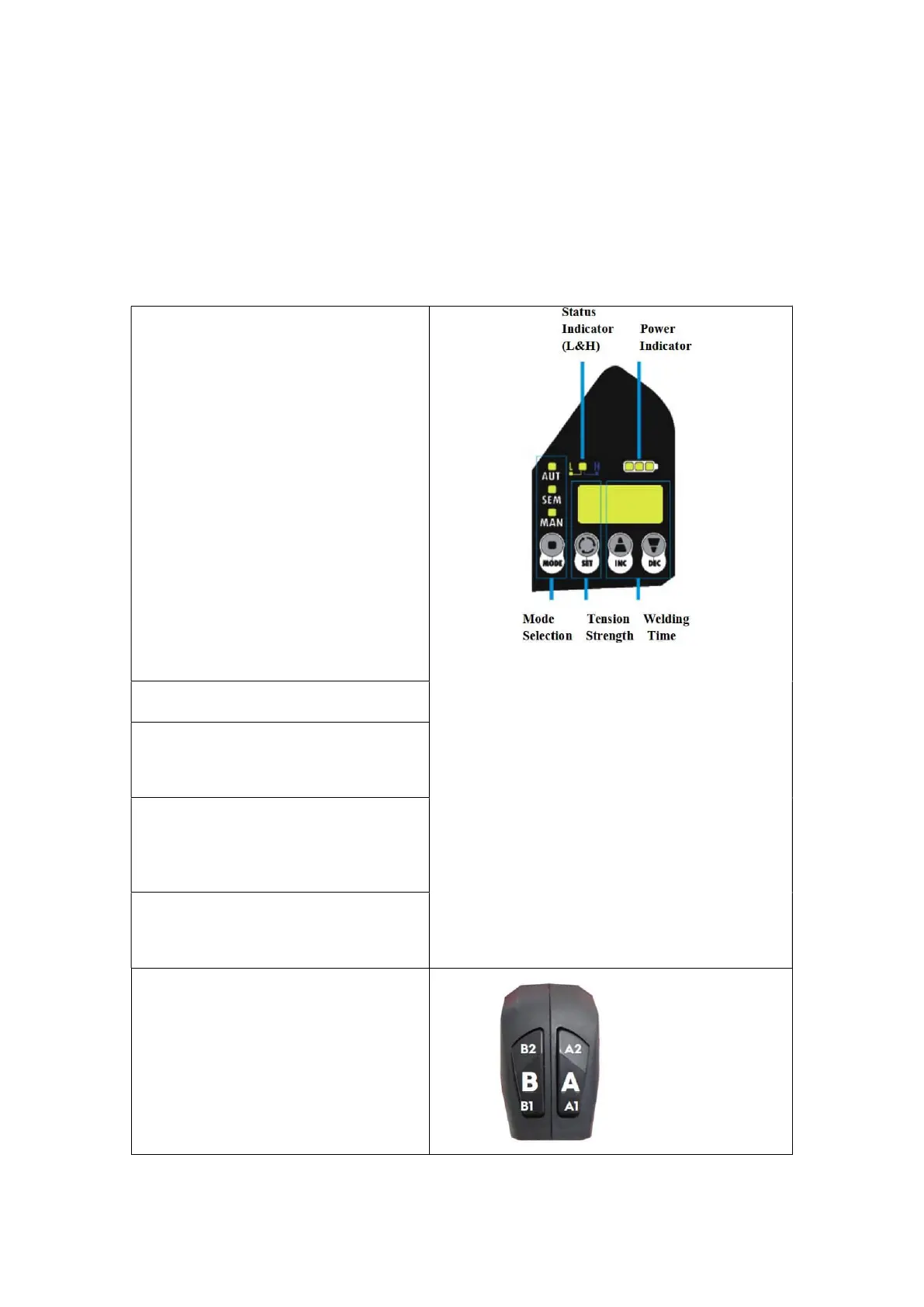
Mode selection(MODE) and working
status indicator:
Operation mode selector (MODE):
There are three operation modes:
Manual(MAN), Semi-automatic(SEM)
and Fully automatic(AUT).
The corresponding indicator light will be
on when a mode is selected, and indicator
lights of different colors mean different
working status.
Status indicator lights:
Blue light always-on: means the tool is
normal, standby;
Red light flashing: means insufficient
power, indicating the battery has to be
charged;
Red light always-on: means tool failure,
please power it off and check;
Purple light on for a short time: indicates
completion of the packing work
Tension force setting(SET):
Welding time setting(INC&DEC):
Used to set a welding time, INC is to
increase time, and DEC to shorten time,
Tensioning mode selection:
Normal Mode H: The blue indicator light
is on;
Soft Mode L: The yellow indicator light is
Battery indicator:
Displays the remaining battery capacity
(all light on means the battery full
Buttons:
Button A: Tension Button
Button B: Welding Button


 To Next Page