11
(to the next page)
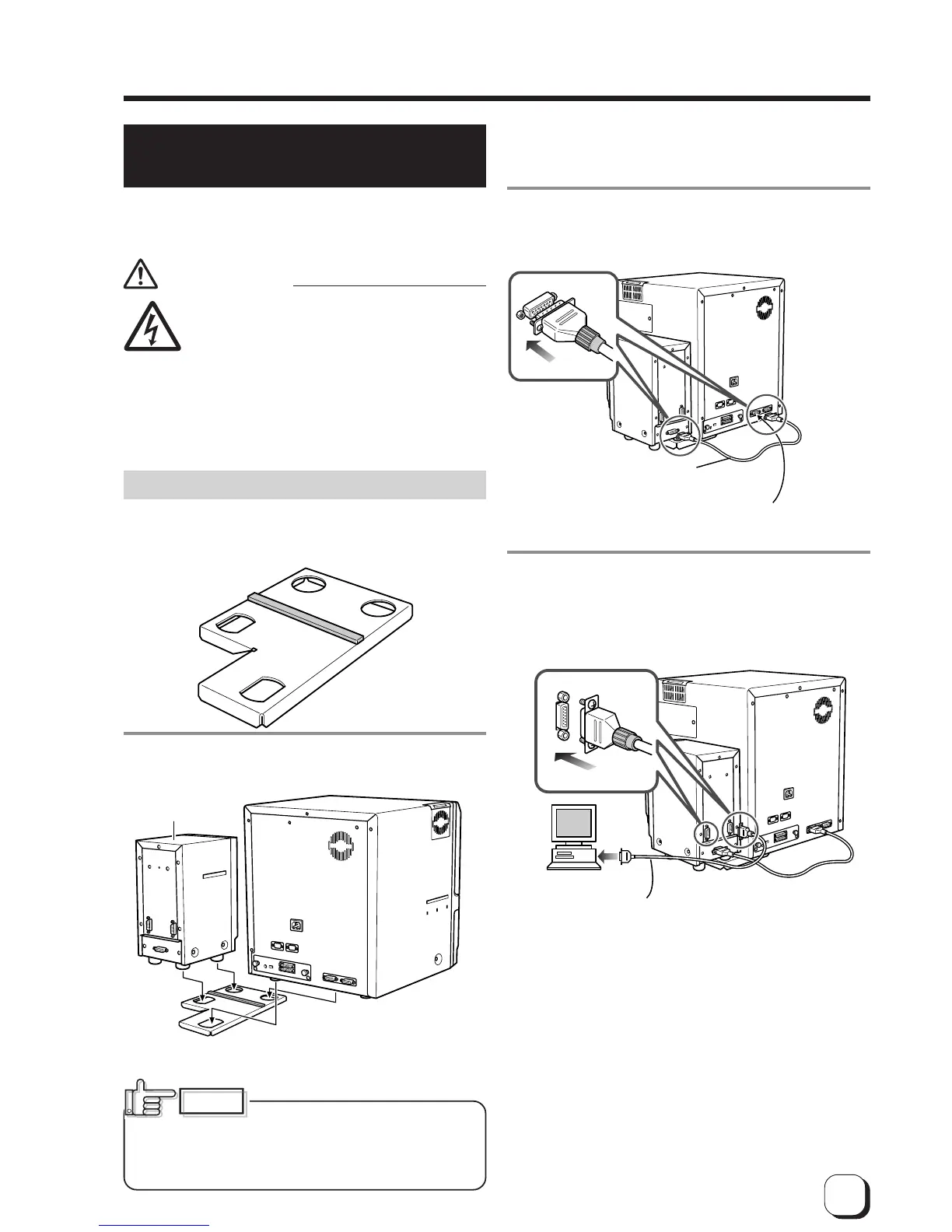
Use the OPTION 1 side.
If you use side 2 it does
not function.
Electric
shock
Connecting to the
PRT interface
terminal
Connection cable
(Accessory)
Commercial item
Terminals on the rear of the IC unit SERIAL1:non-contact
SERIAL2:contact
The terminal is rotated 180°
CX21ICL*
3.
Connect the printer and IC unit.
Connect the cable which comes with the IC unit to the
OPTION 1 terminal.
4.
Connect the IC unit with the host computer.
Connect interface cables which are commercially
available.
Connecting the IC unit
(sold separately)
Large and compact size IC units are sold separately,
as are specialized optional devices for the unit. Consult
your dealer for more details.
WARNING
䢇Make sure that the power switch is turned
OFF and the AC cable is detatched from
the plug, before connecting and
disconnecting the IC units. Otherwise
electric shocks, fires or malfunction of the
product may occur.
䢇Using IC units other than those specified
may cause electric shocks, fires or
malfunction of the product.
Large size IC unit (sold separately)
1.
A joint plate for an IC unit is provided as an
accessory.
2.
Fit the printer and IC unit into the holes as
shown.
CX21ICL* is manufactured by Victor Data Systems Company of
Japan, Limited.
Unstable locations and angled
surfaces may cause card feeder malfunctions. Make
sure to fit the devices into the holes securely.
Furthermore, install the printer on a flat and hard
surface.
CAUTION



 To Next Page