26
Operation (continued)
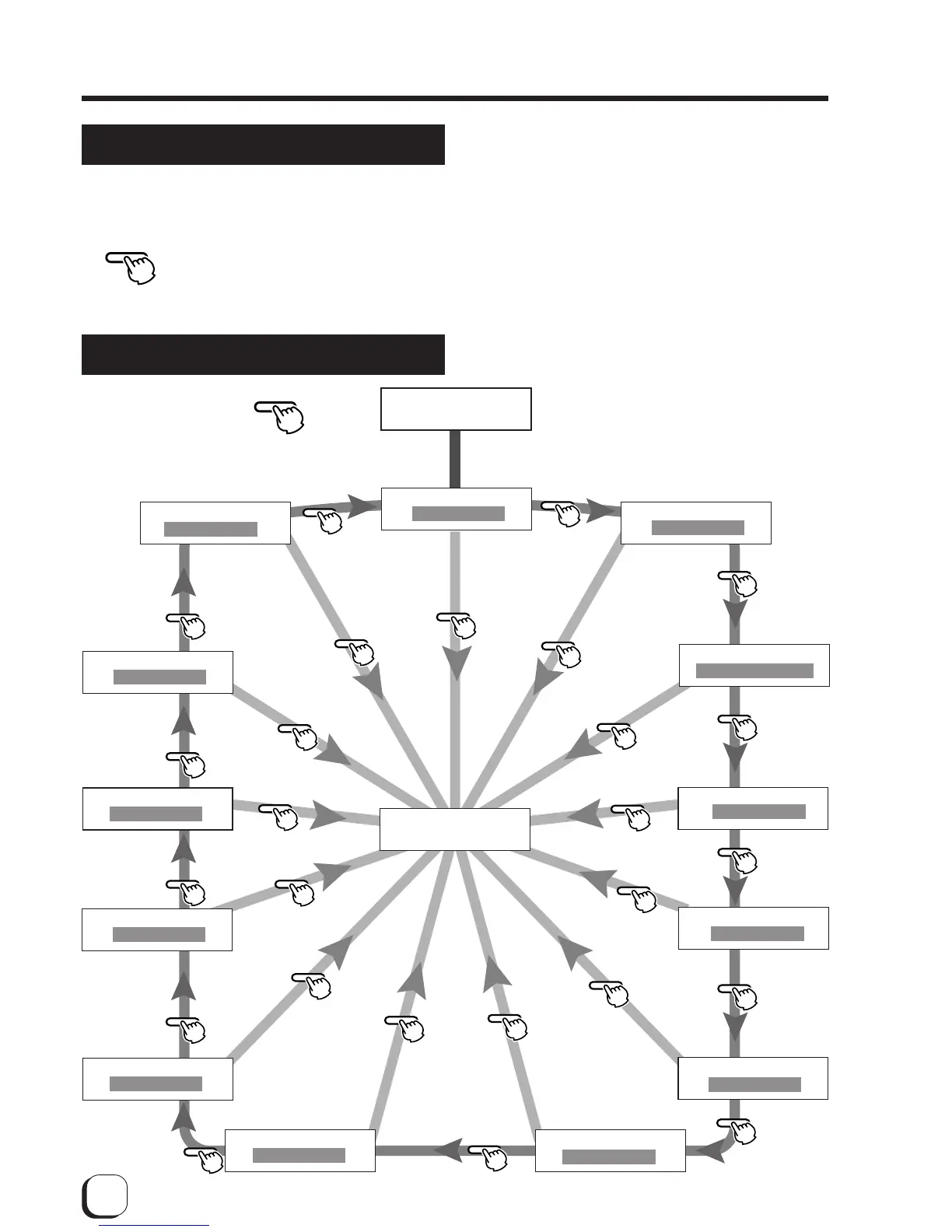
User modes
The settings for printing media, card, etc. can be
made in the User mode.
Press the MENU button when the unit
is in the Ready, Preheat or Error
status to suspend printing
operations.
User mode screen flow
MENU
MENU
MENU
MENU
MENU
MENU
MENU
MENU
MENU
MENU
MENU
MENU
MENU
MENU
MENU
MENU
MENU
MENU
MENU
MENU
MENU
MENU
MENU
MENU
MENU
MENU
MENU
EXIT
EXIT
EXIT
EXIT
EXIT
EXIT
EXIT
EXIT
EXIT
EXIT
EXIT
EXIT
EXIT
>Cleaning>
>Ink>
>Retransfer>
>Buzzer
>Test Print
>Power Saving
>Bend Remedy>
>Card size
>MG ISO Type
>IC Antenna Pos.
>Counter Reset
>Display>
>IC Contact Pos.
User Mode
MENU
Press , and appears on the LCD.
After 0.5 seconds, the display will switch
to the following items.
See p. 34
See p. 28
See p. 34
See p. 34
See p. 34
See p. 34
See p. 33
See p. 32
See p. 38, 39
See p. 30
See p. 31
See p. 32
See p. 29
End of user mode



 To Next Page