Error code Description of error Remedy
Connected external device
malfunctioning
Check that the cable linking the external unit and the printer is
properly connected and press the “reset → enter buttons”.
Call for service if the problem persists.
External device switch setting error Turn the power off and then on again. Call for service if the
problem persists.
External retransfer unit jam error Press the “reset → enter buttons” and remove cards if they are
not discharged. Press the “reset → enter buttons” and call for
service if the problem persists.
External unit communications error Turn the power off and then on again. Call for service if the
problem persists.
Mending broken ink ribbon and
retransfer film
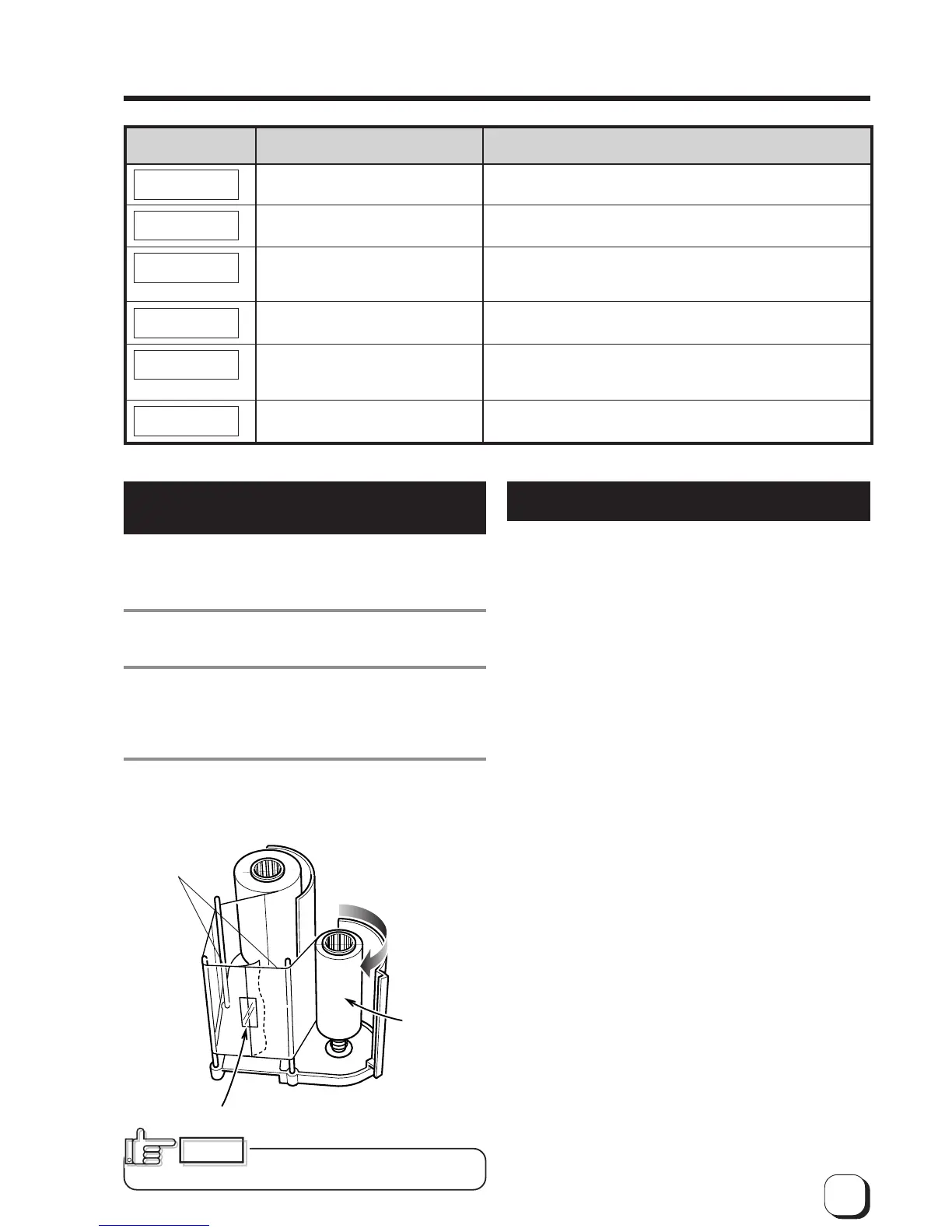
If the ink ribbon or retransfer film is broken, mend it
in the following procedures:
1.
Trim neatly the end of broken portions with a
pair of scissors.
2.
Align both ends and apply the Scotch tape in
the center of the aligned ends.
Please do not discard the used ink or film on the
winding side.
3.
Turn the ribbon or film to the winding side with
your hand until the mended portion is
completely wound up.
About printing errors
If blurring or color shifts occur in your print results,
clean all rollers starting with the cleaning rollers.
Some image errors may depend on the design of the
card to print.
In particular, wrinkles can easily occur if large surfaces
are printed with high density ink.
To avoid such problems, contact the dealer where the
printer was purchased concerning card designs.
Align both
ends evenly
Scotch tape
Winding
side
Set the ink ribbon and retransfer
film with care. See p.14 and p.16.
CAUTION
MG reading error Check the type and direction of the magnetic cards and press
the “reset → enter buttons”. Call for service if the problem persists.
MG communication error Turn the power off and then on again. Call for service if the
problem persists.



 To Next Page