19
(to the next page)
3.
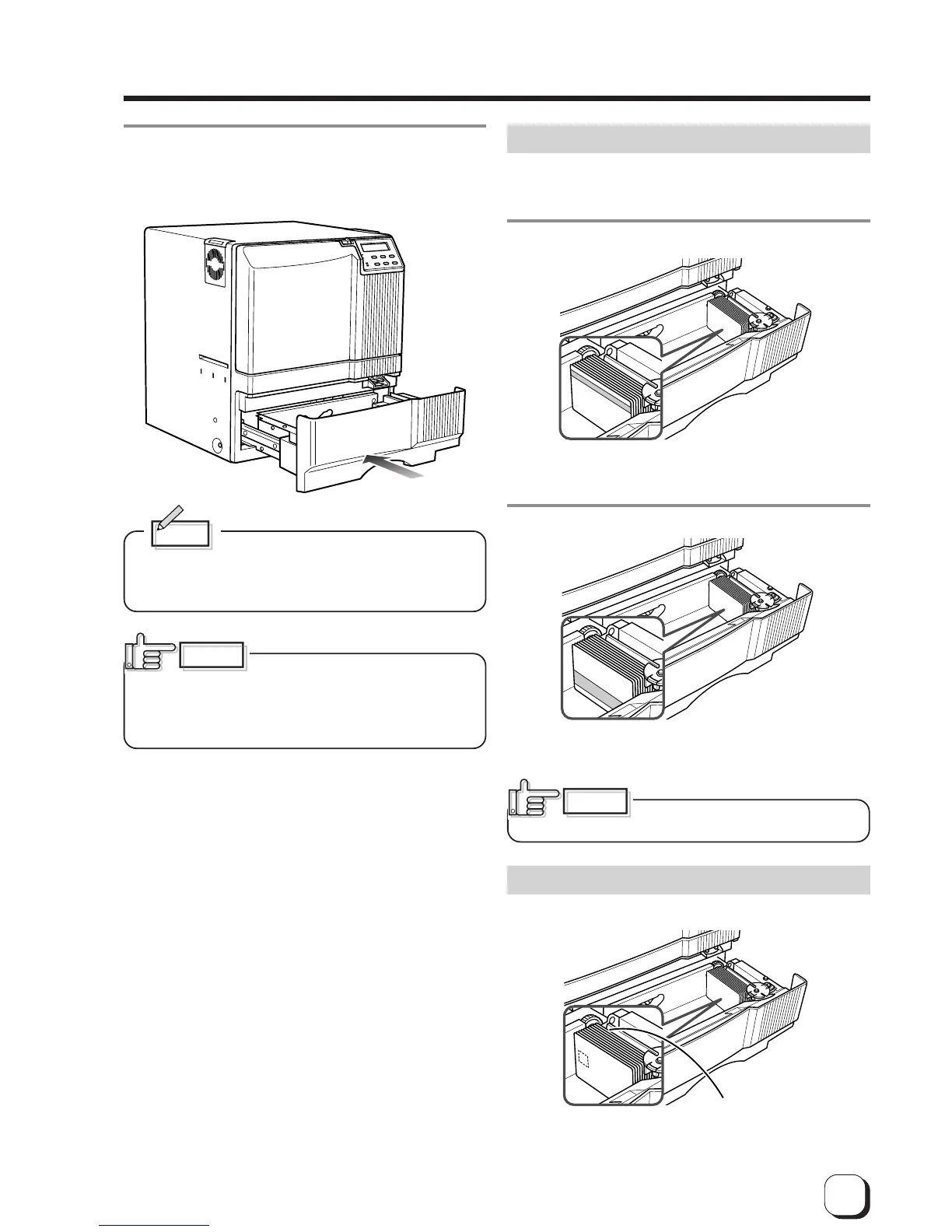
Close the card tray.
Push the card tray back into the printer until it no longer
moves.
Memo
To print pre-printed cards on this printer, set the
cards as indicated on the Software Operation
Manual of the host computer.
When a magnetic or IC card is pre-
printed in a dark color such as black, errors in
positioning may occur during encoding.
Consult your dealer on this issue before printing pre-
printed cards.
When using magnetic cards
When using cards with magnetic strips, set the cards in
the following manner.
For JIS II cards:
Place the card with its magnetic stripes upward and
facing the card bracket.
For ISO cards:
Place the card with its magnetic stripes downward and
facing the card bracket.
Printing on cards with magnetic
strips is not guaranteed.
When using contact IC cards
When using contact IC cards, set in the following
manner.
CAUTION
Place the IC card with its IC
terminal inward and facing the
card bracket.
CAUTION



 To Next Page