12
Set-up (continued)
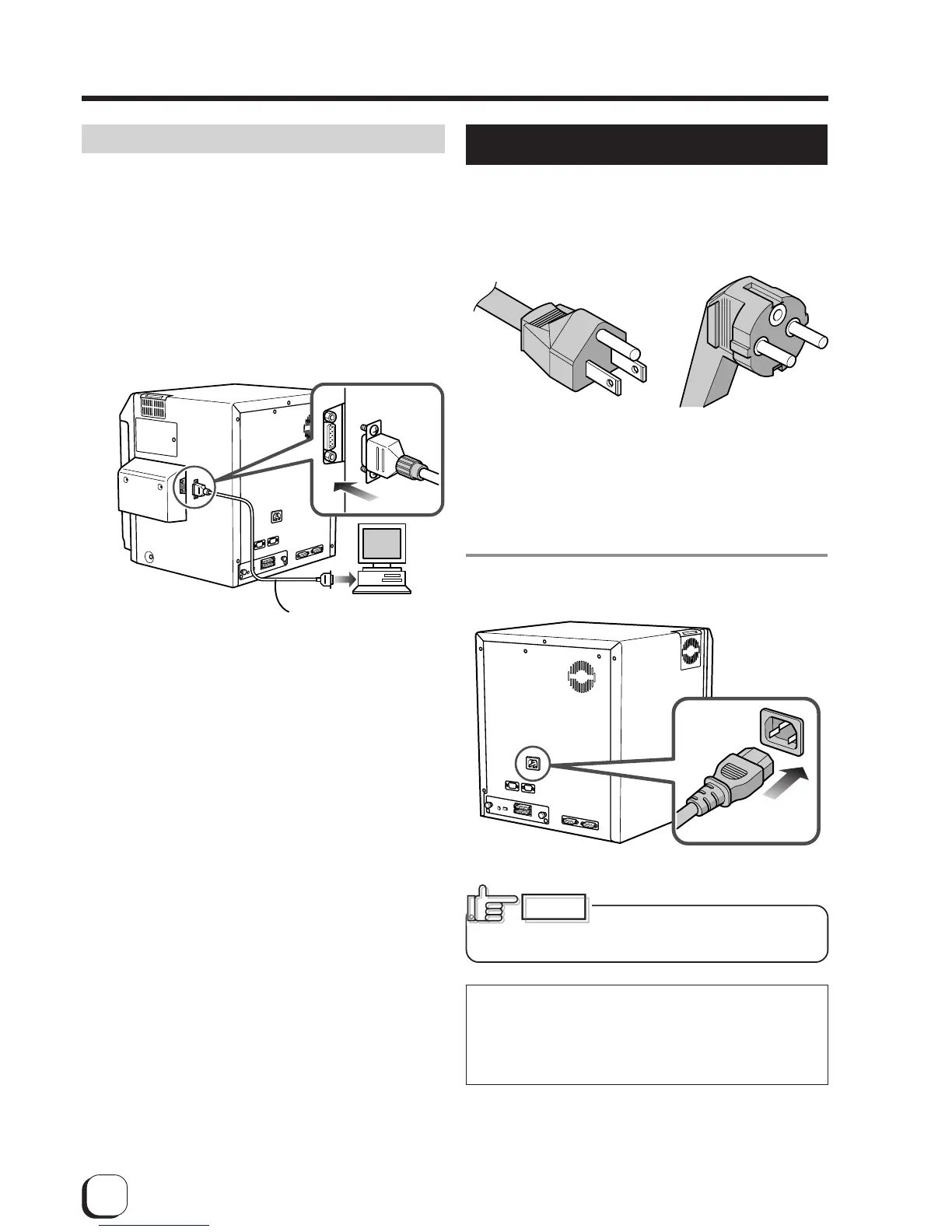
Compact IC unit (sold separately)
Please ask your dealer for the Compact IC unit
connection.
1.
Connect the compact IC unit to the host
computer.
Connect interface cables which are commercially
available.
Connecting the power cord
1.
Check the plug.
The attached power cords are in the same shape for
Japan and North America. Please check the color and
make sure to use the correct one.
䢇Light gray 䢇For AC220-240V type
For AC 100V type (Japan) (Europe)
䢇Dark gray
For AC 120V type (North America)
* The detached power cords vary according to model
and country of purchase.
2.
Plug the power cable into the printer.
Always use a grounded power
outlet. Never share the outlet with
other electrical equipment.
Use an AVR (Automatic Voltage Regulator) if there
is a possibility of voltage fluctuation. Use an
uninterruptible power source rather than an AVR if
there is the possibility of uninterruptible power
source.
Interface cable
(Commercial item)
CAUTION



 To Next Page