21
3.
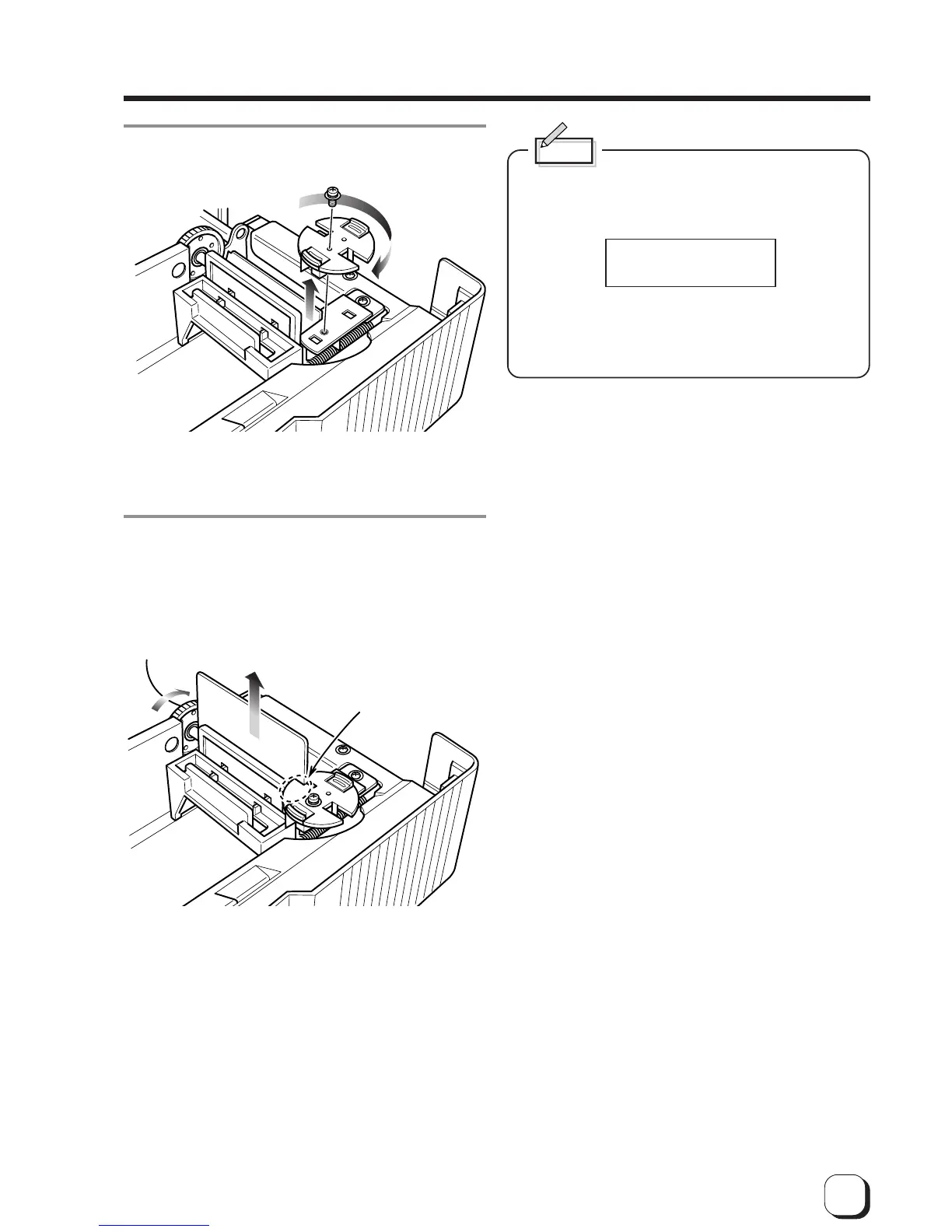
Remove the card thickness switching plate and
invert the direction.
Move the plate back into position securely and tighten
the screw.
4.
Checking card feed
Set a few cards on the card tray.
Turn the roller drive gear in the arrow direction, and
check that only one card is fed at a time.
0.25
0.76
0.76
0.25
Roller drive gear
The card having a thickness value
written on this side is discharged.
If the card thickness is not switching properly, or
cards cannot be fed because of the dirt on the feed
roller,
appears on the LCD panel.
Check the proper setting of the card thickness
plate, and clean the feed roller (see p.40).
JAM (Hopper)



 To Next Page