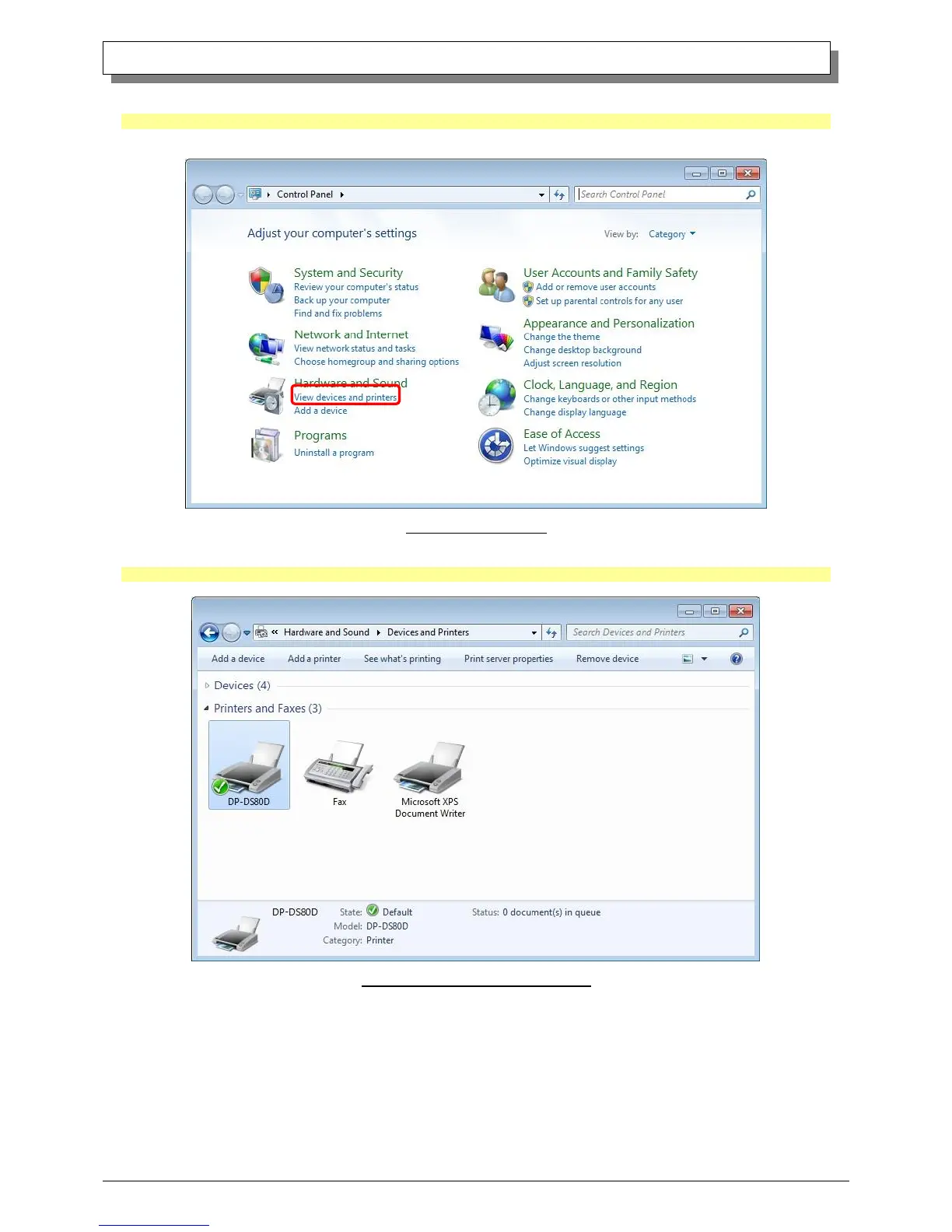
Select “Start”, then “Control Panel”, and open the control panel.
In Windows 8, right click the Start screen, select right-under the "All apps" and select the control panel.
Click on “View devices and printers” in the control panel.
Fig 1.13 Control Panel
Check that the DP-DS80D is shown in the Devices and Printers window.
Note: In Windows 8, DP-DS80D icon does not appear if the printer is offline (if the printer with the power on is not connected).
Now, installation of the DP-DS80D printer driver is complete.
Fig 1.14 Devices and Printers window
After installation of the printer-driver is complete, be sure to reboot the computer.



 To Next Page