In Windows 8, DP-DS80D icon does not appear if the printer is offline (if the printer with the power on is not connected).
If you can not connect to the printer with the power on, remove the device in the following procedure.
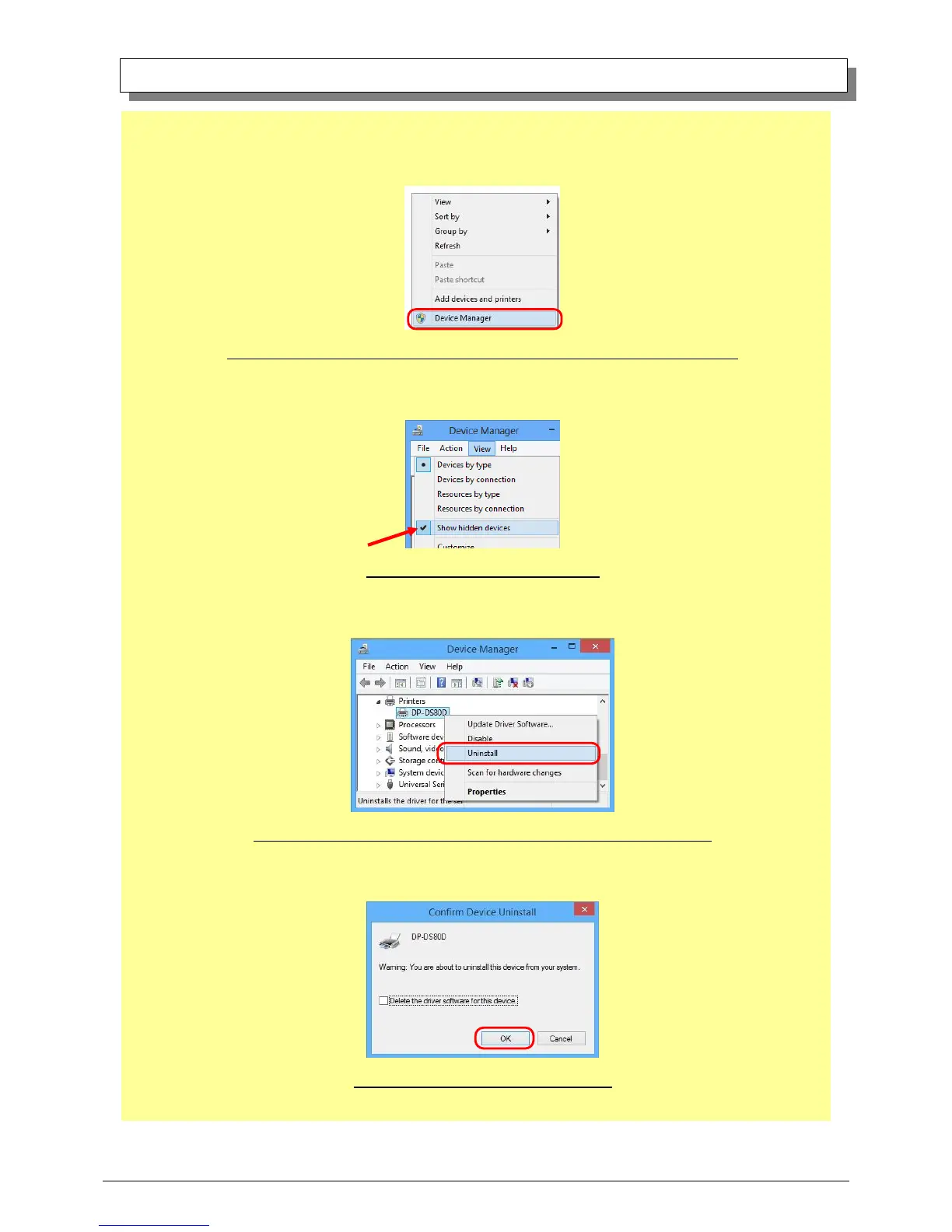
(i) Right click an empty area of the "Devices and Printers" window, select the "Device Manager".
Fig 3.2.i Devices and Printers window; An empty area of the screen right clicked menu
(ii) Click on the check "Show hidden devices" in the menu "View".
Fig 3.2.ii "Show hidden devices" menu
(iii) Right click on the "DP-DS80D" of "Printers", select "Uninstall".
Fig 3.2.iii Devices Manager window; Printers – DP-DS80D right clicked menu
(iv) When the "Confirm Device Uninstall" window appears, click on “OK”.
Fig 3.2.iv Confirm Device Uninstall window



 To Next Page