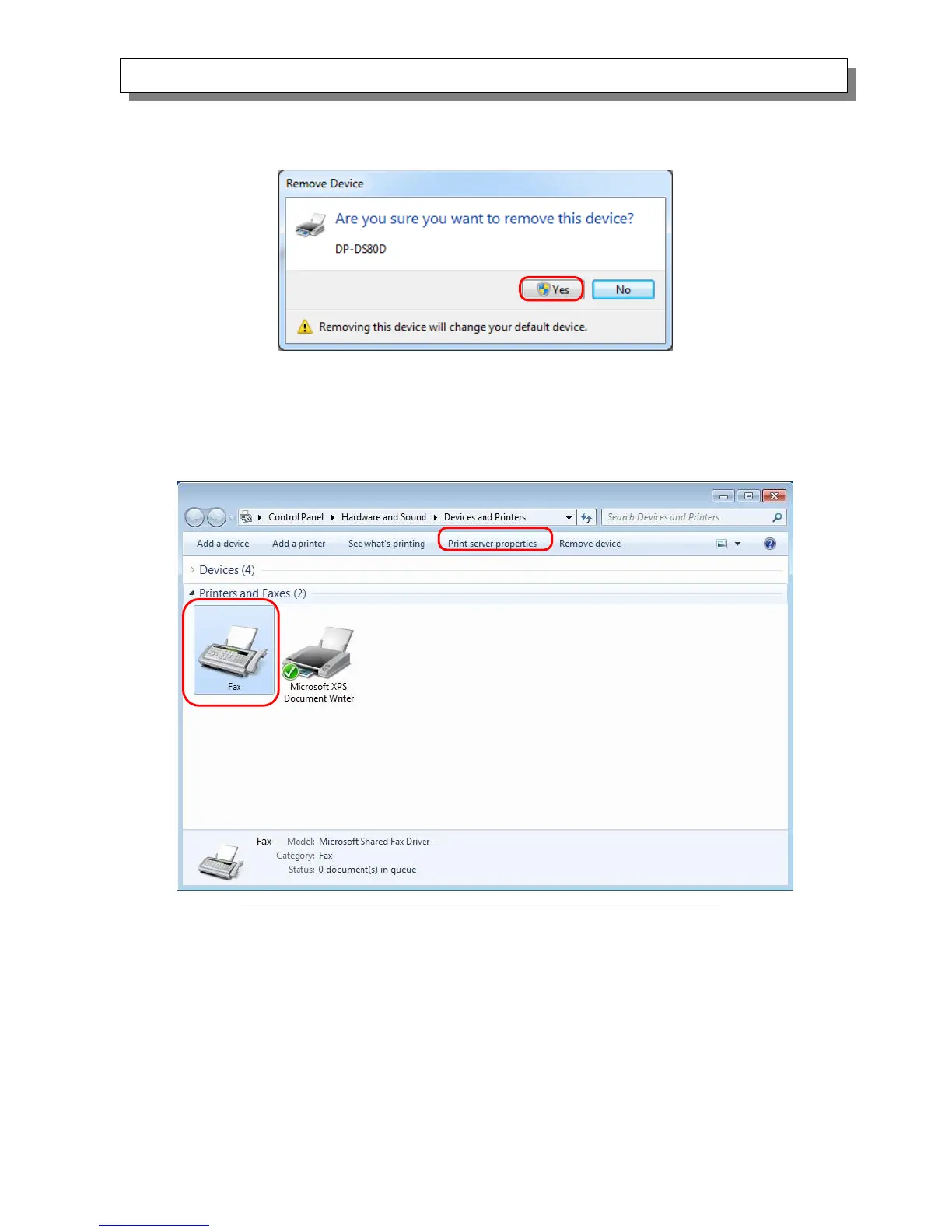
(3) When “Are you sure you want to remove this device?” appears, click on “Yes”.
Fig 3.3 Remove device confirmation window
(4) After the DP-DS80D printer has been removed, select another printer (for example: Fax), and click on “Print server properties”
in the menu bar.
Fig 3.4 “Devices and Printers” window, showing the “Print server properties” menu



 To Next Page