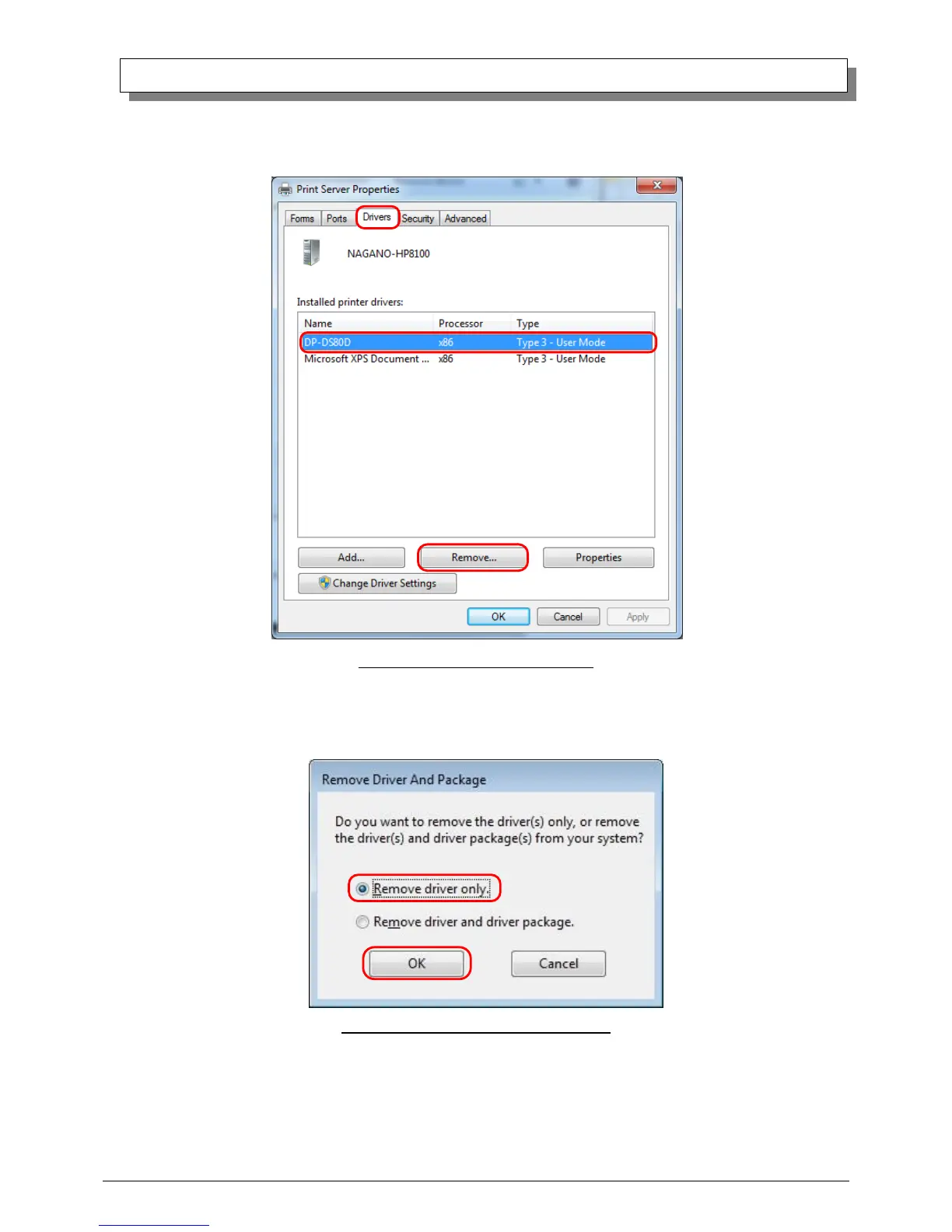
(5) When the Print Server Properties window appears, click on the Drivers tab. From the list of installed printer drivers, select
“DP-DS80D”, and click the “Remove” button.
Fig 3.5 Print Server Properties window
(6) When the Remove Driver and Package window appears, select “Remove driver only”, and click on the”OK” button.
Removal of the driver package takes place in the next section “2. Uninstalling a Driver Package”.
Fig 3.6 Remove Driver and Package window



 To Next Page