2. Uninstall the driver package
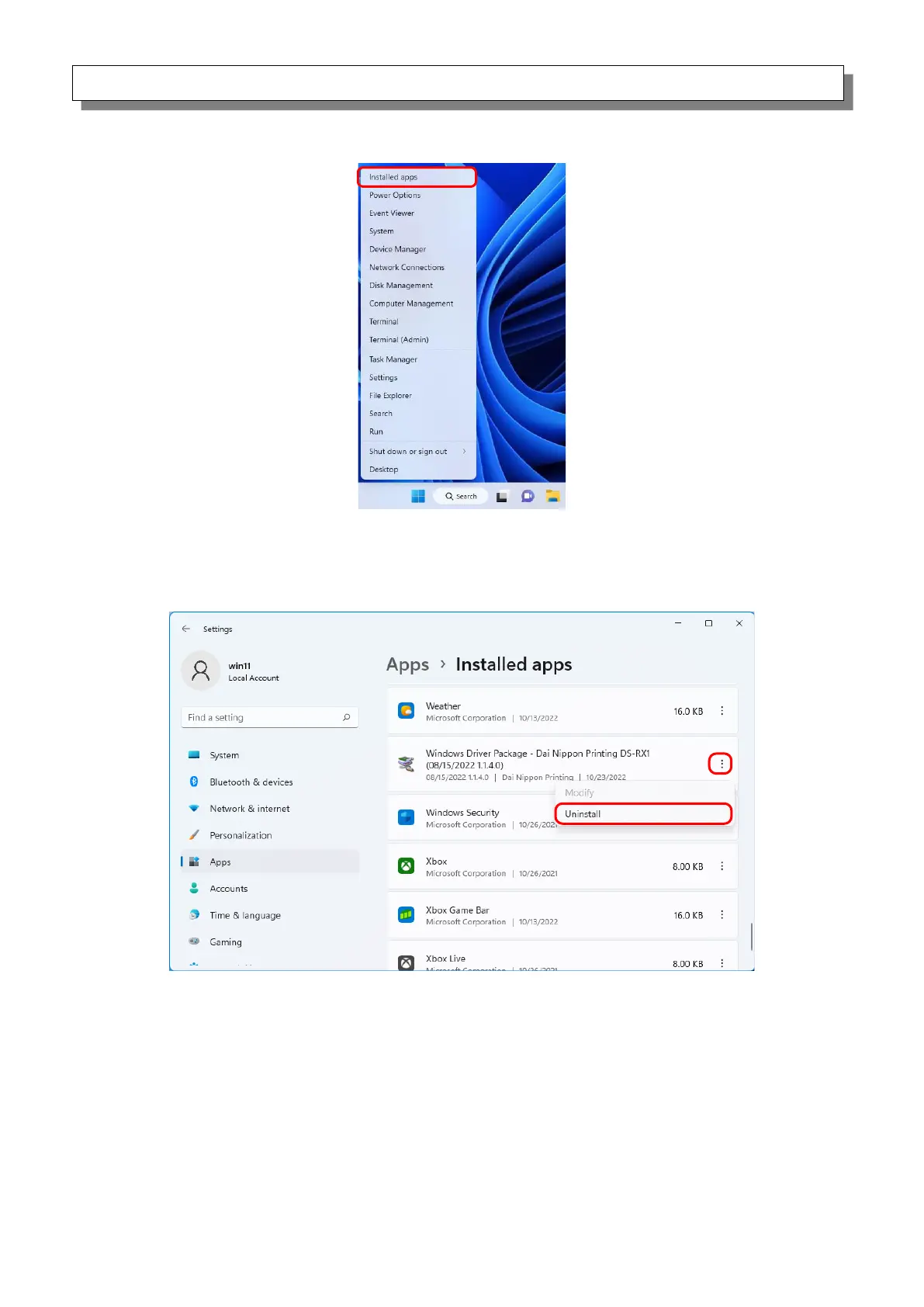
1) Right click “Start”, and then select “Installed apps”.
Figure 3.9 Screen when the Start button is right clicked
2) Click the menu display button of “Windows Driver Package - Dai Nippon Printing DS-RX1
(mm/dd/yyyy x.x.x.x)” in the list of apps, and then select “Uninstall”.
Figure 3.10 Uninstall a program



 To Next Page