17
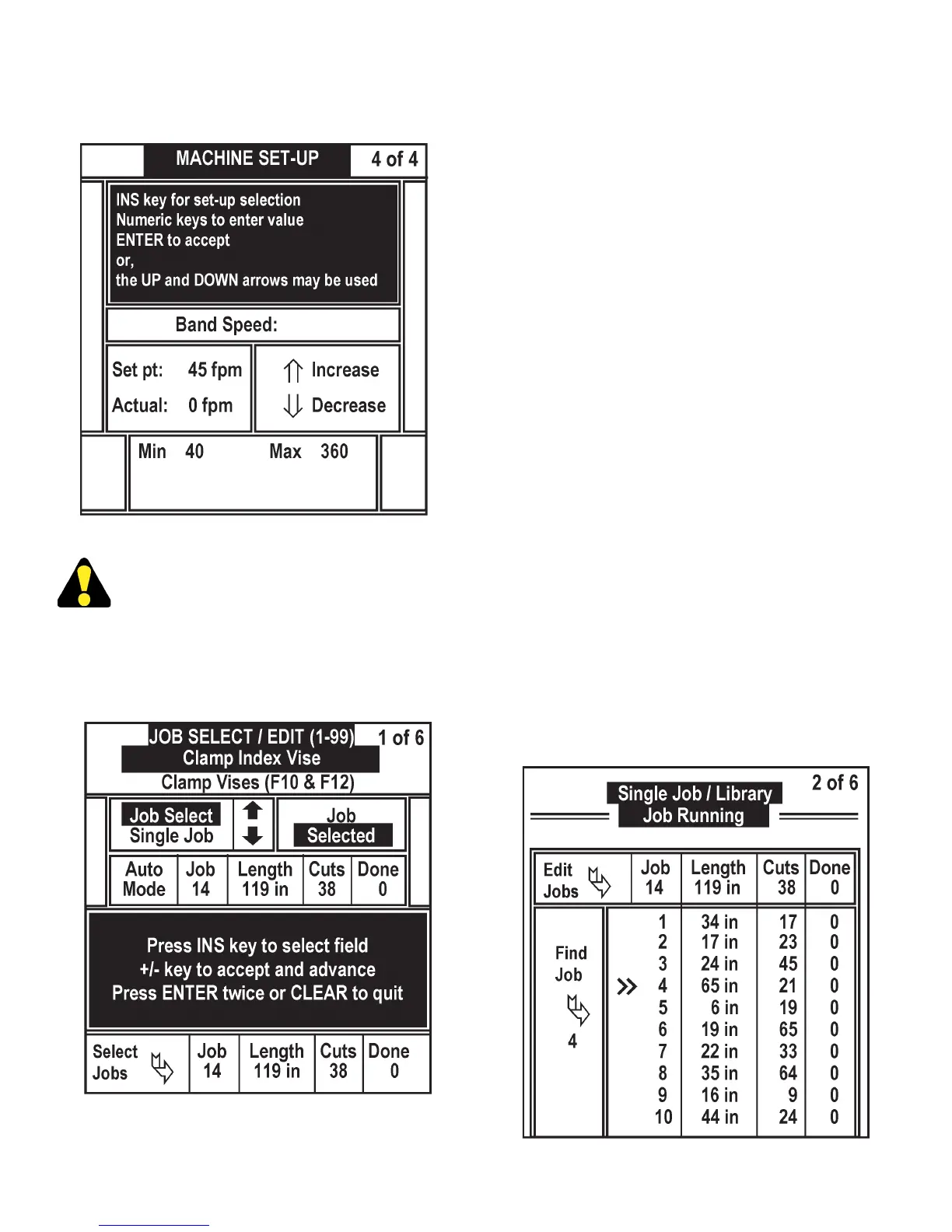
• Band speed range is 40 - 360 fpm (12 - 110m/
min).
Machine Set-Up Screen Display (4 of 4) (F3).
The machine cannot be programmed for
speeds beyond this range.
4. JOB (F4). This screen allows the operator to enter
up to 99 jobs into the job library. The limit on LENGTH
(CUT LENGTH) is from 0.250 to 600.000 inches,
or from 6.35 to 15240.0 millimeters. The limit on
CUTS (NUMBER OF CUTS) is “999”.
Job Screen Display (1 of 6) (F4).
• In the JOB SELECT area, using the "UP" or "DOWN"
arrows keys, the operator should select the type
of saw operation from three JOB HANDLING
modes: SINGLE JOB, RUN LIST A and RUN LIST
B.
(a) SINGLE JOB. Select a job from the job library, the
saw will complete only that job.
(b) RUN LIST A. The saw will run ten (10) different
jobs from the job library in an operator-selected
sequence. The job library can contain up to 99 jobs.
To end a run list, enter job 0.
(c) RUN LIST B. A second list of up to ten (10) jobs.
Jobs from run list A may be programmed into run
list B.
• If the run list is pre-programmed and the operator
wants to repeat the run list sequence, but skip over
one or more jobs, the operator must go to the job
library and program the number of cuts to zero for
the jobs to be skipped.
• To enter a job into the job library or edit a job, press
0/INS key, and JOB NUMBER ashes. Enter job
number, press "+/-" key to accept. LENGTH now
ashes, enter new length, and press "+/-" key. CUTS
now ashes, enter new number of parts to be cut,
and press "+/-" key. DONE now ashes, enter zero,
and press "+/-" key. Press ENTER twice or CLEAR
to quit. The job is now entered into the job library.
Repeat this procedure to enter additional jobs.
(d) Press F4 and then press "RIGHT" arrow key to
access screen number 2. This screen allows the
operator to view sections of the job library and edit
jobs.
Job Screen Display (2 of 6) (F4).
OPERATOR WORKSTATION (Continued....)



 To Next Page