3
INTRODUC
T
I
ON
TheDometicPLCcontrolsisamicrocontroller‐basedunitdesignedtocontrolmultiplechillers.Thisdesignallowstheuserflexibility
intheapplicationandimprovedcontrolsandprotection.ThePLCChillerus estemperaturedifferentialandhysteresistomanage
thecapacityofthechillerinsingleormultis tage application.
Thisapplicationsupportsthefollowing:
o Selectionandsequencingofuptosixchillers
o Selectionandsequencingofonechillwaterpumpandoneseawaterpump
o Selectionandsequencingofupto6EHheaters
o Sequencingofde vicesforruntimeequalization
o Alarmsandinterlocks
o Troubleshootinghelp
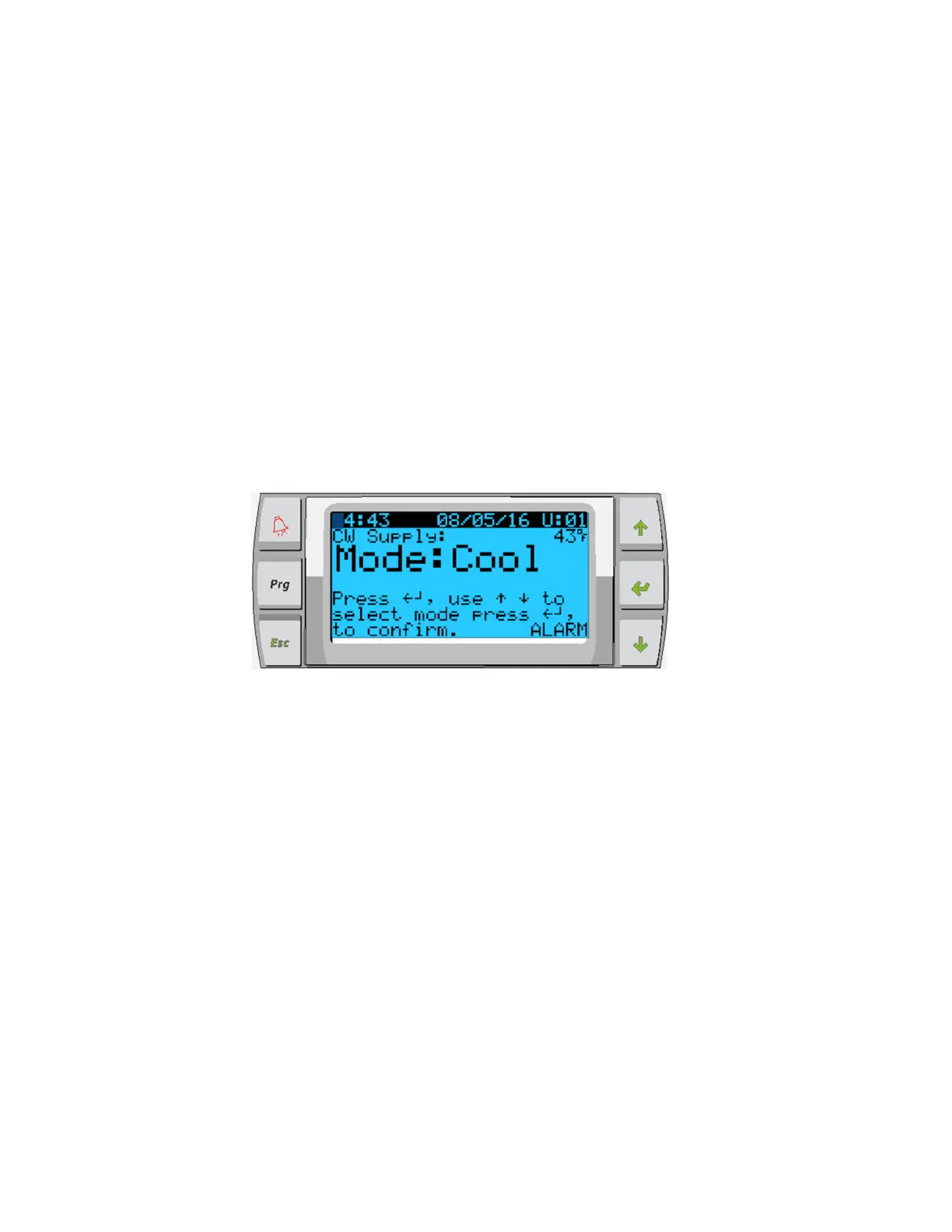
Themaininterfacesupported
willbetheLCDdisplay,referredtoasthePGD1display.
Figure
1:
PGD1Button
De
sc
r
i
ptio
n
PGD1
NA
V
IGA
T
I
ON
EnterButton
ThePGD1controllerscreenwillautomaticallybootuptotheMainscreen.Thisscreenallowsyoutoenableordisablethechillerby
pressingtheEnterbutton.PressingtheEnterbuttonwilltakeyoutotheareaofscreenyouwishtomodify.Pressentermultipletimesif
requiredto scroll
downtotheareayouwishtoselect.
ScrollUp/DownButtons
Thisbuttonwillbeusedtomodifythevaluesuchastemperaturesetpointorprobeadjustmentvalues.TheScrollUporScrollDown
buttonwillalsonavigateyoufrompagetopageofthecontroller.Theflashingcursormustbeintheupperleft‐handcorn erforthepage
navigation.Pressing
enterrepeatedlywillmoveittothatlocation.
EscButton
TheEscbuttonisusedtoexityourpresentscreenandtakeyoubackonescreen.Pressingitmultipletimeswilltakeyoubacktothe
Mainscreen.
PrgButton
Thisbuttontakesyoutothesystemmenus.Onceatthemenus,usethescrollbuttonstoscrollthroughthevariousoption s.Pressing
enterwillselectthatmenuitem.
ScrollDown
ScrollUp
Enter
AlarmIndicator
ProgramMode
EscapetoExit














 To Next Page