SP002027
Page 13
Fuel Tank
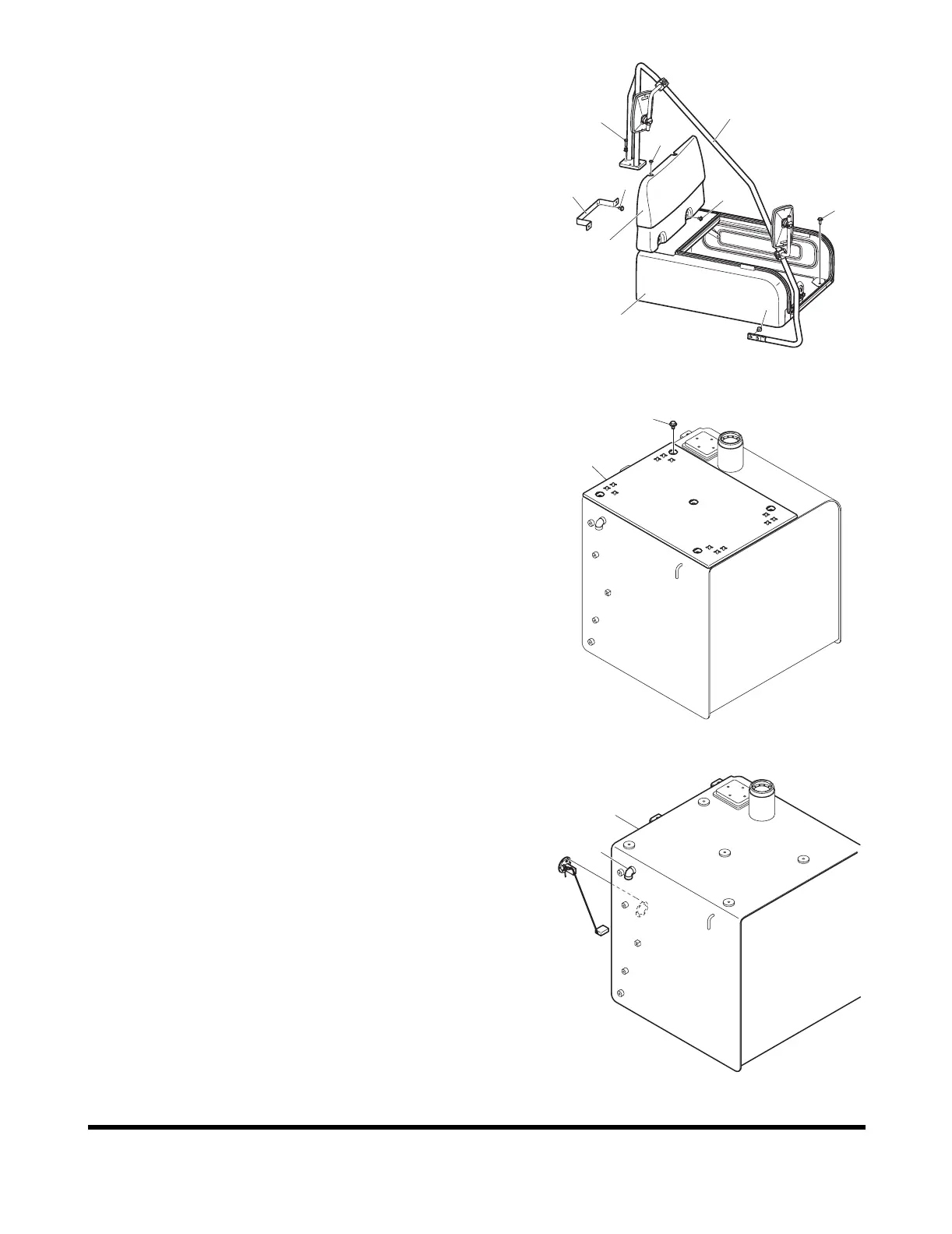
7. Install four bolts (33, Figure 17) and battery cover (34) on
frame.
Install two bolts (31) and bracket (32) on fuel tank.
Install four bolts (28 and 29) and fuel tank cover (30) on
fuel tank.
Install six bolts (25 and 26) and stay (27) on fuel tank and
frame.
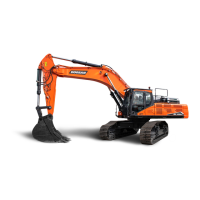
8. Install five bolts (23, Figure 18) and cover (24) on fuel tank.
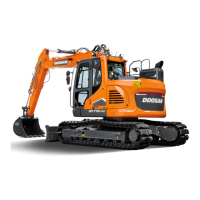
9. If equipped, connect components to fuel filler pump port
(22, Figure 19) on side of fuel tank (1).
FG003876
25
26
27
31
32
29
28
30
33
34
Figure 17
23
24
FG003875
Figure 18
1
22
FG003874
Figure 19



 To Next Page