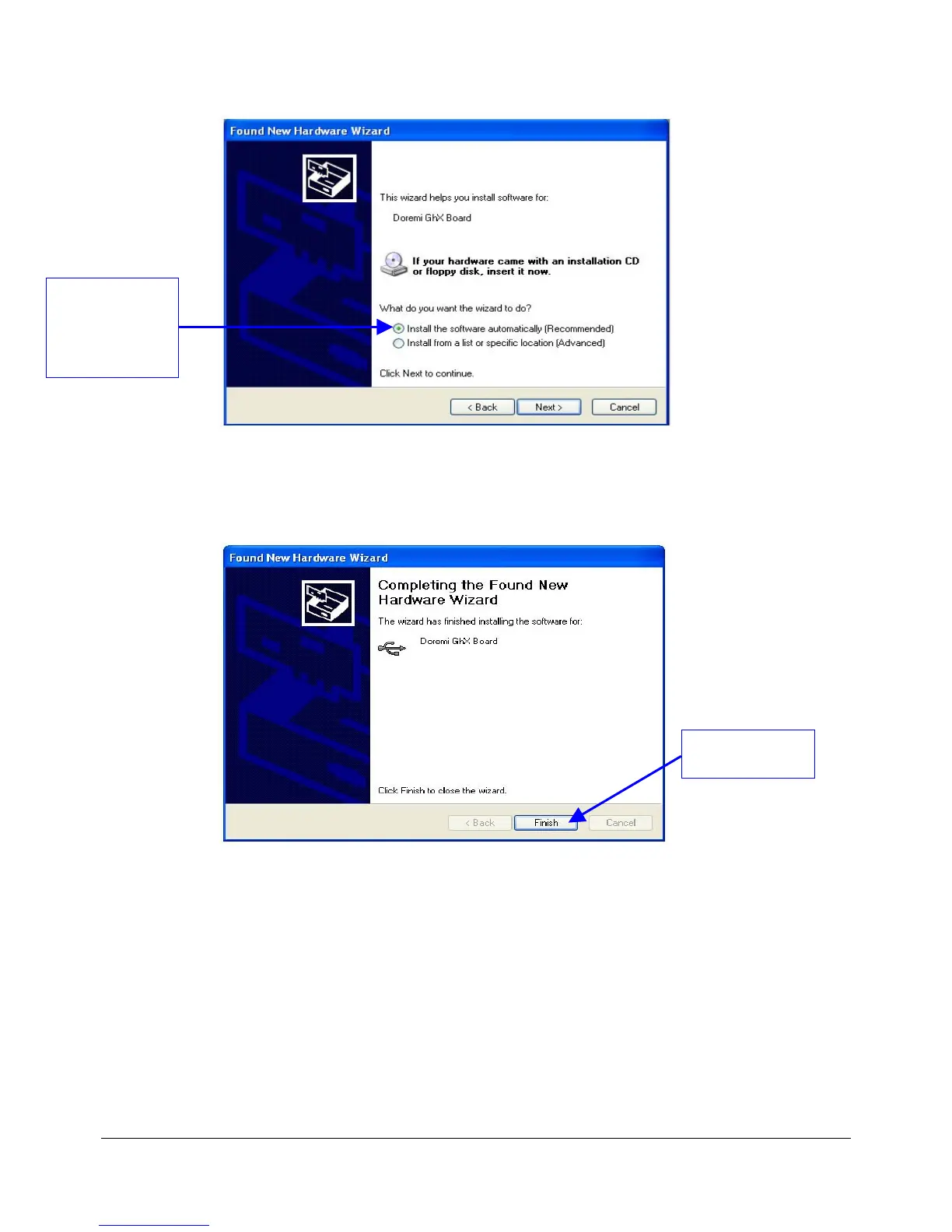
Figure 7: "Found New Hardware Wizard” Window – Step 2
• Wait for the driver installation to be completed and then click on the “Finish” button to
complete the set up (Figure 8).
Figure 8: "Found New Hardware Wizard” Window – Last Step
• Run the "Doremi Universal Interface" GUI and verify that the connection was set up
properly by looking at the “Devices” tab which will show the model and serial numbers.
• If the "Hardware Installation" warning window appears during the installation process click
on the “Continue Anyway” button (Figure 9).
DM3.OM.001026.DRM Page 31 Version 1.4
Doremi Labs Inc.
Click The "Install
the software
automatically
(Recommended)"
Option
Click The "Finish"
Button



 To Next Page