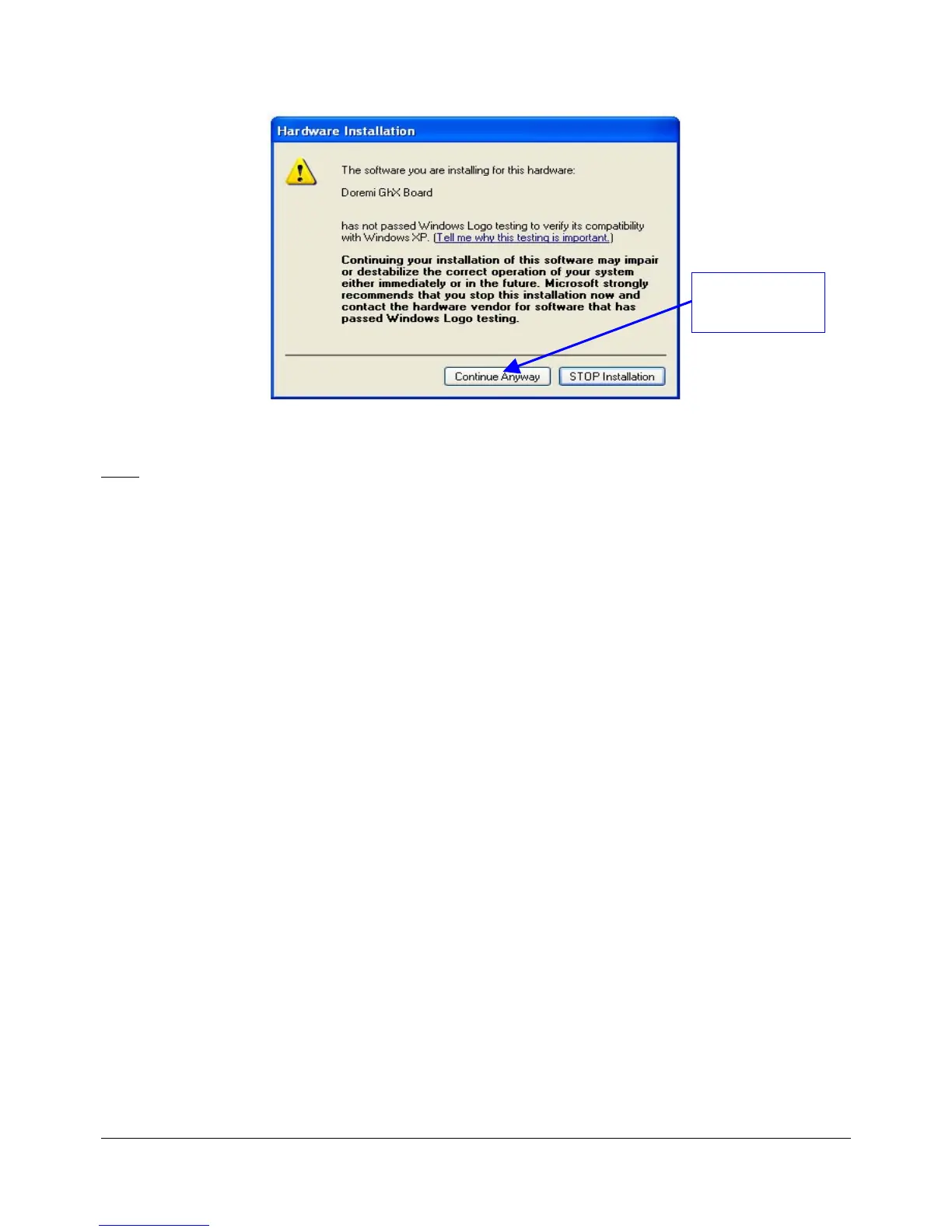
Figure 9: "Hardware Installation" Warning Window
Note: If during the automatic installation process a message appears asking to search for a
specific file do the following:
• Hit "Cancel" and then uninstall the DUIs.
• While the Dimension-3D unit is still connected, go to the "Device Manager" and click on
"Universal Serial Bus Controllers" and then uninstall Doremi GHX Board.
• Install the DUIs again and recycle the power on the Dimension-3D which will take the user
back to Steps 1 and 2 above.
DM3.OM.001026.DRM Page 32 Version 1.4
Doremi Labs Inc.
Click The
"Continue Anyway"
Button



 To Next Page