23
Mounting
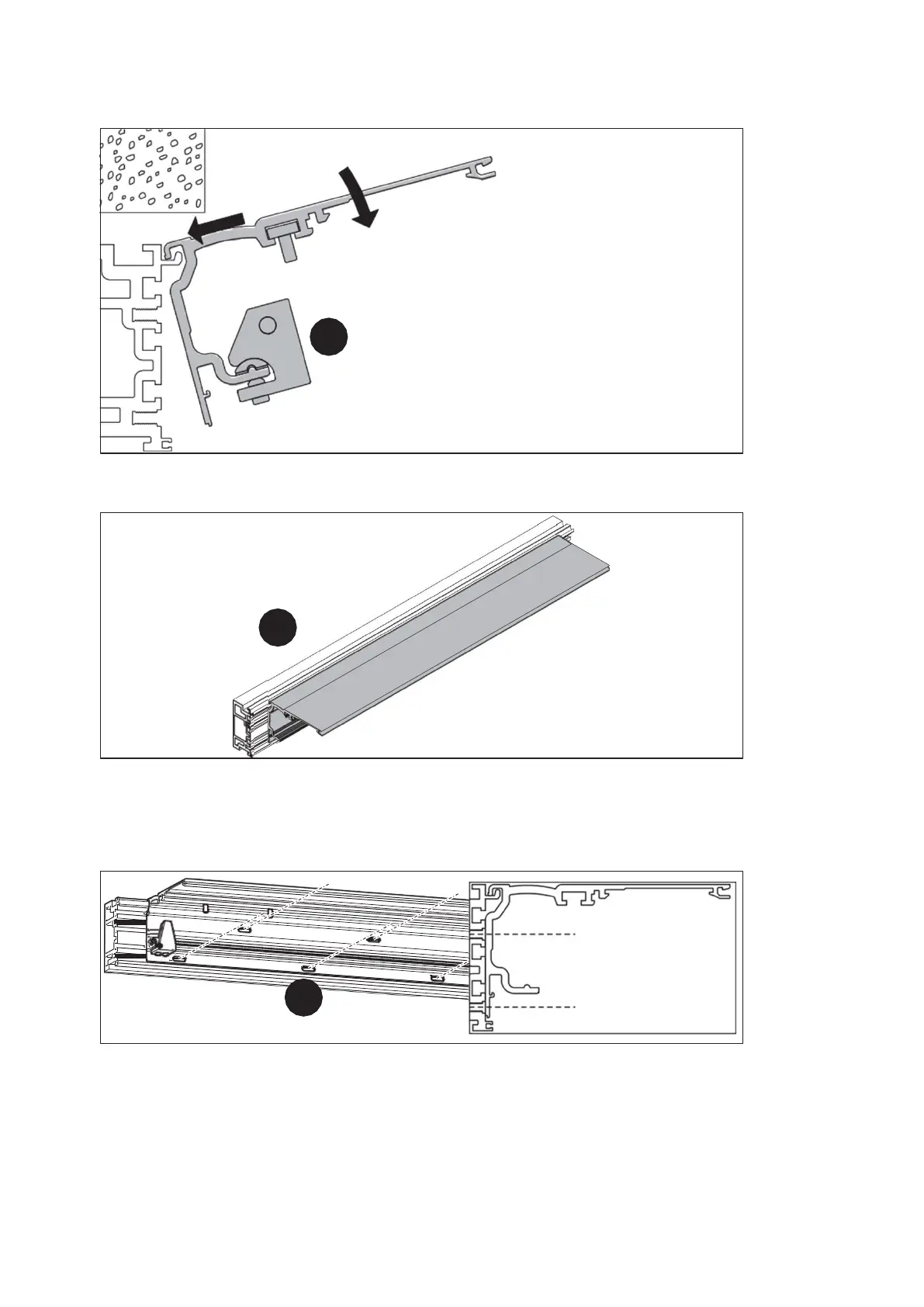
11. Hook in the operator profile.
11.
Fig. 26
12. Align the operator profile centrally between the wall mountings.
12.
Fig. 27
13. Use the cylinder head screws provided to screw the operator profile onto the
LM girder. To prevent noise during operation, screw the operator profile
through all slots.
13.
M6 x 20 m m
M6 x 16 m m
Fig. 28
14. Clean the operator and running profile.
4.4 Mount the optional side panels
1. Mount the wall connection profiles and the side panels according to the profile
system manual.
ES 250 PRO Easy
2024-03
ES250ProEasy Installation Manual



 To Next Page