Mounting
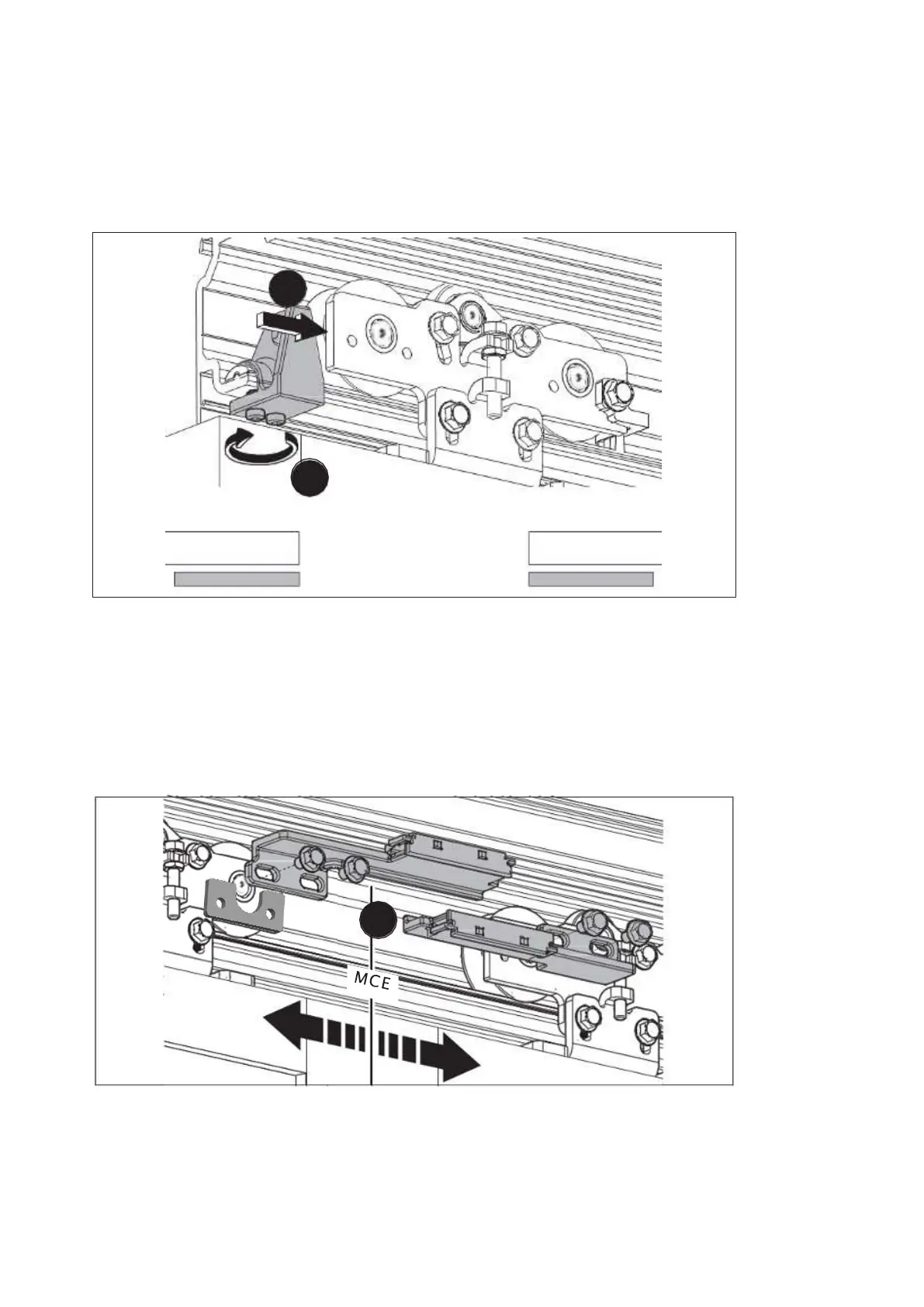
4.10 Adjust the opening width
1. Slide the door leaves to the full opening width.
2. Push the end stops onto the carriers.
2.
3.
Fig. 40
3. Tighten the end stops to 4 Nm.
11. Mount the toothed belt engaging units
1. On 2-leaf units
1. Screw each toothed belt engaging unit to the carrier on the side of the main
closing edge.
Fig. 41
1.
ES 250 PRO Easy
2024-03
30
ES250ProEasy Installation Manual



 To Next Page