Product description
3.2 Operating elements
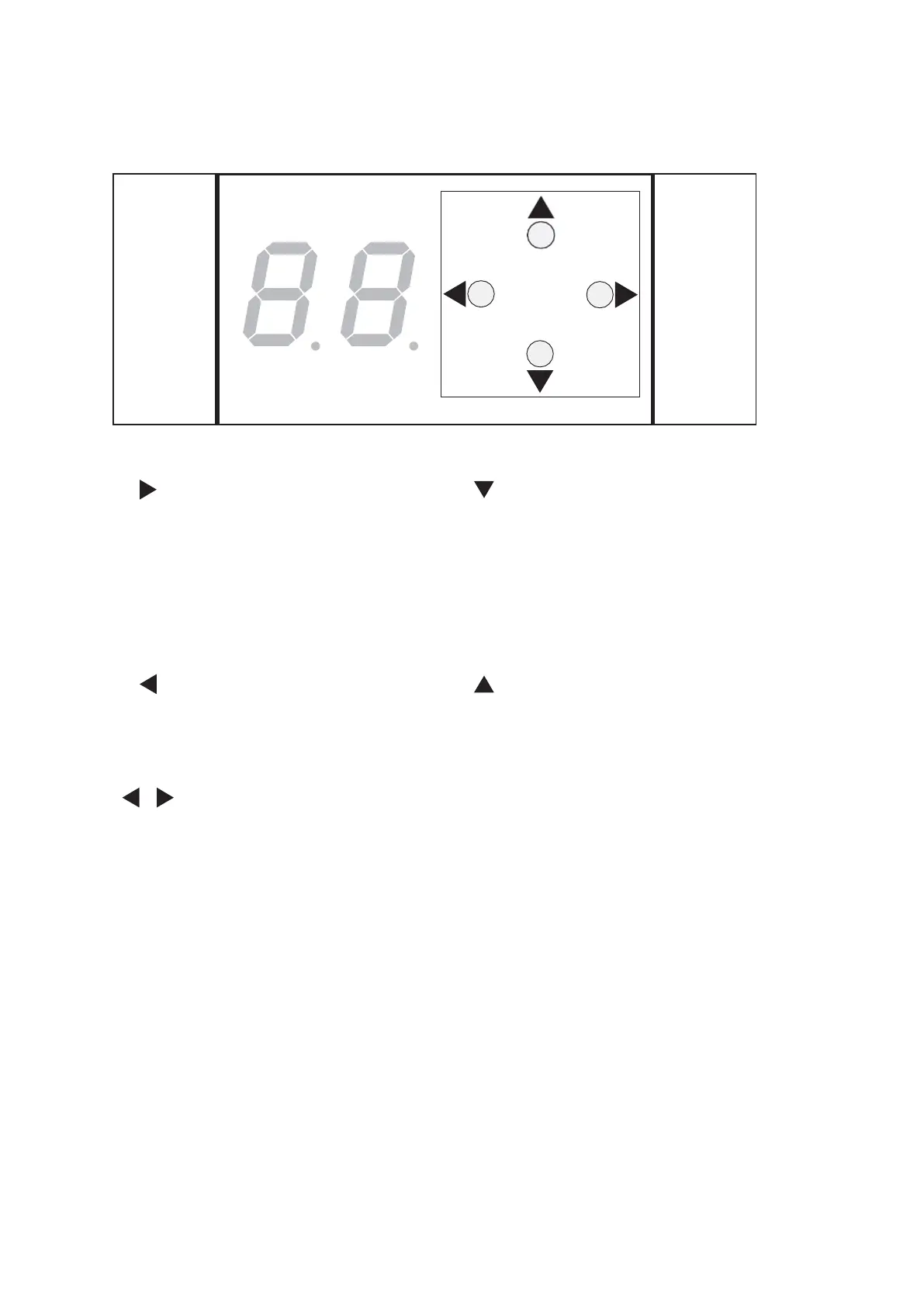
The control unit has a user interface with 4 keys and a 2-digit display.
Fig. 2
The following functions can be performed by pressing the keys:
Bottom key
• Scroll through parameters
and error messages
• Decrease the parameter
value
• Opening impulse
• Learning cycle
• Reset to factory settings
(Fact-Setup)
Right key
• Open parameters menu
• Display parameter value
• Select parameter to be
changed
• Save changed parameter value
• Open error menu
Top key
• Scroll through parameters
and error messages
• Increase the parameter
value
Left key
• Close change parameters
• Close parameters menu
• Close error menu
Press left and right key at the
same time
• Error acknowledgement
• Reset
3.3 Parts included
The parts included are stated on the delivery note. Fixing materials such as dowels
and screws are not included.
ES 250 PRO Easy
2024-03
8
ES250ProEasy Installation Manual



 To Next Page