dormakaba USA Inc. System User Guide 7040.0321 | 8
2.1 Safe Lock Hardware
Consult each component’s individual documentation for proper mounting, connectivity and installation. The safe itself
must be appropriate for the lock hardware to provide maximum security; certain makes and models of safes may not be
appropriate for this LA GARD safe lock system. If unsure, consult with dormakaba USA Inc. Sales or Support for further
information.
2.2 System Components
Each system may differ depending on customer requirements. The sub-sections outlined below cover the full suite of the
LA GARD safe lock system.
2.2.1 Keypad
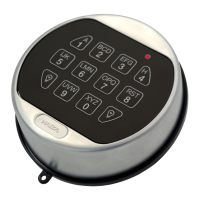
The Keypad comes in two varieties: Display and non-Display. The Display variant shows messages on screen while the
non-Display version implements a series of LED flashes and beeps for messages. The Keypad is the user interface for
the entire system. Refer to the Keypad Installation Guide (Document #7033.0320) for more information.
2.2.2 Multiplexer
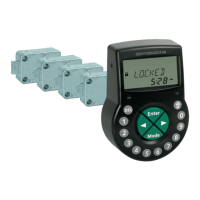
The Multiplexer is used in multi-lock systems and allows multiple safe locks to connect with the Keypad. Refer to the
Multiplexer Installation Guide (Document #7038.0320) for more information. The Multiplexer is not UL evaluated.
2.2.3 Safe Lock
The safe lock is either a dead bolt, a spring bolt or a swing bolt, that locks and unlocks when the Keypad receives correct
user credentials. This lock system comes in many varieties depending on the application. Refer to the Safe Lock
Installation Guide (Document #7034.0320) for more information.
2.2.4 AC Adapter
The AC Adapter can be used to power the System where batteries alone would not be appropriate. Refer to the AC
Adapter Installation Guide (Document #7037.0320) for more information.
2.2.5 Battery Box
The Battery Box can serve as the secondary power source to the LA GARD System. Refer to the Battery Box Installation
Guide (Document #7035.0320) for more information. The Battery Box is not UL evaluated.
2.2.6 Alarm Box
The Alarm Box is a hard-wired external alarm device. If used, the Alarm Box must be plugged into the BAT port of Lock
#1. The Alarm Box allows for a remote disable input that can block the open command to the lock if asserted. Refer to the
Alarm Box Installation Guide (Document #7036.0320) for more information. The Alarm Box is not UL evaluated.
2.2.7 Reset Box
The Reset Box, when attached to a lock BAT port will remove users and resets the Master Combination on LA GARD safe
locks. The lock being reset should be disconnected from the Keypad and must power up from a battery within the Reset
Box. The Reset Box LED will light when the reset function is performed. If a lock is already reset, applying the Reset Box
will not light the LED.
The Reset Box will only work in conjunction with LA GARD safe locks with a BAT port (will not work with older model LG
BASIC Series locks). Refer to the Reset Box User Guide (Document #7039.0320) for more information. The Reset Box is
not UL evaluated.




 To Next Page