dormakaba USA Inc. System User Guide 7040.0321 | 39
Appendix A: # Commands
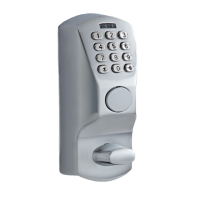
The following is the list of # Commands that is used in non-display Keypad models.
Please observe the following rules:
1. Any key wakes up the system.
2. # key starts the sequence of # Commands.
3. Only applicable for Model 701 and 702.
4. Any # key pressed during a key Keypad sequence will cancel the sequence.
5. If a # key press is used to cancel a sequence (# Command or open lock sequence) and the intent for a new
sequence is to:
a. enter a # Command, another # key press is required to start the sequence
b. open the lock, pressing keys to identify the ID will be the next step
6. If dual user mode is enabled, and a # Command is entered that requires 2 combinations, then the examples below
would necessarily need the PIN for the second user.
7. A return key generally submits the prior keystrokes to the embedded system for interpretation.
a. if the very first key stroke on wakeup is a return key, it is ignored
b. if the first key is a # key followed by a return key, the # Command Keypad is terminated (and ignored)
8. A user PIN is a 2-digit ID followed by 6 to 9 combination digits.
9. The Master PIN in a 2-digit ID (00) followed by 8 combination digits.
10. Rows shaded in yellow are only available on Model 702.
Table 8 – # Commands
Open Lock #1
– Single User
User ID = 03, combo is 123456. Note
that the system in this example is set for
6 digits combo length and once the last
expected digit is entered, the PIN is
validated and lock opened if allowed.
There will be no indication of when the
2nd ID is entered due to the varying
length of the combination. First ID = 03
with combo 123456, 2nd ID is 04,
combo is 654321. No Return key is
required as the system knows that dual
users are required and knows the
expected combo length.
#11<Master PIN><1 digit
length (6-9)><rtn key>
Master ID = 00, Master combo is
12345678, combo length will be set to 6
digits. Note, there are special rules for
existing users' combos when changing
combo length. See User's guide for
details on how existing users will be
affected.
#12<Master PIN><1 digit
user mode><rtn key>
Master ID = 00, Master Combo is
12345678, Dual mode enabled, does
not apply to mgrs.
Digit User Mode is defined as
0 = Single User
1 = Dual User, does not apply to mgr
2 = Dual User, applies to mgr




 To Next Page