Rev 0.0
Dr.coffee Service Manual 15
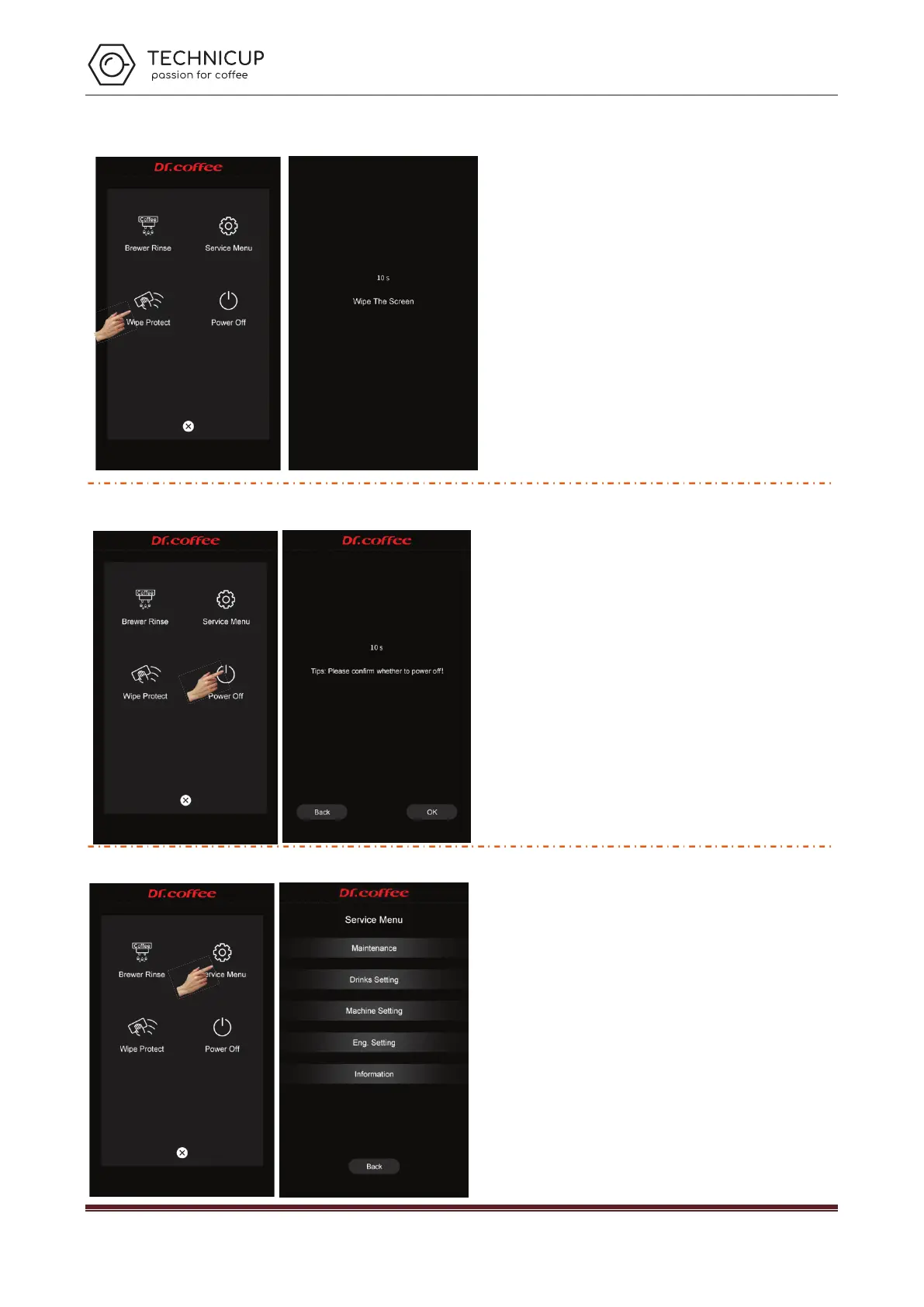
6.2.3 Wipe Protect
Touch“Wipe Protect”,pictures disappeared,count down 10 seconds to do
wiping, any touch unlocks the screen;
Press“Wipe Protect”more than 3 seconds,enter to the descaling process。
(see details in the user manual)
6.2.4 Power Off
Tap “Power Off” to see the interface above “Back or Power off” for your choice,
machine will proceed the process if no response in 10 seconds. Start rinsing process
before power off
Tap “Confirm”, start rinsing automatically, screen turned off and power off (press more
than 5 seconds to wake up machine)
Tap “Return”, return to top level automatically.
7 Service Menu
Step 1: Tap “Service Menu” for entry
Step 2: Input correct password
Password:default password is 1609
Technicup Service Manual



 To Next Page