EasyManua.ls Logo

Dr.coffee M12 - User Manual

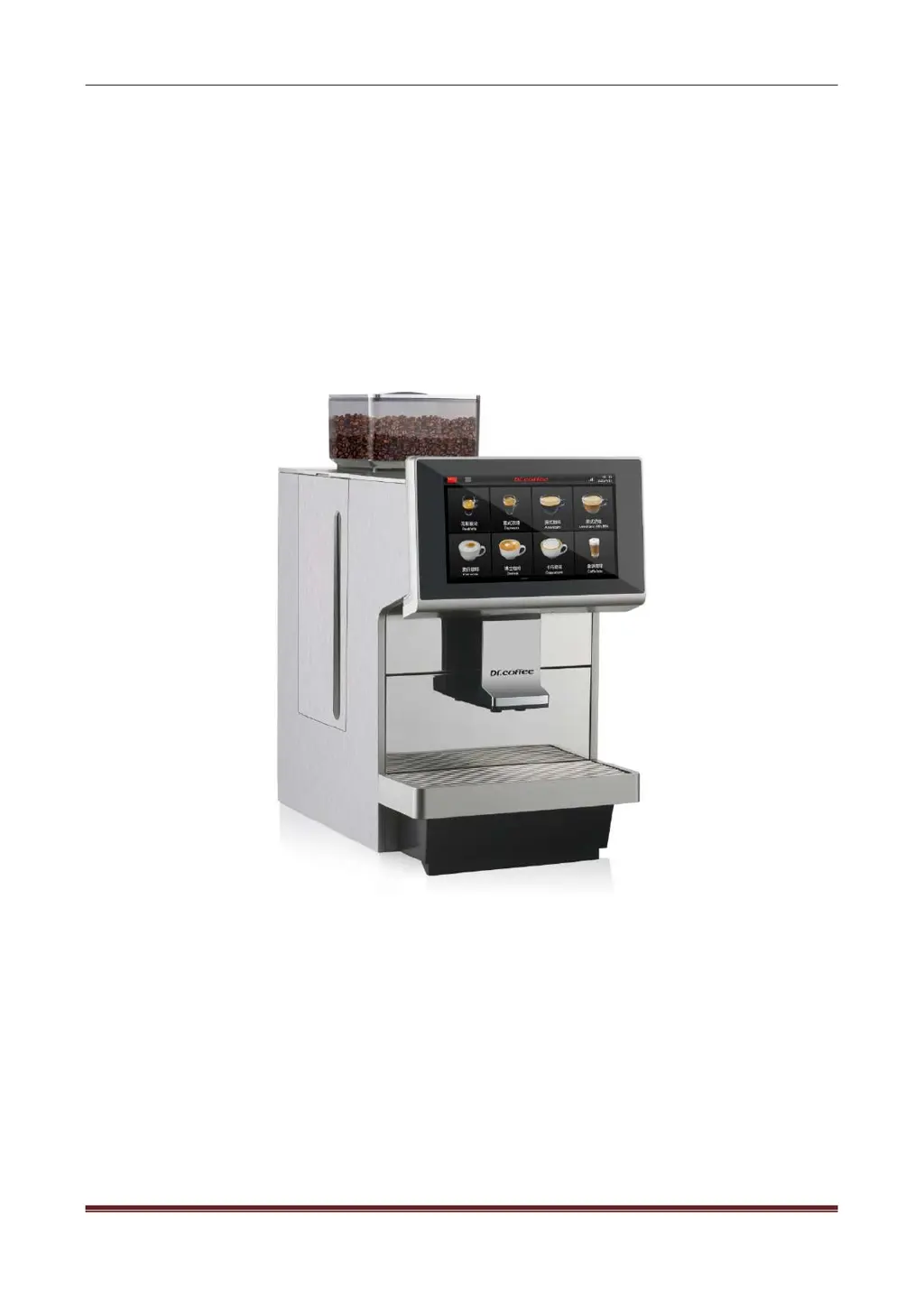
Dr.coffee M12
75 pages
Print Icon
To Next Page IconTo Next Page
Loading...
Dr.coffee Service Manual
Dr.coffee M12 Service Manual
VersionV01
Applied Model
M12 Series
Due to product upgrades, there may be differences between the pictures and the actual products please refer to
real object.

Table of Contents

Questions and Answers

  • R
    Raymond SmithAug 18, 2025
    What to do if Dr.coffee M12 Coffee Maker shows Water Supply Error?
    • A
      Anthony ReedAug 18, 2025
      If your Dr.coffee Coffee Maker displays a 'Water Supply Error' after attempting to fill water three times due to a perceived lack of water, you should first ensure the water supply is functioning correctly and then restart the machine. Also, verify that the water inlet pipe connector and O-ring are properly installed. Clean the inlet of the tank or tap water source, and ensure the tank is correctly fixed and pushed all the way in. If the problem persists, clean the strainer using Brewer Deep Clean tablets or by disassembling it. As a last resort, consider replacing the pump or flow meter.
  • A
    allenrodneyAug 21, 2025
    Why Dr.coffee Coffee Maker fails to switch on?
    • D
      Derrick GillespieAug 21, 2025
      If your Dr.coffee Coffee Maker fails to switch on, there are several possible causes: there is no power connection, the voltage isn’t high enough, the machine is not switched on, the power PCB is damaged, or the main power fuse is blown. To address this, check if the machine is properly connected to a power source with acceptable voltage and ensure it is switched on. If the issue persists, replace the power PCB or the main power fuse.
  • C
    Courtney SmithAug 23, 2025
    What to do if Dr.coffee M12 shows Steam Thermo Block Water Supply Error?
    • E
      Edward ScottAug 23, 2025
      If your Dr.coffee Coffee Maker displays a 'Steam Thermo Block Water Supply Error' after attempting to fill water three times due to a perceived lack of water, you should first ensure the water supply is functioning correctly and then restart the machine. Also, verify that the water inlet pipe connector and O-ring are properly installed. Clean the inlet of the tank or tap water source, and ensure the tank is correctly fixed and pushed all the way in. If the problem persists, clean the strainer using Brewer Deep Clean tablets or by disassembling it. As a last resort, consider replacing the pump or flow meter.
  • C
    Christine BrownAug 26, 2025
    Why is my Dr.coffee Coffee Maker not making milk?
    • E
      Edward MorrisAug 26, 2025
      If your Dr.coffee Coffee Maker is not producing milk, first ensure that the milk box is not empty by refilling it. Then, perform a Milk Deep Rinse. Check the steam pipe for any blockages or damage by disassembling the cover of the machine. Also, ensure that the Air Intake number is not set too high. If the issue persists, disassemble and clean the Milk Frother, or replace it with a new one.
  • C
    Christopher RobertsAug 28, 2025
    What to do if Dr.coffee M12 Coffee Maker shows Grinder Error?
    • N
      Nicholas Henderson Jr.Aug 28, 2025
      If your Dr.coffee Coffee Maker's grinder is experiencing an error, it might be due to several reasons: the grinder is blocked or overloaded, the grinder is damaged, the power PCB is damaged, or the hall sensor group is damaged. You can try disassembling the grinder to check for any hard objects and remove them. If that doesn't work, you may need to replace the grinder, power PCB, or hall sensor.
  • T
    Timothy EvansAug 30, 2025
    What causes Coffee Thermo Block Heating Overtime in Dr.coffee Coffee Maker?
    • G
      glasskimberlyAug 30, 2025
      If the coffee thermo block in your Dr.coffee Coffee Maker is heating overtime, it could be due to several reasons: the temperature of the coffee thermo block exceeds the temperature fuse's value, causing it to blow; the NTC sensor is damaged; or the coffee thermo block itself is damaged. To resolve this, turn off the machine and disassemble the cover to replace the fuse. If that doesn't work, replace the NTC temperature sensor or the coffee thermo block.
  • M
    Mark CarrSep 1, 2025
    What causes Steam Thermo Block Heating Overtime in Dr.coffee M12?
    • R
      Rachael CrawfordSep 1, 2025
      If the steam thermo block in your Dr.coffee Coffee Maker is heating overtime, it could be due to several reasons: the temperature of the steam thermo block exceeds the temperature fuse's value, causing it to blow; the NTC sensor is damaged; or the steam thermo block itself is damaged. To resolve this, turn off the machine and disassemble the cover to replace the fuse. If that doesn't work, replace the NTC temperature sensor or the steam thermo block.
  • S
    Scott SullivanSep 3, 2025
    What causes Hot Water Thermo Block Heating Overtime in Dr.coffee M12?
    • J
      Janice HernandezSep 4, 2025
      If the hot water thermo block in your Dr.coffee Coffee Maker is heating overtime, it could be due to several reasons: the temperature of the hot water thermo block exceeds the temperature fuse's value, causing it to blow; the NTC sensor is damaged; or the hot water thermo block itself is damaged. To resolve this, turn off the machine and disassemble the cover to replace the fuse. If that doesn't work, replace the NTC temperature sensor or the hot water thermo block.
  • K
    Kimberly CopelandSep 6, 2025
    What to do if Dr.coffee M12 shows Brewer System Error?
    • T
      Timothy RussellSep 6, 2025
      If your Dr.coffee Coffee Maker is showing a 'Brewer System Error', it could be due to several reasons: the brewer is blocked or stuck, the motor isn’t working, the brewer is damaged, or the control board is damaged. You can try switching off the machine and restarting it. If that doesn't work, disassemble the brewer to check and clean it. You may need to replace the motor, brewer, or control board.
  • J
    Jennifer HamiltonSep 8, 2025
    Why Dr.coffee M12 Coffee Maker makes no milk foam, just warm milk?
    • R
      rebeccaortizSep 8, 2025
      If your Dr.coffee Coffee Maker is only producing warm milk without foam, it could be due to a blockage in the air intake valve's inlet or pipe, or the air intake valve itself may be damaged. Check the inlet and the pipe of the air intake, and replace the air intake valve if necessary.

Summary

Safety Instructions

Safety Tips

Safety guidelines for machine operation, handling, and risks.

Structure Introduction

Overview

Front and back views of the M12 coffee machine with labeled parts.

Internal Components Overview

Detailed identification of key internal components and their locations within the machine.

Schematic Circuit

M12 Main Control Board Circuit

Diagram and pinout of the M12 main control board and its connections.

M12 Power Board Circuit

Diagram and connections for the M12 power board.

Technical Data

Capacity and Specifications

Details on hourly output, capacities, voltage, power, and dimensions.

Screenshot Description

User Interface Navigation

Explains navigation of the drinks home screen and access to the main menu.

Menu Functions

Details on Brewer Rinse, Milk Rinse, and One-Button Maintenance functions.

Service Menu

Drinks Configuration

How to modify drink parameters, names, pictures, and cup types.

Maintenance Procedures

Procedures for Brewer Deep Clean, Milk Deep Clean, Descaling, and Water Draining.

Machine Settings

Configuration of maintenance intervals, time/date, units, and passwords.

Engineering Settings

Calibration of grinder, water supply, factory reset, and business settings.

Warning

Screen-Based Warnings

Troubleshooting common errors like empty water tank, full grounds container, and empty bean hopper.

Thermo Block Temperature Warnings

Explains causes and solutions for overheating and low temperature thermo block issues.

Trouble Shooting

Error Messages and Solutions

Detailed troubleshooting for errors like water supply, grinder, and brewer system errors.

Communication and Sensor Errors

Operational and System Errors

Software and Leakage Errors

Disassembly & Assembly

Required Tools

List of tools required for disassembly and assembly procedures.

Exterior Panel Disassembly

Step-by-step guide to removing external panels like the upper, rear, and side covers.

Internal Component Disassembly

Electrical Component Disassembly

Valve and Pump Assemblies Disassembly

Flow Meter and Water Inlet Valve Disassembly

Grinder and Thermo Block Disassembly

PCB and Panel Disassembly

Maintenance

Milk Frother Maintenance

Procedures for cleaning and installing the milk frother.

Milk Pipe Maintenance

Steps for disassembling, cleaning, and connecting the milk pipe.

Daily Use and Maintenance Considerations

Daily Operation Guidelines

Best practices for daily operation, cleaning, and maintenance of the coffee machine.

Dr.coffee M12 Specifications

General IconGeneral
TypeAutomatic Coffee Machine
Water Tank Capacity1.8 liters
Bean Hopper Capacity250 grams
Pump Pressure19 bar
Voltage220-240 V
Frequency50/60 Hz
ColorBlack
MaterialPlastic
FeaturesAdjustable coffee strength, Adjustable coffee volume

Related product manuals