Rev 0.1
Dr.coffee Service Manual 15
6 Screenshot Description
:This is function switch icon, Orange means” Turn on”, Grey means” Turn off”
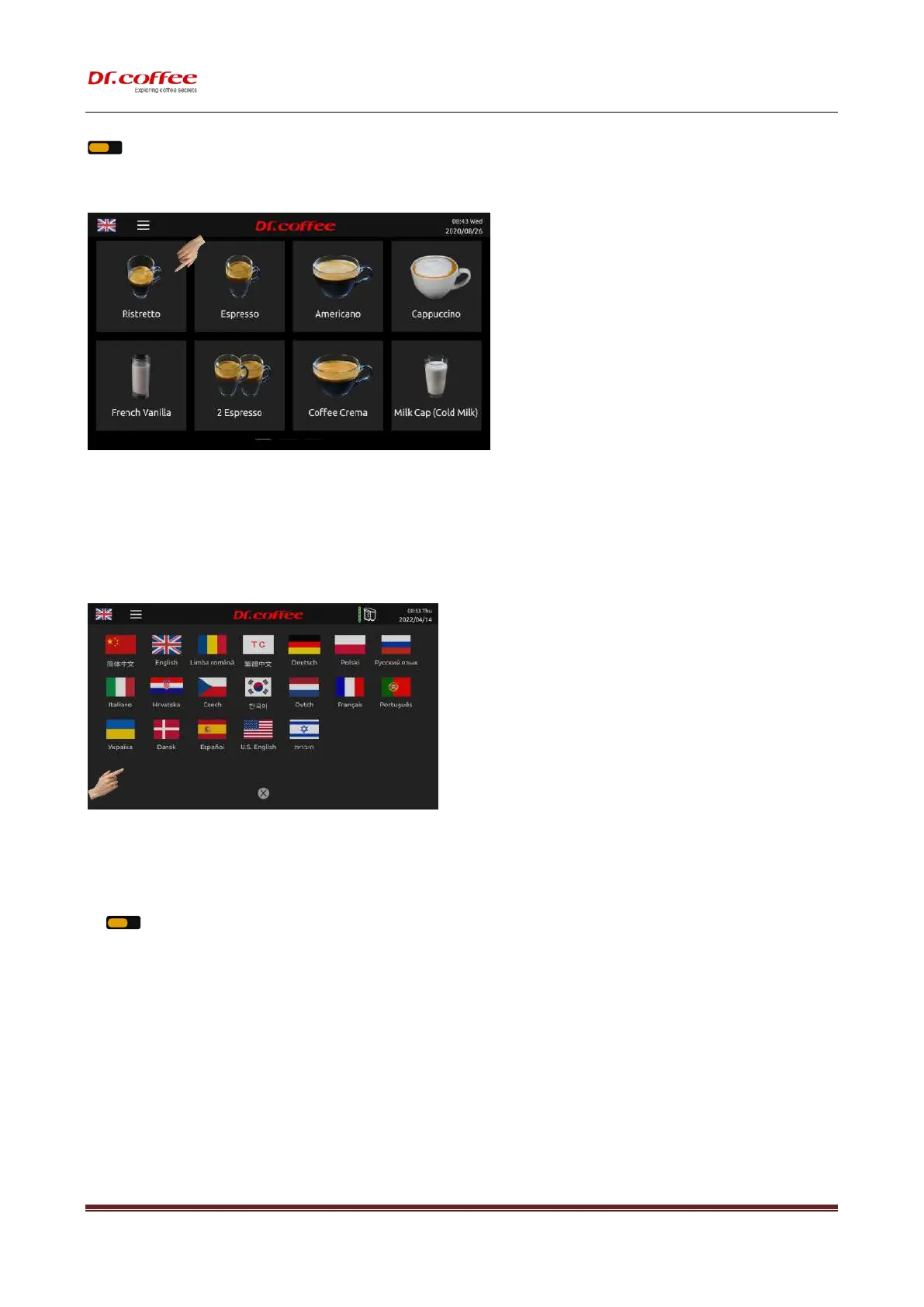
6.1 Drinks Home Screen
Screenshot description
1. Touch any picture to get coffee; (see details in user manual)
2. Slide on the touch panel for page turning; (see details in user manual)
3. Data & time on top right corner, setting available in the Menu.
6.2 Language Setting
Language Setting
Enter the setting interface by tapping National Flag icon on the top left corner, and then choose the language by tapping the corresponding national flag.
Dual Language:
Tap” ” to turn on bilingual display;(orange-on; Grey-off)
Turned on: The name of beverage at the first line is in language set in the menu, the second line is in English. .
Turned off: The name of beverage is in language set in the menu only.



 To Next Page