Rev 0.1
Dr.coffee Service Manual 64
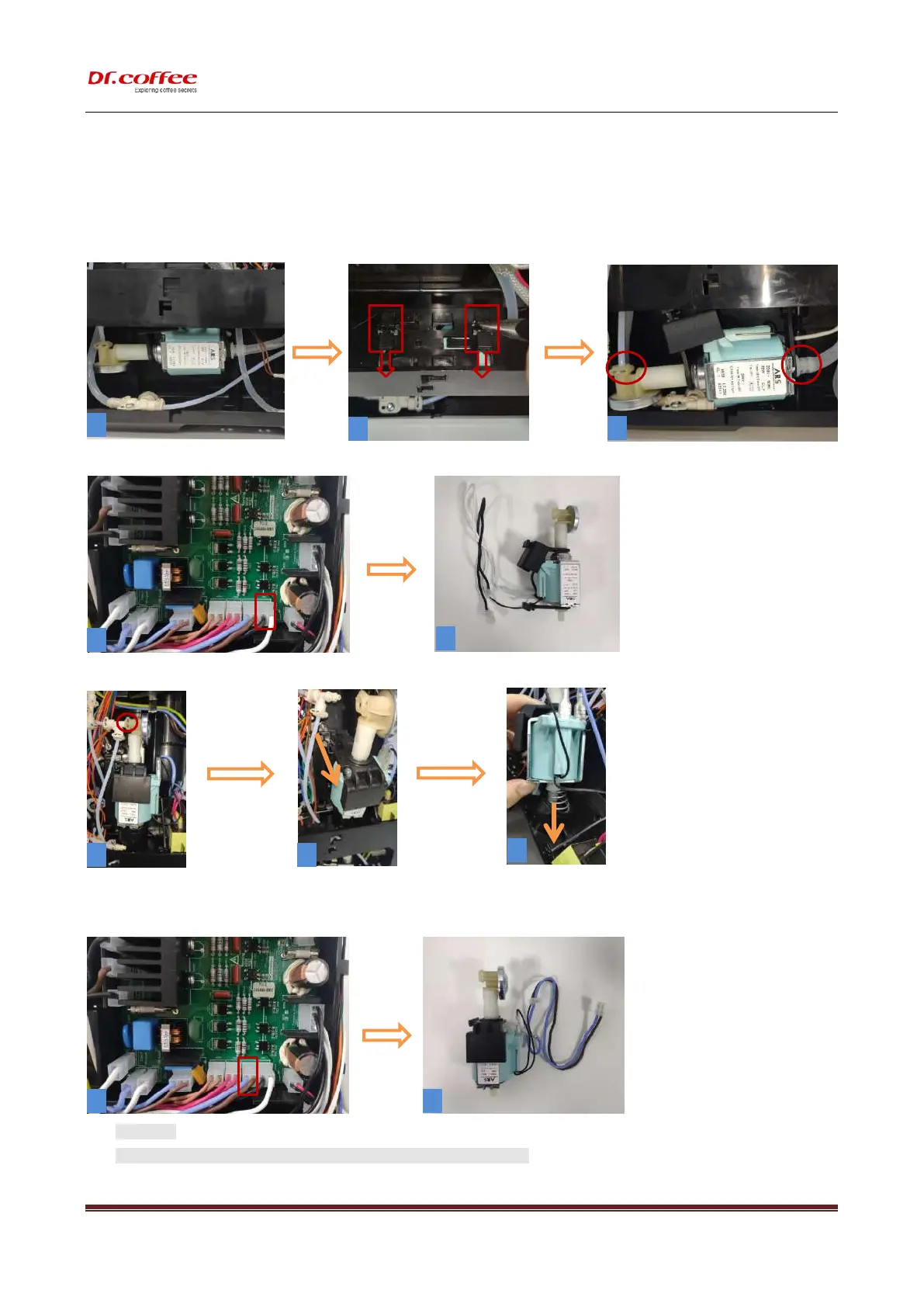
10.2.7 Disassemble Pump Group
Step1:<Water Pump> Remove the small spring clip (as shown in Figure 2) and pull out the water pipe. Then press the water
pump to remove the water pump.
Step 2:( Pic. 4)Unplug the lines.
Step 1:[Steam Pump](Pic.1)Remove the spring clip and pull out the water pipe,( pic.2)remove this way,( pic.3)take out water inlet pipe;
Step2:( Pic. 4)Unplug the lines.
★ Attention:
1、Be careful during the disassembly process to prevent scratching your fingers!



 To Next Page