Rev 0.1
Dr.coffee Service Manual 21
7 Service Menu
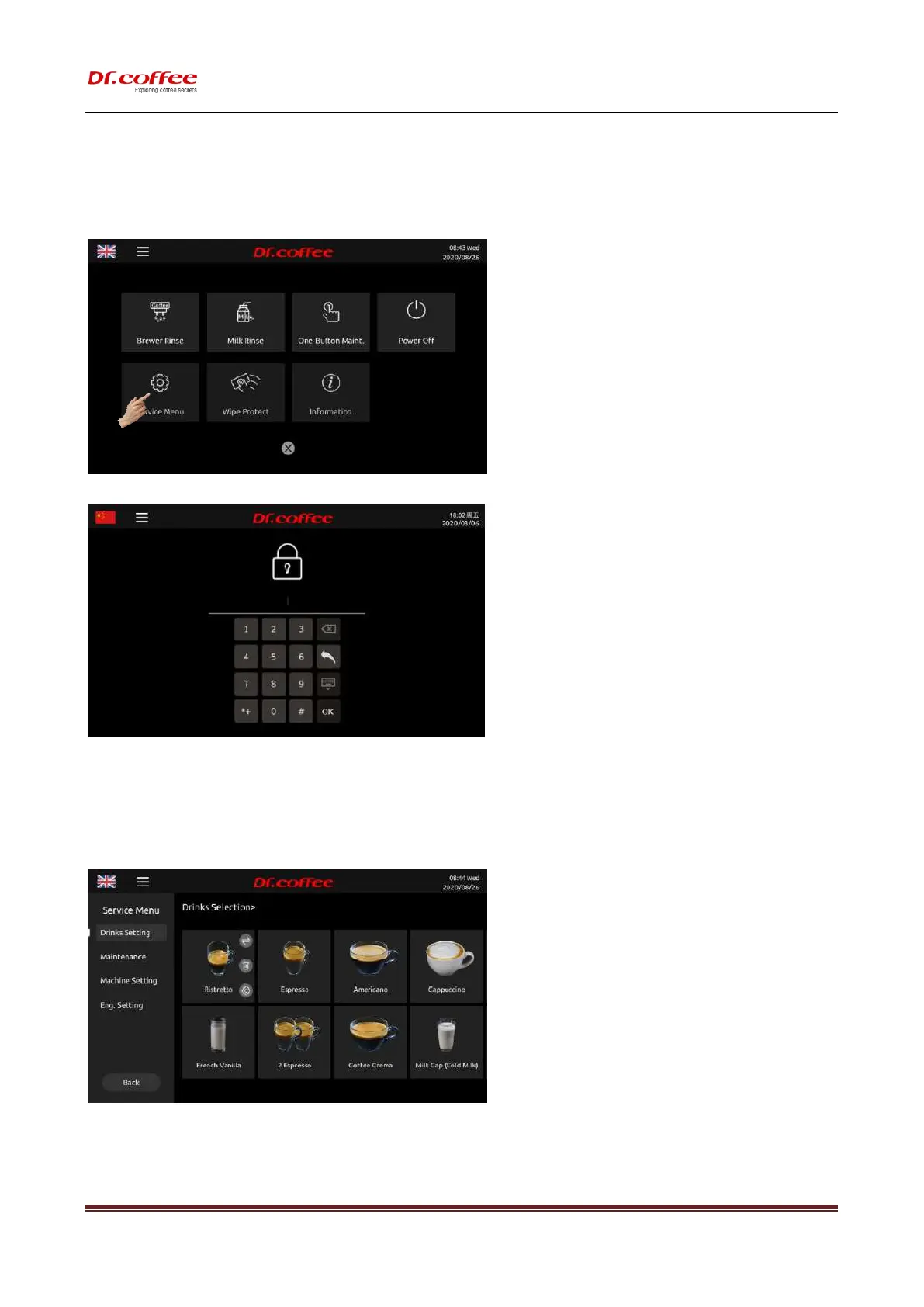
Method of Entry
Step 1: Tap “Service Menu” for entry (as picture below)
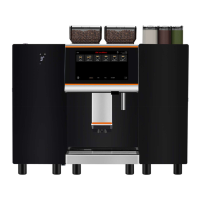
Step 2: Input correct password;
Password Level:
Primary Password: The highest level, all access to Service Menu (Including Drinks Setting, Maintenance, Machines Setting, Eng. Setting; default password is 1809)
Secondary Password: Secondary level, limited access to Service Menu (Including Drinks Setting, Maintenance, Machines Setting, default password is 1709)
Tertiary Password: Tertiary level, limited access to Service (Drinks Setting only default password is 1609)
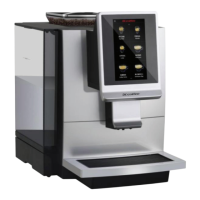
Step 3: Service Menu Interface;
7.1 Drinks Setting
Drinks Setting: Tap the picture of beverage to modify the parameters.


 To Next Page