Rev 0.1
Dr.coffee Service Manual 39
7.4.5.3 Monetary Unit
Click the drop-down option to select the desired currency unit
7.4.5.4 LOGO setting
Step 1: Connect to U-disk, Tap “Logo showing” to see all logos available
Step 2: Tap the aim logo picture to replace.
Tap “Save”. Logo changing accomplished.
❖ Requirements for U-Disk:
➢ Memory Capacity: No more than 32GB
➢ Port: USB 1.0 or USB 2.0;(USB 3.0 is not available temporarily )
➢ Format : FAT or FAT32;
7.4.5.5 Picture of Start Setting
Step 1: Connect to U-disk, Tap “start showing” to see all pics available
Step 2: Tap the aim picture to replace.
Tap “Save”. Start Pic. changing accomplished.
❖ Requirements for U-Disk:
➢ Memory Capacity: No more than 32GB
➢ Port: USB 1.0 or USB 2.0;(USB 3.0 is not available temporarily )
➢ Format : FAT or FAT32;
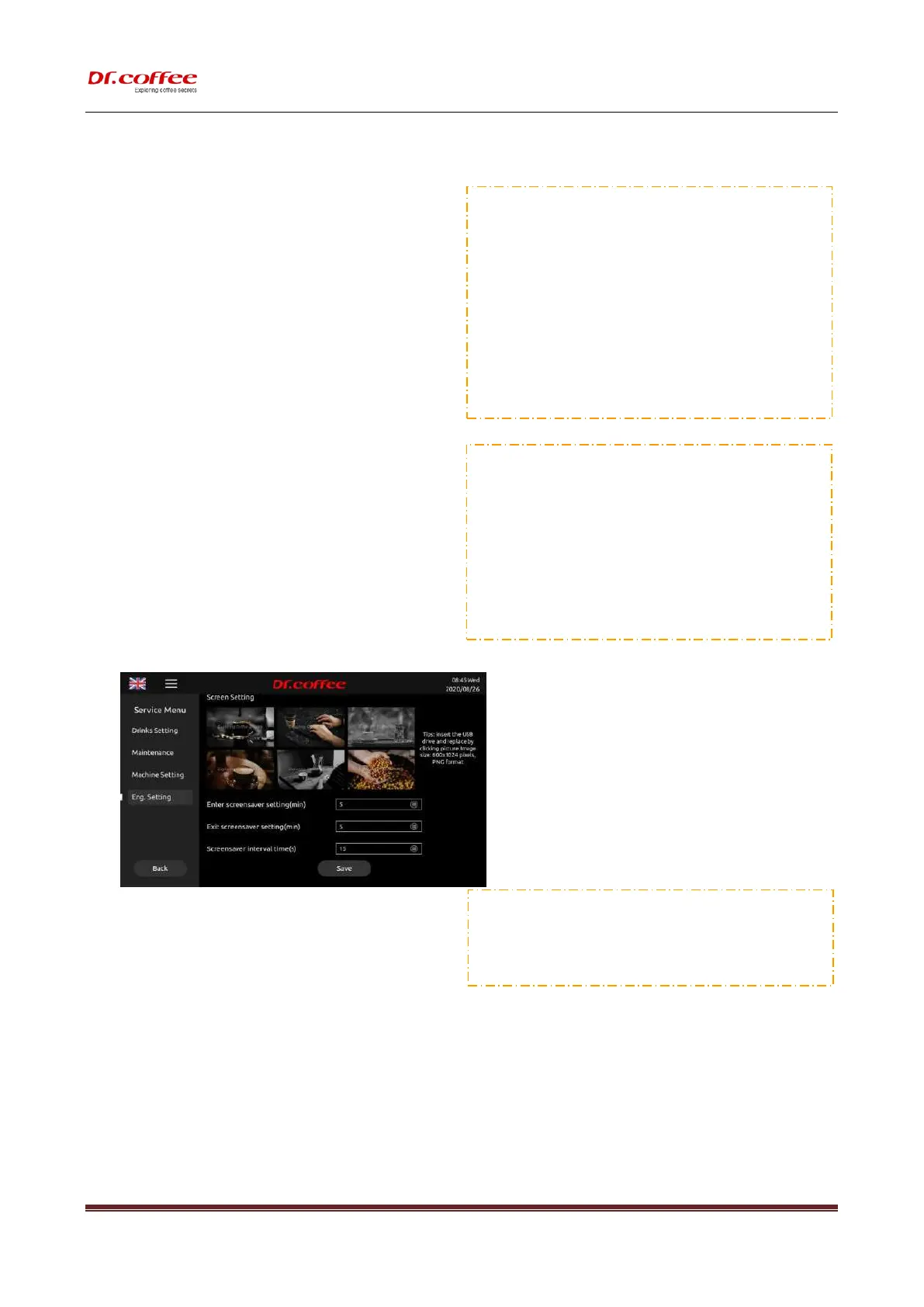
7.4.5.6 Screen Setting
Step 1: Connect to U-disk, Tap “Screen Setting” to see all logos available
Step 2: Tap the picture to replace,
Tap “Save”. Screen Setting changing accomplished.
7.4.5.7 Enter Screen Saver Setting (min)
Unit:Minute Range:1~10min;
For Example: If set”5 min.” means the Screen Saver will show up.
❖ Screen Pitcture Requirements:
(
File name of picture: Only English wrods or number
)
Image Size:1024x600 pixels
;
Format: png
;
File Size: Less than 1MB;



 To Next Page