Rev 0.1
Dr.coffee Service Manual 42
7.4.6.5 Daily Record
Connect to U-Disk and follow the tips in the interface to import or export the parameters.
Export steps: Connect to U-Disk, tap” ”, parameters export accomplished.
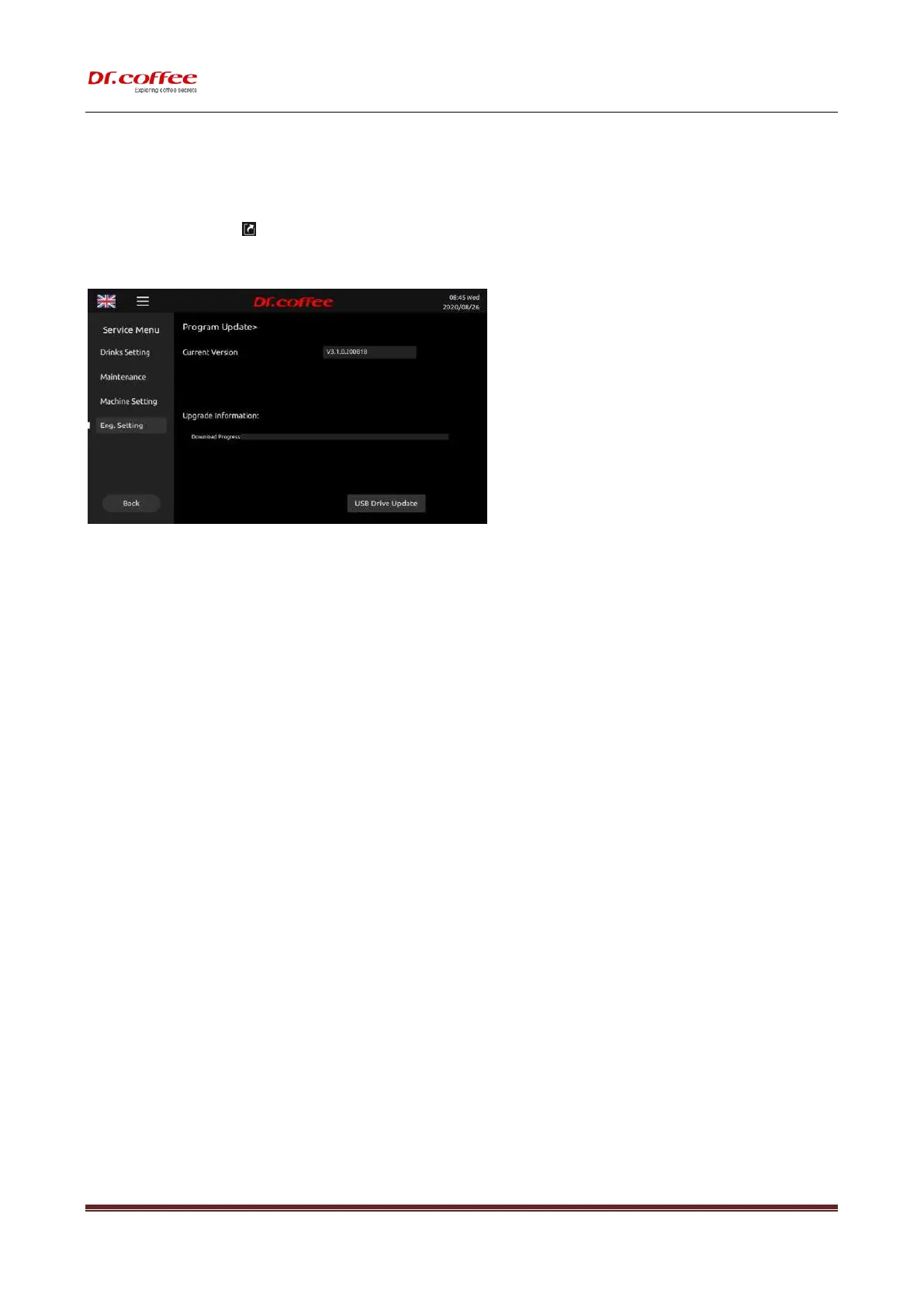
7.4.7 Program Update
7.4.7.1 Current Version
The version information of the current machine
7.4.7.2 Remote Latest Version
The latest system version of this model in the server cloud can be displayed in real time; (This function is only available for IOT models.)
7.4.7.3 Online Update
Click online update, you can automatically update the program through the network; (This function is only available for IOT models.)
※ This function will be open soon.
7.4.7.4 USB Drive Update
U-Disk update is available.
Steps 1: Open U-Disk on the computer, create a folder named” update_ipk ”
Step 2: Paste the update (.ipk program) to” update_ipk” Folder.
Step 3: Connect the U-Disk to machine, tap “USB Drive Update”, the system will do updating itself.
Step 4: After the whole process, Update successfully will appear in the interface, disconnect U-Disk, switch off the power, and restart the machines.
Updating done.
※ (If it has no access to Interface, the machine could also be updated.
1, Switch off the machine; 2, Connect to U-Disk; 3, Switch on the machine; 4, Tap “USB Drive Update” in the Screen)
❖ Requirements for U-Disk:
➢ Memory Capacity: No more than 32GB
➢ Port: USB 1.0 or USB 2.0;(USB 3.0 is not available temporarily )
➢ Format : FAT or FAT32;
➢ The format of update program is “.ipk”. The program should be move into a folder named”update_ipk” (This is the only one useful name.)



 To Next Page