Rev 0.1
Dr.coffee Service Manual 58
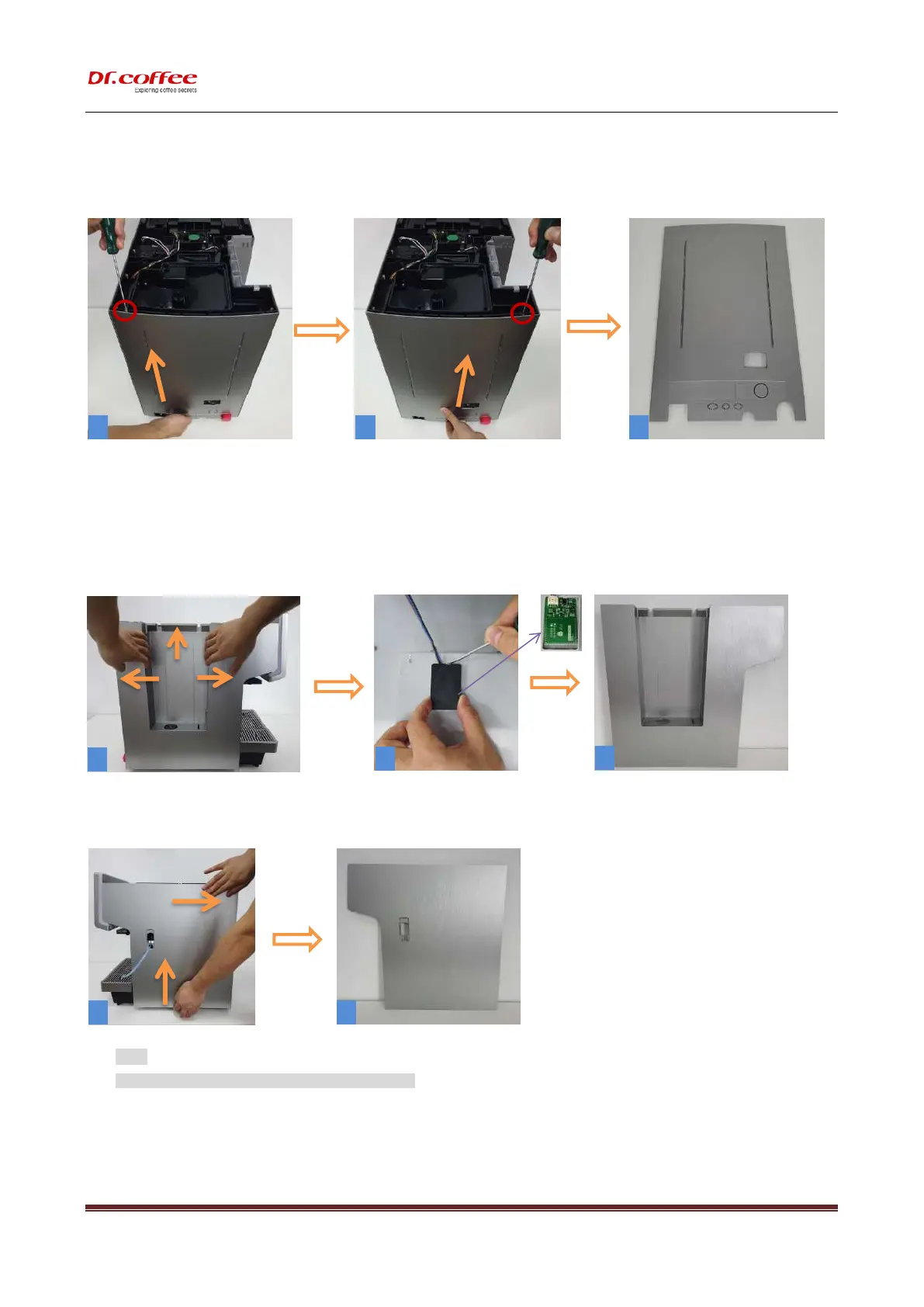
10.2.1.2 Disassemble Rear Panel
Same as Pic. 1 and 2,R push the back cover from the bottom up and remove it.
10.2.1.3 Disassemble Left and Right Panel
Step 1:( same as pic.1)First gently lift the left side board to both sides and then push it up,(same as pic.2)Take out
the water level detection board gently.
Step 2:( Same as pic.1)push the side cover from the bottom up and remove it, and remove the left side panel.
★ NOTE:
Handle with care during disassembly to prevent scratches!



 To Next Page