Rev 0.1
Dr.coffee Service Manual 70
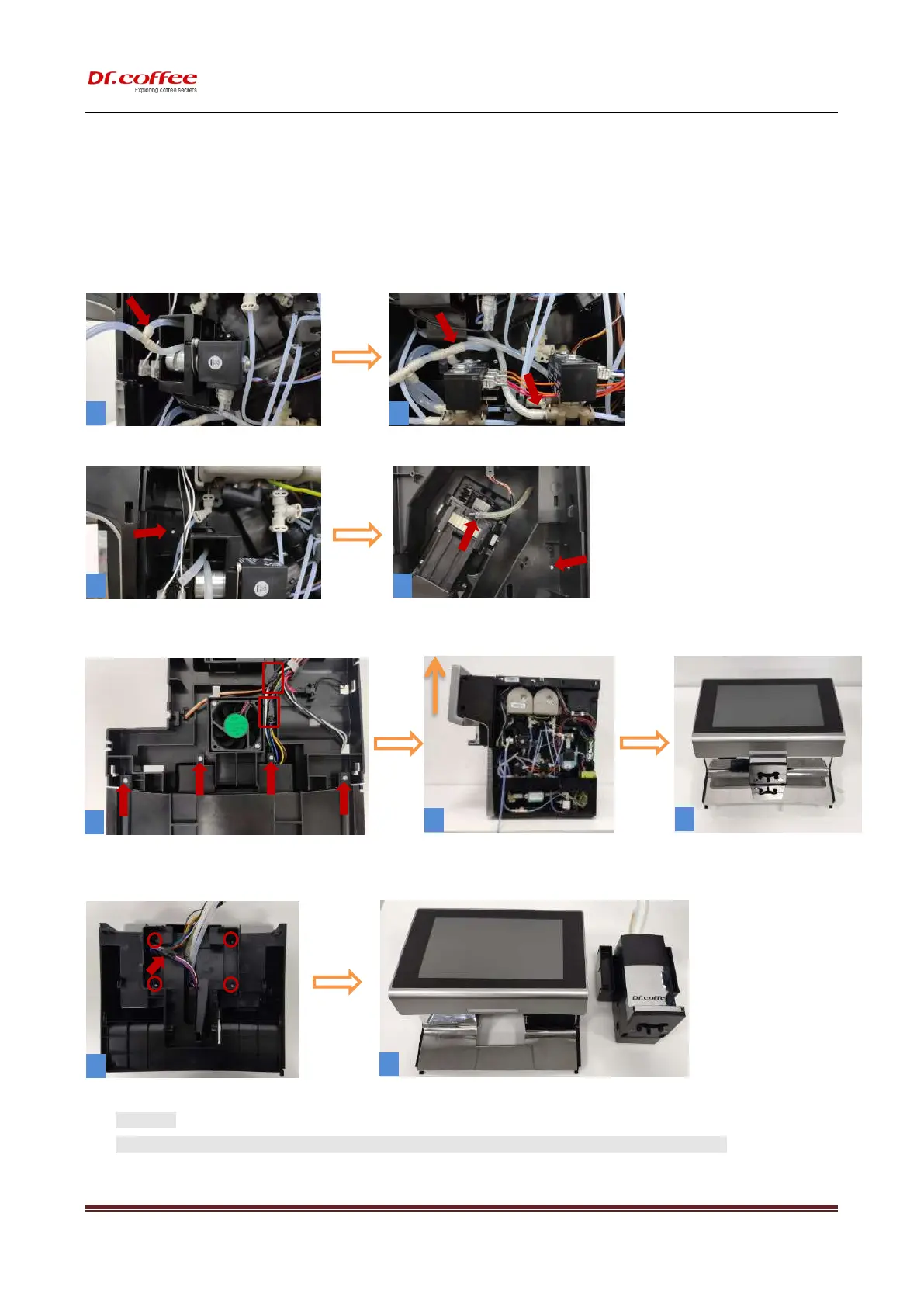
10.2.15 Disassemble front panel group
Step1:(Pic.1)Pull out the three-way connector from the valve and unplug the milk tube,( Pic.2)Unplug the two
water pipes;
Step 2:Remove the screws with T10(pic3、4),Unplug(pic.4) coffee pipe;
Step3:Remove the 4 screws with T10(pic.5),then unplug the two plugs in the red box, pull out the entire assembly
forcefully.
Step4:Remove the 4 screws with T10(pic.8),pull out the plug,make the coffee outlet group is separated from the display
group.
★ Attention:
1、The display is made of glass. Please take it lightly during the disassembly process to prevent the glass from breaking!



 To Next Page