Rev 0.1
Dr.coffee Service Manual 34
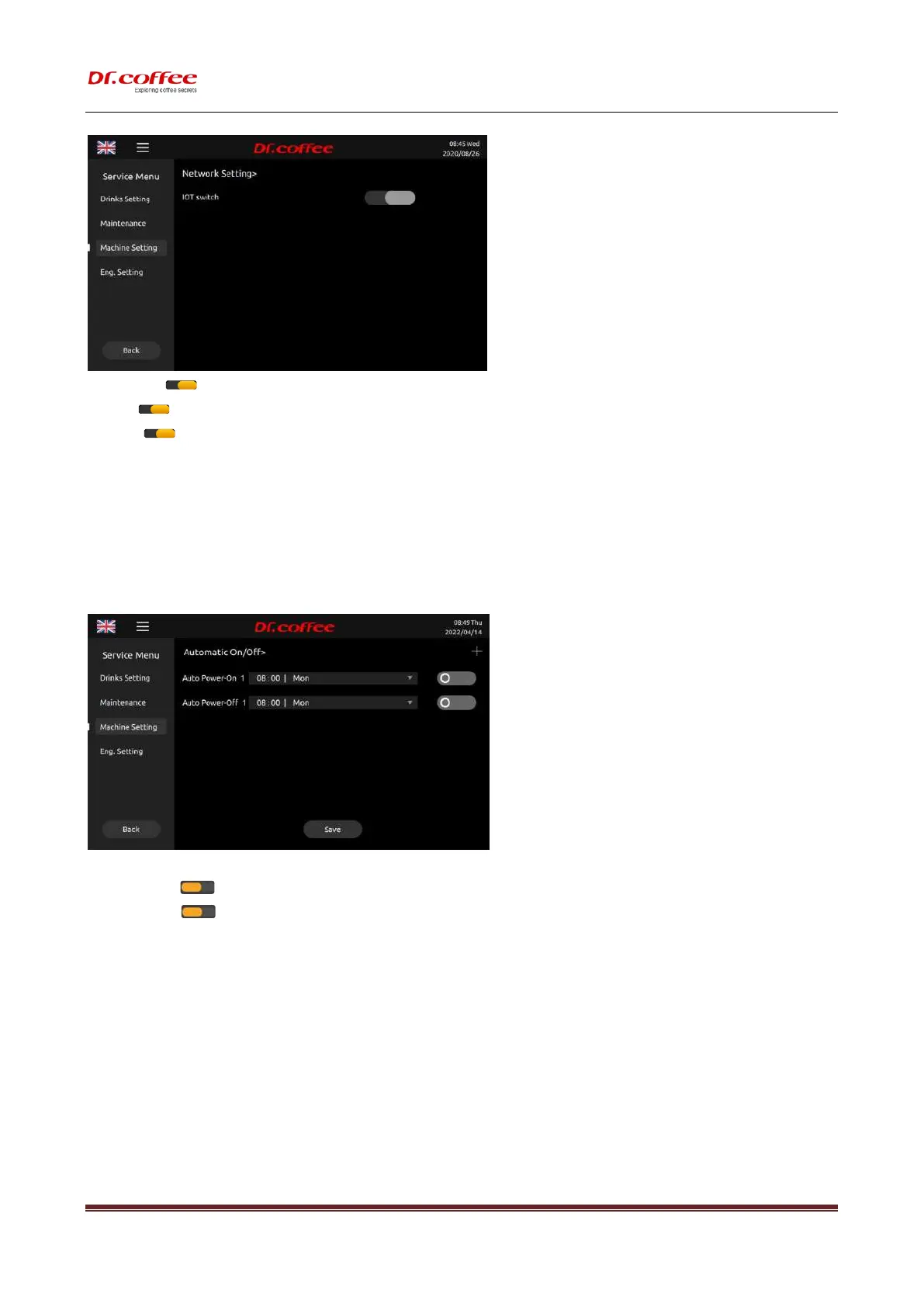
IOT switch:Tap“ ”, Turn on or turn off IOT function; (This function is only available for IOT models.)
SIM:Tap“ ”, Turn on or turn off 4G function;(This function is only available for IOT models.)(optional)
Wi-Fi:Tap“ ”, Turn on or turn off WIFI;(This function is only available for IOT models.) (optional)
Network
:
The WiFi hotspots searched by the machine are displayed in time, and they are automatically sorted according to the strength of the signal. The success or failure of the WiFi
connection will be automatically displayed in the interface;
※ Remark 1
:
This function is only available for models with WIFI mode.
※ Remark 2: WIFI and 4G cannot be turned on at the same time;(if 4G is turned on, WiFi will be automatically turned off; if WiFi is turned on, 4G will be turned off automatically)
7.3.8 Automatic On/ Off
Auto Power On/ Off: Set the time for the coffee machine to automatically shut down. Tap “Save” to effect
Date Selection:Choose date. choose range:Monday, Tuesday, Wednesday, Thursday, Friday, Saturday, Sunday, Every day. Choose execution time. choose range:00:00-23:59
Auto Power On:Tap” ”to turn on or turn off this function. (orange-on; grey-off)
;
after setting, please “save”
Auto Power Off:Tap” ”to turn on or turn off this function. (orange-on; grey-off)
;
after setting, please “save”
Click”+”, add automatic on/off time setting. Power-on and power-off setting can be increased by 7 respectively
7.3.9 ECO Mode
ECO Mode: In this item, you can choose to turn on or off any of the modes. Tap “Save” to effect.



 To Next Page