Rev 0.1
Dr.coffee Service Manual 29
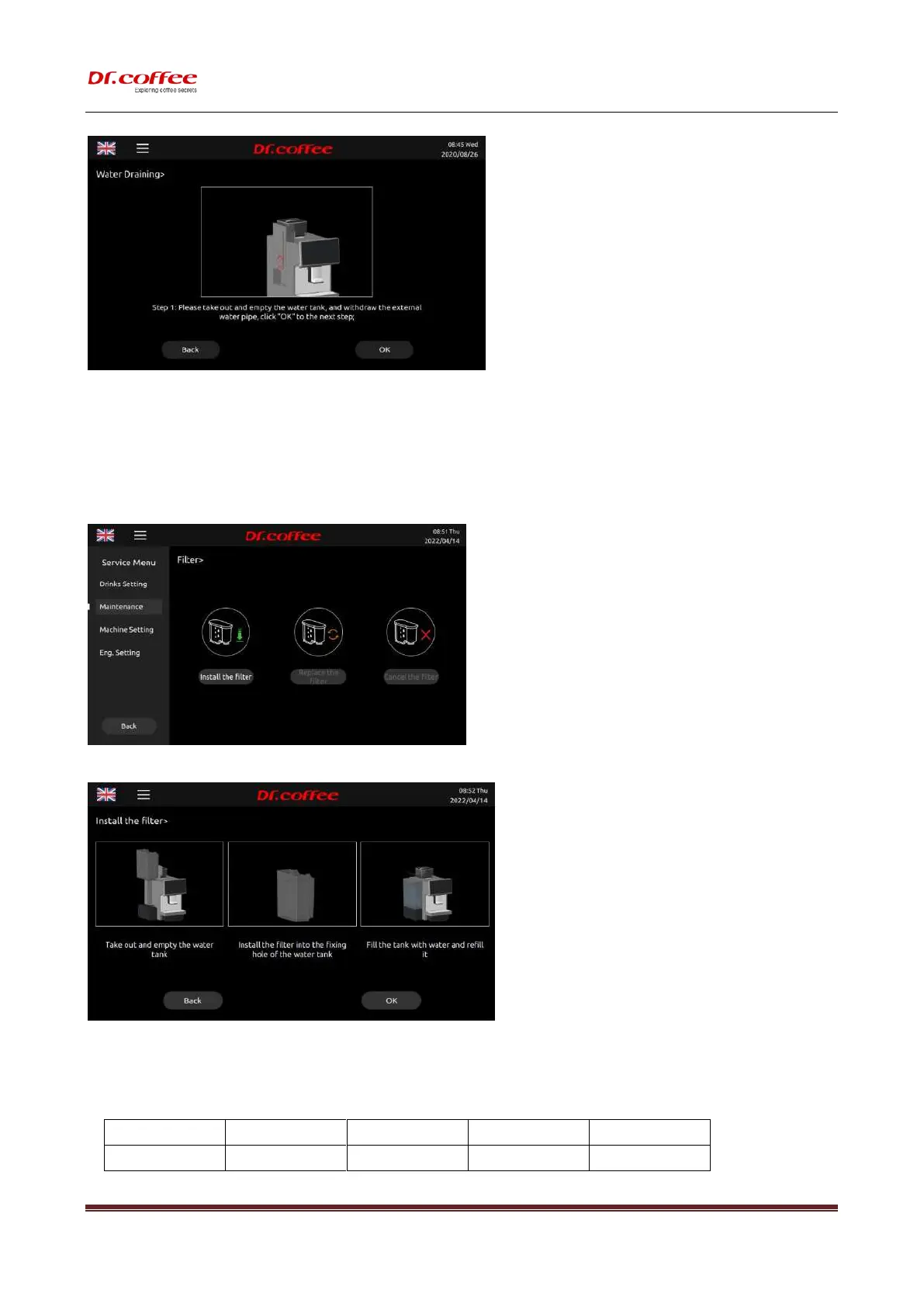
Empty the remaining water in the internal piping of the coffee machine to prevent it from freezing and causing cracking after transporting in a low temperature environment.
Follow the instruction to finish this process.
❖ See details in User Manual
7.2.5 Filter
Filter: Set the Filter(Only in tank water supply mode, the filter element function can be activated and the filter element can only be installed in the 8 liter tank)
Install the Filter: Indicates the operation to install the filter element. After clicking "Install the filter element, the screen will prompt you to install the filter element.
Replace the Filter:Indicates the operation of replacing the filter element. After clicking "Replace the filter element, the screen will prompt the operation steps to replace the filter
element.
Cancel the Filter:Indicates to cancel the filter function
Filter replacement cycle comparison table::



 To Next Page