Rev 0.1
Dr.coffee Service Manual 36
7.4 Eng. Setting
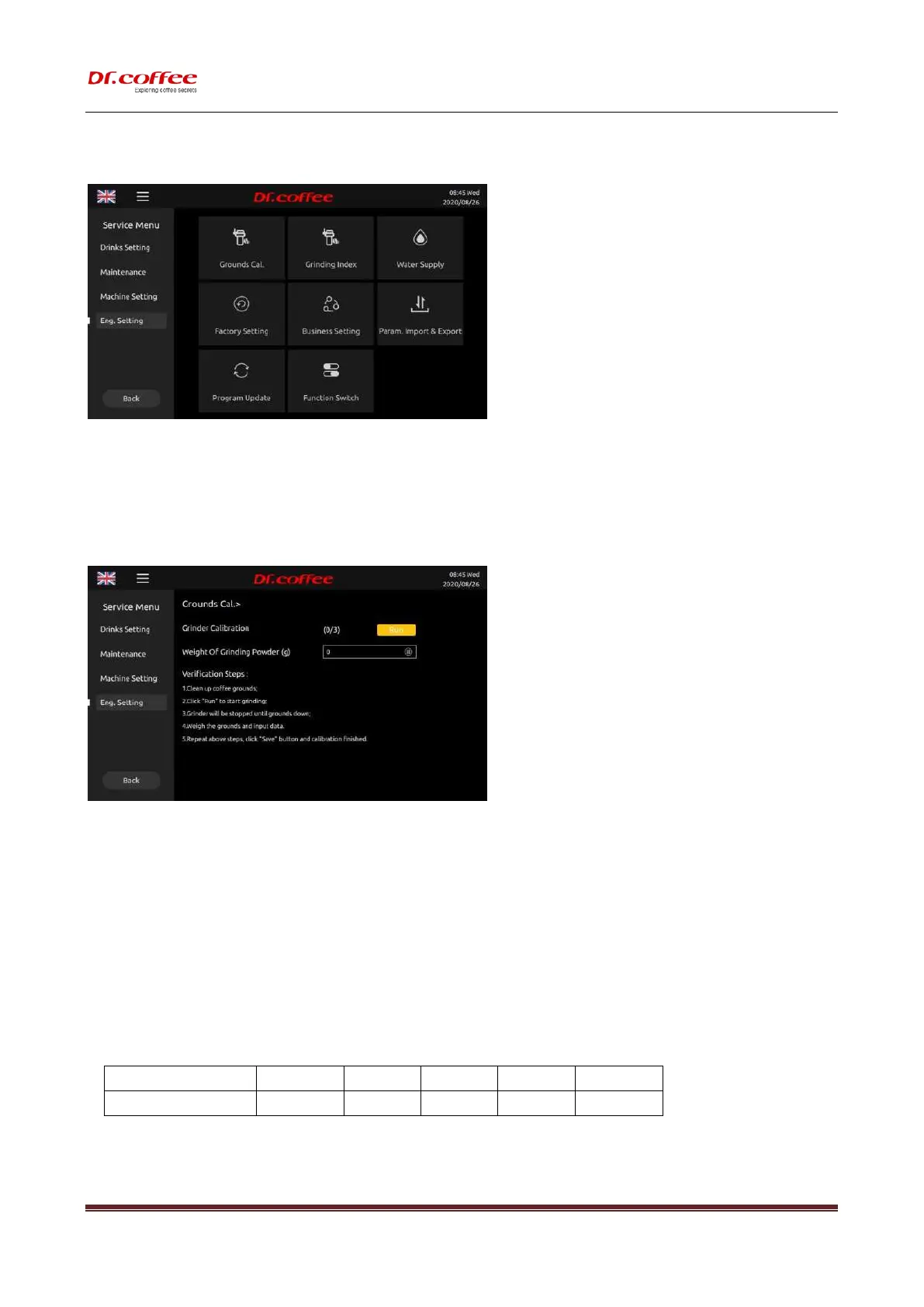
Eng. Setting: Tap”Eng. Setting” to enter the interface.
7.4.1 Grinding Calibration
Grinding Calibration: The grinding amount of the grinder can be calibrated. Tap “Save” to effect
Calibration: When the coffee machine is shipped from the factory, it is calibrated with the test beans. However, when using your coffee beans, the speed of the grinder may vary, and
the amount of powder may deviate from the factory calibration standard. Therefore, it is recommended to do ground cal. with your own coffee beans before using the coffee machine.
Steps:
Step 1: Empty grounds container, place it on the balance scale, weigh it, and then put it back in the machine;
Step 2: Tap “Run” to start grinding coffee grounds will fall into the grounds container;
Step 3: Take out the grounds container and weigh the coffee powder; (Note, Weighing from the 3
rd
time, the first 2 times is to make sure there are coffee grounds in the grinder.)
Step 4: Enter the weight of the coffee powder into the “Grounds” on the machine interface; (Enter the value as an integer, round to the nearest decimal point);
Step 5: After repeating the steps above 3 times, “Save” will appear, and all the steps of calibration will be completed after tapping.
Then repeat the steps above for calibration of another grinder.
7.4.2 Grinding Index
Grinding Index: The grinding amount of the grinder can be calibrated. Tap “Save” to effect.
About Grounds Calibration: It is the multiple of the Grounds set in drink setting. Set Choice: 0.7~1.3; Default: 1.0



 To Next Page