Rev 0.0
Dr.coffee Service Manual 22
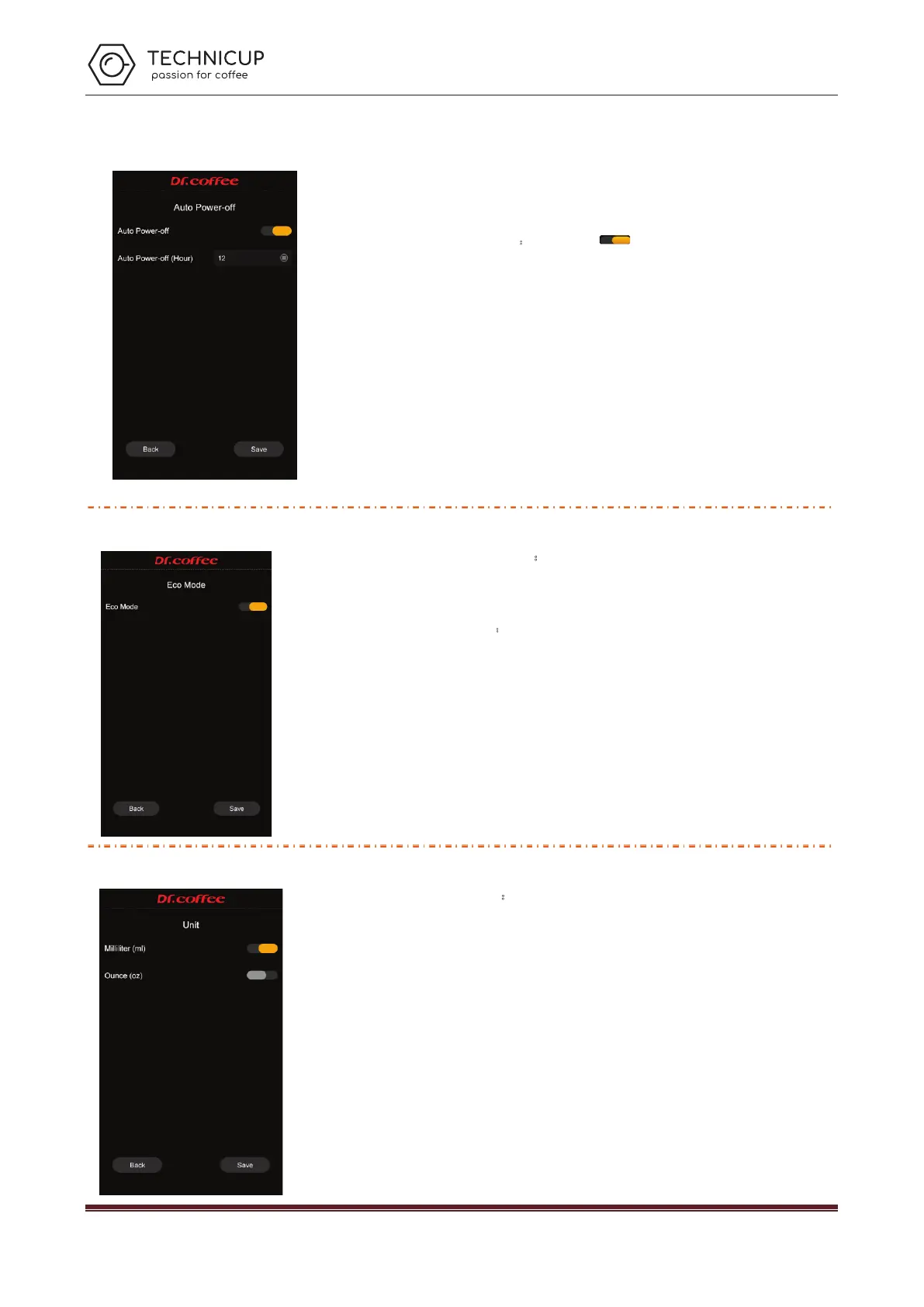
7.3.3 Auto Power Off
Auto power off:Set the time for the coffee machine to automatically
shut down. Click save to effect.
Power off:
Tap the button“ ”, to turn this feature on or off
Power off (H): Indicates the time when the setting needs to be shut down. Setting
range: 1 hour to 24 hours.
For example settled 12hours,it means counting from last cup of coffee, nobody
making coffee after 12 hours, machine will power off automaticly.
If someone makes coffee durng couting period , system will restar counting
from this cup, 12 hours after , machine will powere off.
Once set, the machine will automatically shut down every day according to the set time.
(Long press the screen for more than 3 seconds to restart the machine.) If you do not
use the machine for a long time, please turn off the machine.
7.3.4 ECO Mode
ECO Mode:
In this item, you can choose to turn on or off any of the
modes. Tap “Save” to effect.
ECO:After standing by after 1 hour, the temperature of Hot water Thermo- block will
low down to be 60
℃
and keep status
。
7.3.5 Unit Setting
Unit:
Different units can be selected as needed. Tap “Save” to effect.
Select range: ml, oz
Technicup Service Manual



 To Next Page