Rev 0.0
Dr.coffee Service Manual 16
7.1 Maintenance
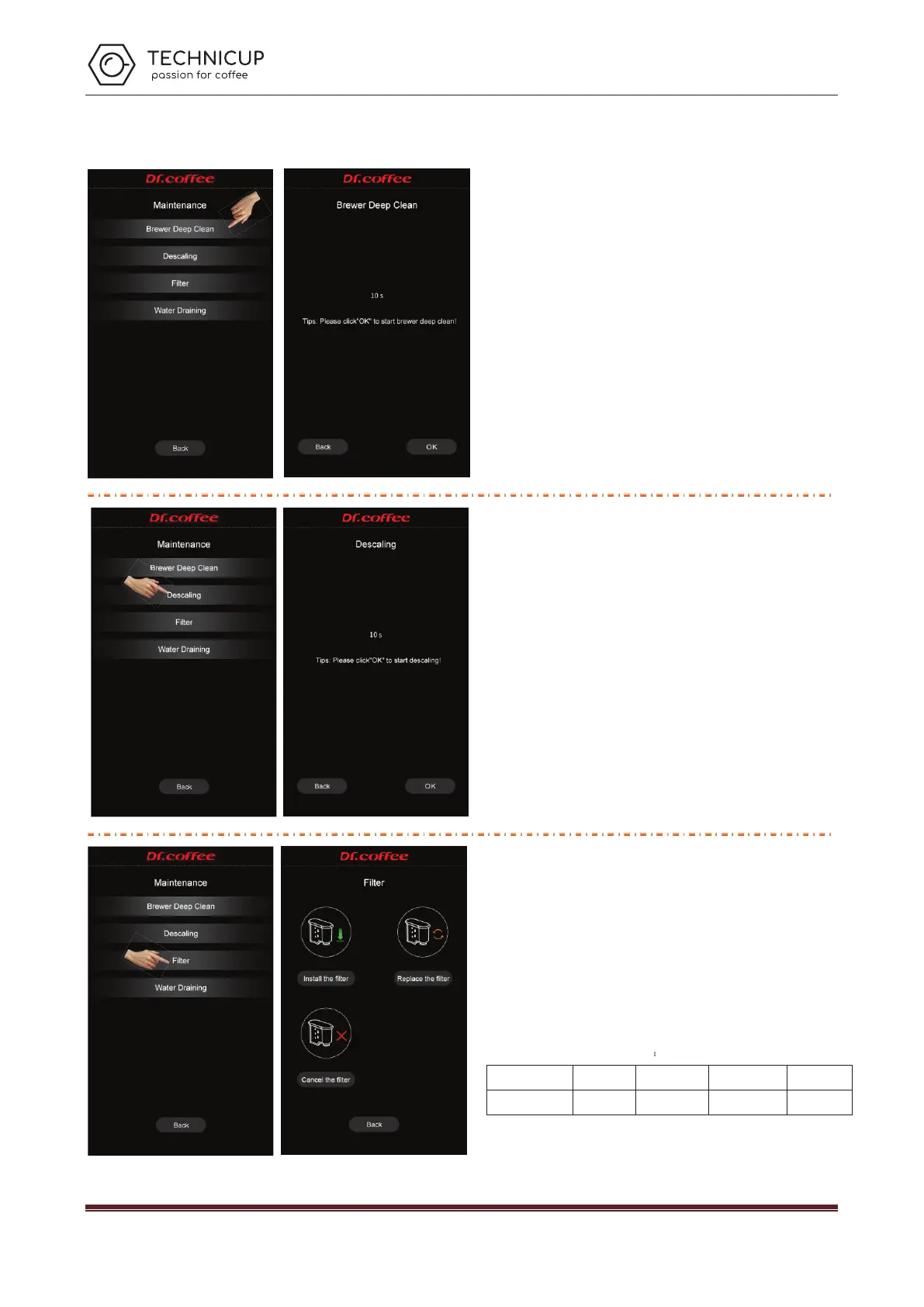
7.1.1 Brewer deep clean
Use professional cleaning tables to do deep clean. Follow the instruction to finish this
process.
See details in User Manual
7.1.2 Descaling
Use professional cleaning powder to do descaling. Follow the instruction to finish this
process
See details in User Manual
7.1.3 Filter
The operation of setting the filter function of the coffee machine(only available on
water tank mode)
Install the filter: Click "Install the Filter ", and the machine screen will prompt the
operation steps of installation;
Replace the filter: Click "Replace the Filter ", and the machine screen will prompt the
operation steps of replacement
Cancel the filter: Use without filter
Filter replacement cycle comparison table:
Water hardness 0-75ppm 76-150ppm 151-300ppm >300ppm
Replace cycle 400L 300L 200L 100L
For example
:
Settled water hardness is 0-75ppm
:
it means if the water
consumption reaches 400L, user must replace the filter.
Technicup Service Manual



 To Next Page