Rev 0.0
Dr.coffee Service Manual 25
7.4.2 Grinding Index
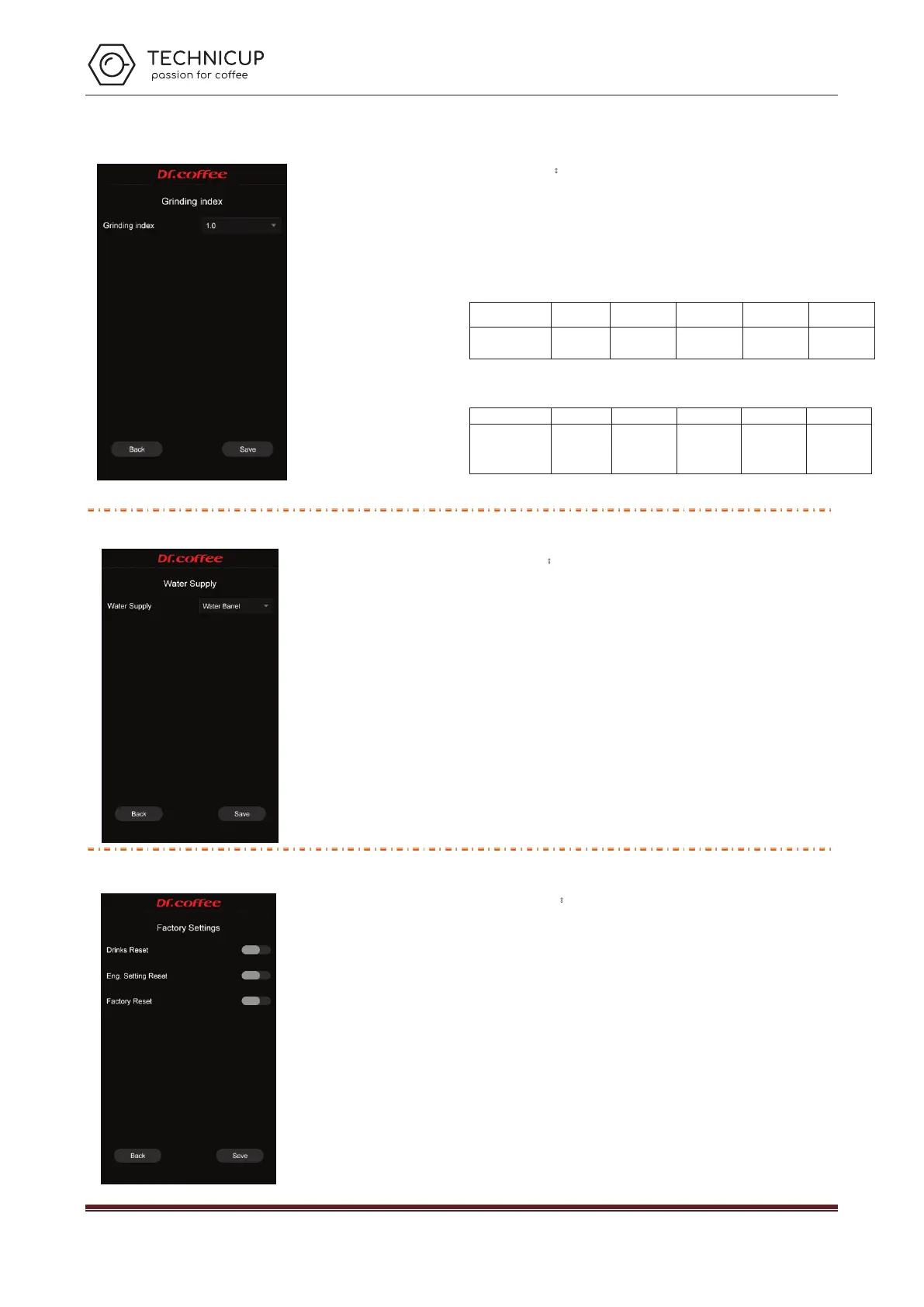
Grinding Index:
Grinding index can be adjusted. Click save to effect.
The grinding coefficient refers to a multiple. That is, how many times or how many
times the overall increase is based on the standard value of the existing grinding
amount comparison table. (The adjustment range is between 0.7 times and 1.3 times,
the default is 1.0)
Grinding amount comparison table
Grounds
1 2 3 4 5
Gram
(±1g)
5g-7g 7g-9g 9g-11g 11g-13g 14g-16g
For example: Choose
”
0.9
”
, then all the grounds will be 90% of the original weight
according to the grounds table above
Grounds
1 2 3 4 5
Gram
(±1g)
(5g~7g)
*0.9
(7g~9g)
*0.9
(9g~11g)
*0.9
(11g~13g)
*0.9
(14g~16g)
*0.9
7.4.3 Water Supply
Water supply:
Set the water supply mode for the coffee machine. Click
save to effect.
Water supply
Choose the way the coffee machine supplies water. Choice range: water tank, water
barrel, tap water. (Note: The water supply method must be set to match the actual
water supply status of the machine)
Select
“
water tank
”,
it means the supply mode is water tank.
Select
“
tap water
”,
it means the supply mode is tap water.
7.4.4 Factory Setting
Factory settings:
Restore the coffee machine related parameters to the
factory defaults. Click Save to restart the coffee machine.
Drinks reset
After clicking the button next to “Drinks reset”, you can save the parameters after
saving and restarting the coffee machine.
Eng. Setting reset
After clicking the button next to “Eng. setting reset”, you can save the parameters after
saving and restarting the coffee machine.
Factory reset
After clicking the button next to “Factory reset”, you can save the parameters after
saving and restarting the coffee machine.
Technicup Service Manual



 To Next Page