83
English
4. Controls/Functions
4.5 Remote Controller
❸
❹
❼
❿
❾
⓮
⓬
❷
❺
❻
❽
⓫
⓭
❶
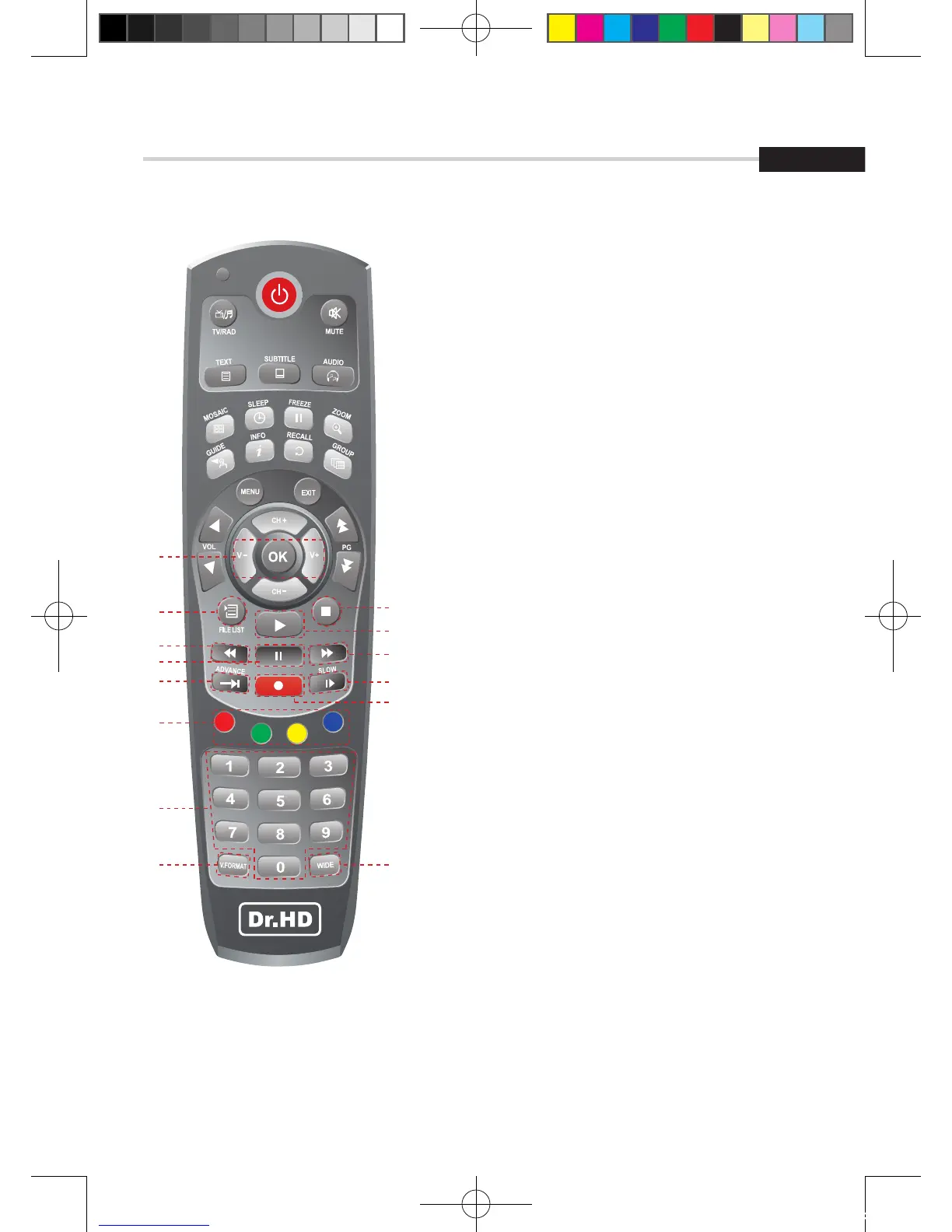
❶ Vol Up & Down: To change the volume level
in non-menu mode
❷ FILELIST: To display the filelist
❸ STOP: Stop Playback
❹ PLAY: Play Content
“& Hotkey to DiVX Player List”
❺ REW: Playback in rewind mode
❻ PAUSE: Pause playback
❼ FWD: Playback in forward mode
❽ ADVANCE: Go to live channel
❾ REC: Start recording
❿ SLOW: Playback in slow mode
⓫ Color Key: Select the option such as View List,
Select Disk, Rename.
“(Long press ‘1’) Hotkey to PIP”,
“(Long press ‘2’) Hotkey to PIP Swap”,
“(Long press ‘3’) Hotkey to PIP List”,
“(Long press ‘0’) Hotkey to Spectrum analyzer”,
⓬ Numeric Keys (0-9): To enter numerical
settings (such as channel numbers) directly.
“(Short press Blue key) Hotkey to Plugin list”
“(Long press Blue key) Hotkey to VK Video”
⓭ V.FORMAT: To switch the resolution of
video output
⓮ WIDE: To select a TV aspect ratio Pan Scan or
Letter-Box(4:3) (Full screen or pillar box(16:9)
[2012.10.12]D15+F15_russian+english.indd 83 2012-10-12 11:23:04



 To Next Page