101
English
6. Operation
6.2 System Setting
➊
Time Settings
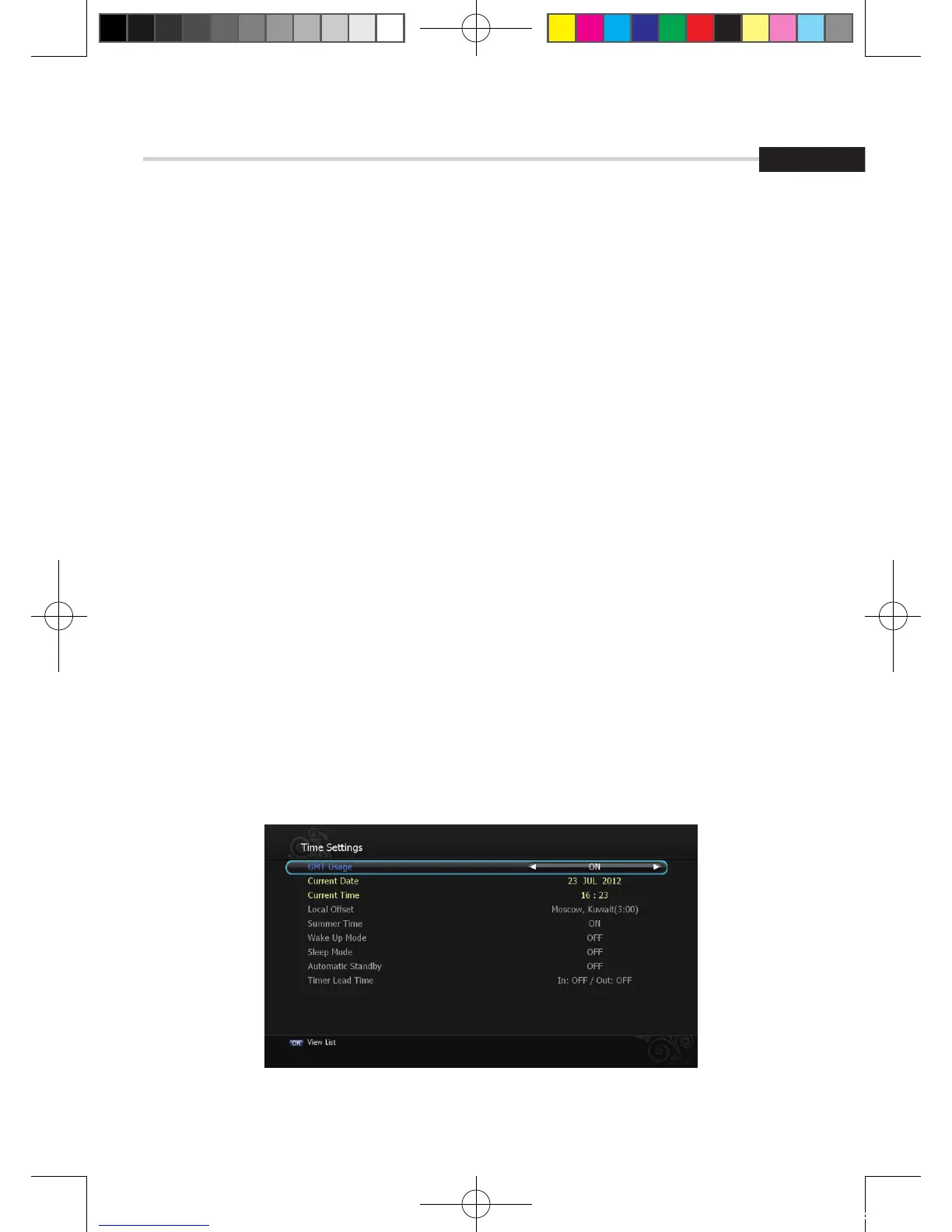
This sub menu allows you to set your local time, wake up time, wake up channel and sleep time.
< Figure 6.2.1>
▪ GMT Usage: If you set ON, local time is determined by adjusting the differences from
GMT (Greenwich Meantime) according to your location.
▪ Current Date: If GMT Usage ON, this date is determined by GMT. If GMT Usage OFF, you
can modify this by pressing the OK button. If you set OFF, receiver doesn’t refer to GMT.
Local time is determined by adjusting current date and current time.
▪ Current Time: If GMT Usage ON, this time is determined by GMT. If GMT Usage OFF, you
can modify this by pressing the NUMERIC button.
▪ Local Offset: If GMT Usage ON, Local time is GMT time + Local Offset.
▪ Summer Time: you can set the summer time mode
(Off/Last Sun in Oct~Mar/First Sun in Oct~Mar/Mar~Oct)
▪ Wake Up Mode: You can set the cycle of the wake up mode (Off/Once/Daily/Mon~Fri)
▪ Wake Up Time: You can set wake up time by pressing the NUMERIC button on the remote.
▪ Wake Up Channel: You can set wake up channel by pressing the OK button on the remote.
▪ Sleep Mode: You can set the cycle of the sleep mode (Off/Once/Daily/Mon~Fri)
▪ Sleep Time: You can set sleep time by pressing the NUMERIC button on the remote
▪ Automatic Standby: Selects auto standby time (OFF/After 1~8Hour) After making your
selection press OK to confirm
▪ Timer Lead Time: Press OK to set the Timer Lead In And Lead Out Time.
Figure 6.2.1
[2012.10.12]D15+F15_russian+english.indd 101 2012-10-12 11:23:11



 To Next Page