116
6. Operation
6.5 Entertainment
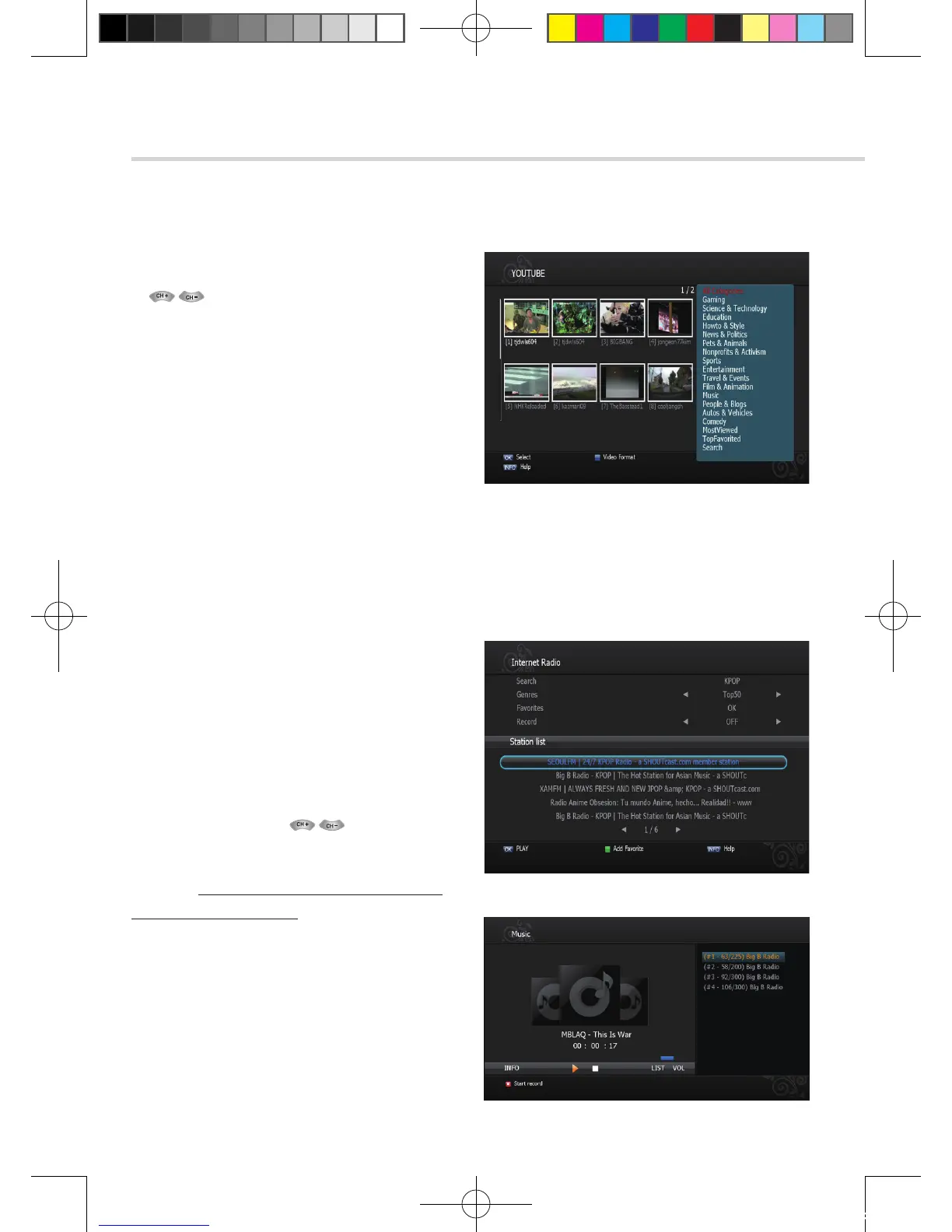
Figure 6.5.1
Figure 6.5.3
Figure 6.5.2
➊
YOUTUBE
1. : To select Youtube movie.
2. OK: To play movie.
▪ Option: To search by Category. Viewed,
Time, Location.
▪ Search: To serch by key word.
▪ Next: To move Next page.
▪ Previous: To move previous page.
▪ REPLAY: To replay the current movie.
▪ PAUSE: To pause the movie.
▪ STOP: To stop the movie.
▪ Fullview: To view the movie in full size.
➋
Internet Radio
▪ Search: To search by key word.
▪ Genres: To search by genre.
▪ Favorites: To set favorite channels.
▪ Record: To record Radio.
1. Search Radio channel by Key word or Genre.
2. Select a channel by <Figure 6.5.2>
3. Press OK to play Radio.
✽ Note: To record Radio, please install USB
storage & Internal HDD.
[2012.10.12]D15+F15_russian+english.indd 116 2012-10-12 11:23:16



 To Next Page